Introduction
In this guide you will learn to take apart the keyboard to gain access to debris under the keys that could be causing sticky keys.
What you need
-
-
Use the iFixit opening pick to pry open the back panel by running it along the edges of the keyboard.
-
-
-
-
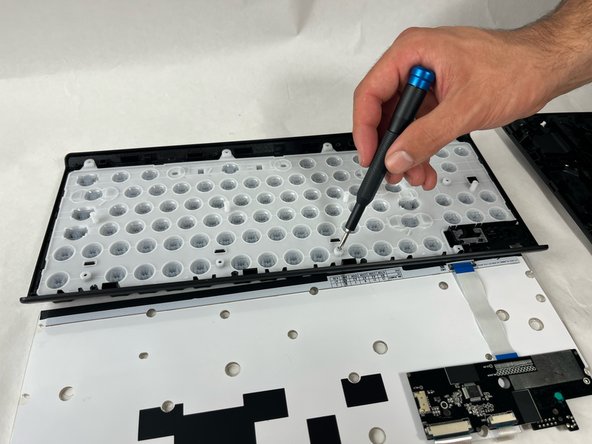
Use a screwdriver to remove the screws securing the plastic backing on the keys.
-
-
-
You can use the spudger to press out specific keys that are dirty or for key cap replacement
-

 Ask FixBot



To reassemble your device, follow these instructions in reverse order.

Team

UMass Dartmouth, Team 1-3, Santin Spring 2024 Member of UMass Dartmouth, Team 1-3, Santin Spring 2024
UMASSD-SANTIN-S24S1G3
3 Members
5 Guides authored
1 Guide Comment
how do you detach the connection in the middle on the lower side, the where the logo is positioned?
i can get all the other ones to detach just this little magnet or hatch doesnt want to detach. i tried poking a pick and a screwdriver beneath it, they just started scratching of material from the backplatte. I would be grateful if you could tell me how i can detach that last piece. look forward to it!
