
Spin Master Boxer Robot Speaker Replacement

Lauren Roide and 2 other contributors
Last updated on Jun 21, 2019
Views: 1.6K
View statistics:
- Past 24 Hours:
- 2
- Past 7 Days:
- 20
- Past 30 Days:
- 71
- All Time:
- 1,622
Comments: 2
2 comments on steps.
Completed: 0 1
No one has marked this guide "completed." Will you be the first?
1 person has marked this guide "completed." It's you — great job!
Favorites: 0 1
No one has favorited (and subscribed to) this guide. Will you be the first?
1 person has favorited (and subscribed to) this guide — and that's you!
Introduction
Go to step 1 ↓If Spin Master Boxer is not making any noises, follow this guide to replace speaker. The speaker is located inside of robot, and requires a Size 00 Philips Screwdriver to complete replacement, and requires soldering to remove the speaker.
What you need
Tools

-
-
-
Set Spin Master Boxer on your workspace so that the bottom panel faces upwards.
 Ask FixBot
-
-
-
Using a Phillips #00 screw driver, unscrew the four 4mm screws in each corner of the bottom panel.
-
-
-
Carefully remove the bottom panel of the Spin Master Boxer by lifting up, away from the main body of robot.
-
-
-
-
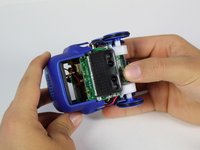
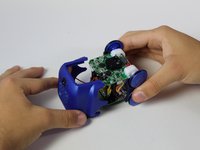
While holding onto the axels of the wheels, gently pull the top panel of the robot away from its body.
-
-
-
Remove the plastic screen from the body of the robot. It should come off easily as it is not attached by anything.
-
-
-
-
-
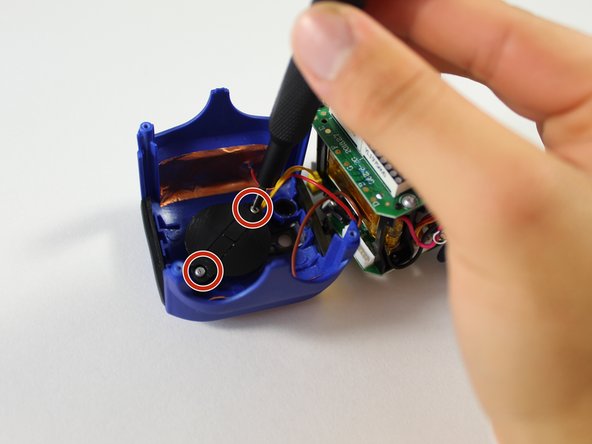
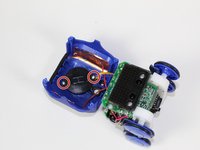
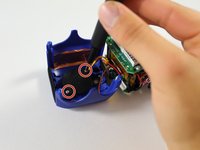
Using a Phillips #00 screwdriver, unscrew the two 3mm screws connecting the black speaker cover to the top panel.
-
-





To reassemble your device, follow these instructions in reverse order.

Team

Cal Poly, Team S1-G1, Maness Spring 2019 Member of Cal Poly, Team S1-G1, Maness Spring 2019
CPSU-MANESS-S19S1G1
4 Members
60 Guides authored
