Free Shipping on Domestic Orders $75+

Sony Xperia Z1 Compact Headphone Jack Replacement Replacement

What you need

  1. Sony Xperia Z1 Compact Headphone Jack Replacement Replacement, Back Cover: step 1, image 1 of 1
    • Heat along the edges of the back cover using a heat gun to soften the glue.

    Ask FixBot
  2. Sony Xperia Z1 Compact Headphone Jack Replacement Replacement: step 2, image 1 of 1
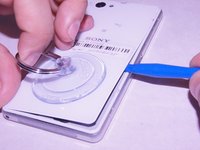
    • Attach the small suction cup to the back cover near the bottom of the phone.

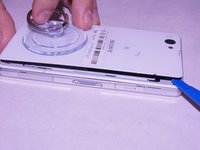
    • Pull up on the suction cup and insert the plastic opening tool in between the back cover and the rest of the phone.

    Ask FixBot
  3. Sony Xperia Z1 Compact Headphone Jack Replacement Replacement: step 3, image 1 of 2 Sony Xperia Z1 Compact Headphone Jack Replacement Replacement: step 3, image 2 of 2
    • Move the spudger around the edge of the back cover to separate it from the black adhesive.

    • Separating the back cover from the rest of the phone ruins the adhesive which makes it no longer waterproof.

    Ask FixBot
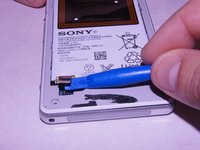
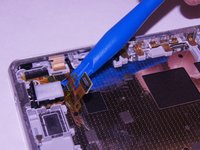
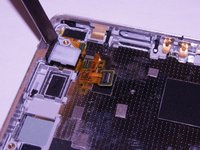
  4. Sony Xperia Z1 Compact Headphone Jack Replacement Replacement, Battery: step 4, image 1 of 2 Sony Xperia Z1 Compact Headphone Jack Replacement Replacement, Battery: step 4, image 2 of 2
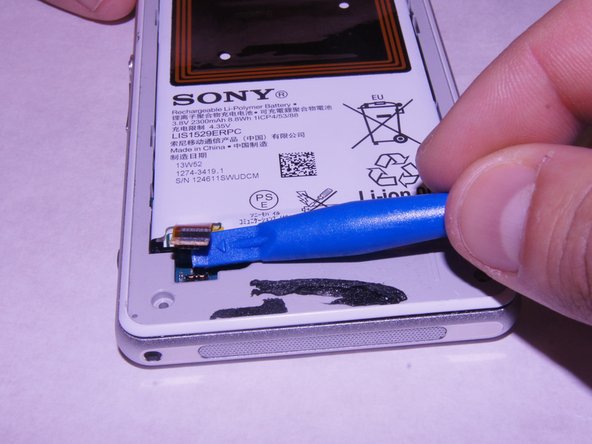
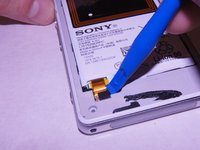
    • Carefully disconnect the battery from the logic board by using the plastic spudger as a lever.

    Ask FixBot
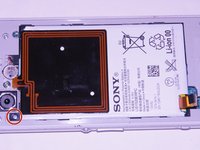
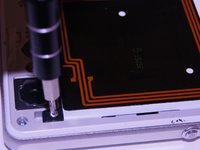
  5. Sony Xperia Z1 Compact Headphone Jack Replacement Replacement: step 5, image 1 of 2 Sony Xperia Z1 Compact Headphone Jack Replacement Replacement: step 5, image 2 of 2
    • Remove the single 1 x 3.0 mm screw holding the battery in using the JIS #00 screwdriver.

    Ask FixBot
  6. Sony Xperia Z1 Compact Headphone Jack Replacement Replacement: step 6, image 1 of 1
    • Pry the battery up from the ends using the plastic spudger until the battery pops out of the enclosure.

    Ask FixBot
  7. Sony Xperia Z1 Compact Headphone Jack Replacement Replacement: step 7, image 1 of 1
    • Remove the battery from the device

    Ask FixBot
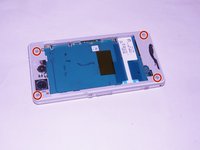
  8. Sony Xperia Z1 Compact Headphone Jack Replacement Replacement, External Speaker: step 8, image 1 of 2 Sony Xperia Z1 Compact Headphone Jack Replacement Replacement, External Speaker: step 8, image 2 of 2
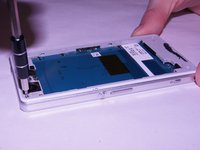
    • Unscrew the four screws on the corners of the back frame using the JIS #00 screwdriver.

    Ask FixBot
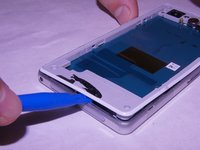
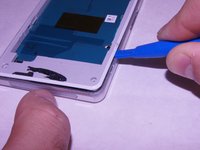
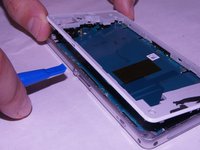
  9. Sony Xperia Z1 Compact Headphone Jack Replacement Replacement: step 9, image 1 of 3 Sony Xperia Z1 Compact Headphone Jack Replacement Replacement: step 9, image 2 of 3 Sony Xperia Z1 Compact Headphone Jack Replacement Replacement: step 9, image 3 of 3
    • Wedge the plastic opening tool under the back frame. Move the plastic opening tool around the entire frame to separate it from the adhesive.

    Ask FixBot
  10. Sony Xperia Z1 Compact Headphone Jack Replacement Replacement: step 10, image 1 of 1
    • Remove the back frame.

    Ask FixBot
  11. Sony Xperia Z1 Compact Headphone Jack Replacement Replacement: step 11, image 1 of 2 Sony Xperia Z1 Compact Headphone Jack Replacement Replacement: step 11, image 2 of 2
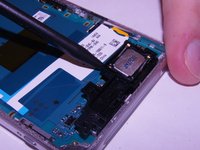
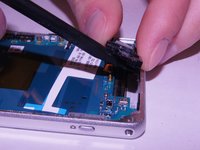
    • Wedge the spudger underneath the external speaker. Pull up on the external speaker using the spudger.

    Ask FixBot
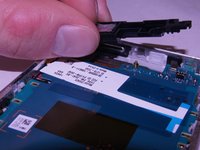
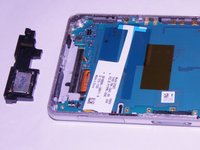
  12. Sony Xperia Z1 Compact Headphone Jack Replacement Replacement: step 12, image 1 of 2 Sony Xperia Z1 Compact Headphone Jack Replacement Replacement: step 12, image 2 of 2
    • Remove the external speaker.

    Ask FixBot
  13. Sony Xperia Z1 Compact Headphone Jack Replacement Replacement, Motherboard: step 13, image 1 of 2 Sony Xperia Z1 Compact Headphone Jack Replacement Replacement, Motherboard: step 13, image 2 of 2
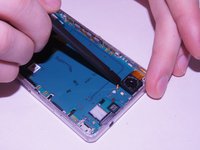
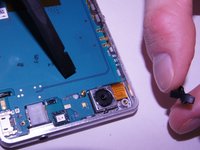
    • Remove the square rubber gasket from the camera using the plastic spudger.

    Ask FixBot
  14. Sony Xperia Z1 Compact Headphone Jack Replacement Replacement: step 14, image 1 of 2 Sony Xperia Z1 Compact Headphone Jack Replacement Replacement: step 14, image 2 of 2
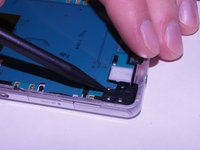
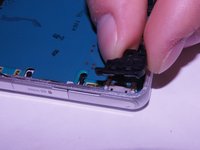
    • Remove the black plastic corner still holding in the motherboard.

    Ask FixBot
  15. Sony Xperia Z1 Compact Headphone Jack Replacement Replacement: step 15, image 1 of 3 Sony Xperia Z1 Compact Headphone Jack Replacement Replacement: step 15, image 2 of 3 Sony Xperia Z1 Compact Headphone Jack Replacement Replacement: step 15, image 3 of 3
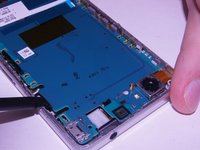
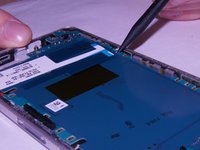
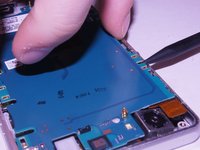
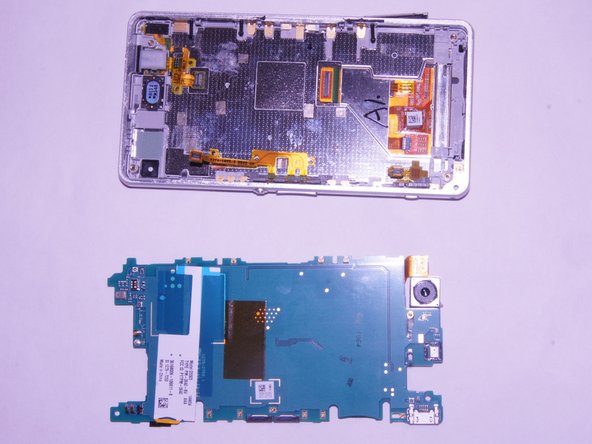
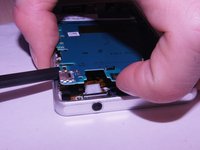
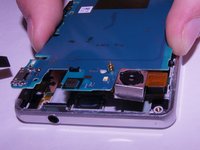
    • Carefully pry up on the four sides of the motherboard using the plastic spudger til it separates from the base of the phone.

    Ask FixBot
  16. Sony Xperia Z1 Compact Headphone Jack Replacement Replacement: step 16, image 1 of 3 Sony Xperia Z1 Compact Headphone Jack Replacement Replacement: step 16, image 2 of 3 Sony Xperia Z1 Compact Headphone Jack Replacement Replacement: step 16, image 3 of 3
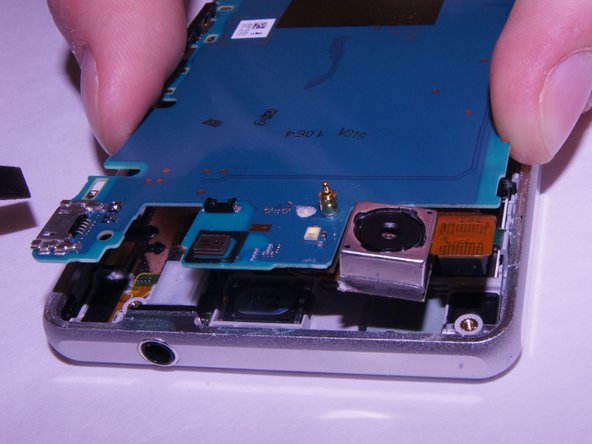
    • Remove the motherboard from the device.

    • There may be a small yellow adhesive underneath the motherboard still holding it in. Slide the tip of the spudger through it to sever it.

    Ask FixBot
  17. Sony Xperia Z1 Compact Headphone Jack Replacement Replacement, Headphone Jack Replacement: step 17, image 1 of 2 Sony Xperia Z1 Compact Headphone Jack Replacement Replacement, Headphone Jack Replacement: step 17, image 2 of 2
    • To remove the headphone jack, cut the sticker between the headphone jack and the midframe with sharp tweasers.

    Ask FixBot
  18. Sony Xperia Z1 Compact Headphone Jack Replacement Replacement: step 18, image 1 of 1
    • Remove the headphone jack.

    Ask FixBot
Conclusion

To reassemble your device, follow these instructions in reverse order.

Frani Morris

Member since: 09/21/17

222 Reputation

2 Guides authored

0 Guide Comments

Add Comment

View Statistics:

Past 24 Hours: 1

Past 7 Days: 6

Past 30 Days: 57

All Time: 1,529