
Sony Xperia Z1 Compact External Speaker Replacement

Kevin Bergstrom and 3 other contributors
Last updated on Jan 5, 2018
Views: 1.7K
View statistics:
- Past 24 Hours:
- 2
- Past 7 Days:
- 17
- Past 30 Days:
- 97
- All Time:
- 1,715
Comments: 1
1 comment on steps.
Completed: 1 2
1 person has marked this guide "completed." Will you be next?
2 people have marked this guide "completed." Including you — great job!
Favorites: 0 1
No one has favorited (and subscribed to) this guide. Will you be the first?
1 person has favorited (and subscribed to) this guide — and that's you!
Introduction
Go to step 1 ↓This guide will replace the external speaker in the Sony Xperia Z1 Compact.
What you need


-
-
-
Heat along the edges of the back cover using a heat gun to soften the glue.
 Ask FixBot
-
-
-
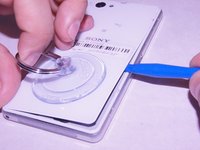
Attach the small suction cup to the back cover near the bottom of the phone.
-
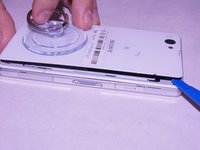
Pull up on the suction cup and insert the plastic opening tool in between the back cover and the rest of the phone.
-
-
-
Move the spudger around the edge of the back cover to separate it from the black adhesive.
-
-
-
-
-
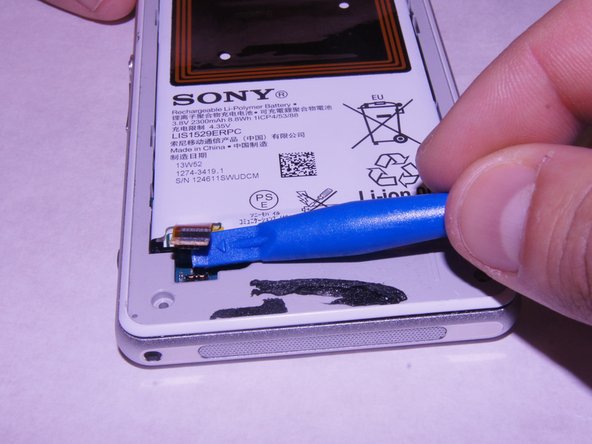
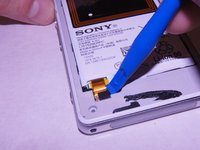
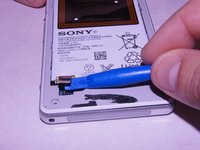
Carefully disconnect the battery from the logic board by using the plastic spudger as a lever.
-
-
-
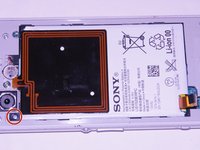
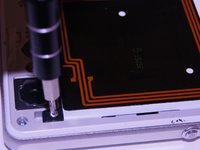
Remove the single 1 x 3.0 mm screw holding the battery in using the JIS #00 screwdriver.
-
-
-
Pry the battery up from the ends using the plastic spudger until the battery pops out of the enclosure.
-
-
-
-
-
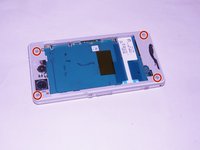
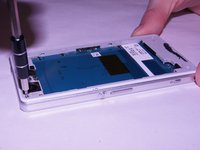
Unscrew the four screws on the corners of the back frame using the JIS #00 screwdriver.
-
-
-
-
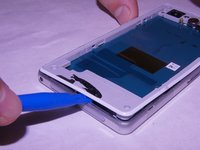
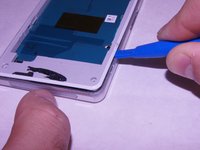
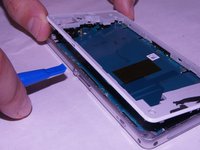
Wedge the plastic opening tool under the back frame. Move the plastic opening tool around the entire frame to separate it from the adhesive.
-
-
-
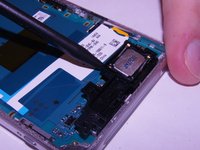
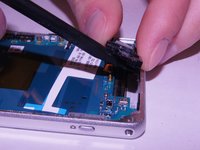
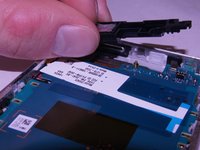
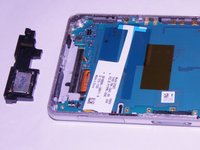
Wedge the spudger underneath the external speaker. Pull up on the external speaker using the spudger.
-
-













To reassemble your device, follow these instructions in reverse order.
Cancel: I did not complete this guide.
One other person completed this guide.

Team

Washington State, Team S4-G1, Phelps-Hillen Fall 2017 Member of Washington State, Team S4-G1, Phelps-Hillen Fall 2017
WSU-PHELPS-HILLEN-F17S4G1
6 Members
84 Guides authored
