Free Shipping on Domestic Orders $75+

Sony Xperia XA Front Camera Replacement

What you need

  1. Sony Xperia XA Front Camera Replacement, Back Cover: step 1, image 1 of 1
    • Apply heat on the back surface of the phone.

    • Continue to heat the device as needed throughout the replacement process.

    • The device can get very hot, so be careful when handling it.

    Ask FixBot

    Add Comment

  2. Sony Xperia XA Front Camera Replacement: step 2, image 1 of 1
    • Stick the small suction cup on the bottom half of the back surface of the phone.

    Ask FixBot

    Add Comment

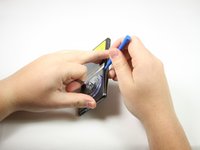
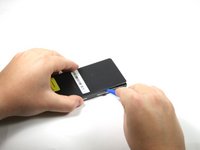
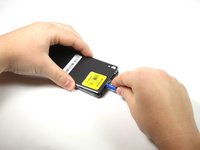
  3. Sony Xperia XA Front Camera Replacement: step 3, image 1 of 3 Sony Xperia XA Front Camera Replacement: step 3, image 2 of 3 Sony Xperia XA Front Camera Replacement: step 3, image 3 of 3
    • With the bottom of the device facing you, lift up on the suction cup handle.

    • Use the plastic opening tool around all sides to pry off the back cover.

    Ask FixBot

    Add Comment

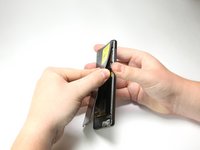
  4. Sony Xperia XA Front Camera Replacement: step 4, image 1 of 3 Sony Xperia XA Front Camera Replacement: step 4, image 2 of 3 Sony Xperia XA Front Camera Replacement: step 4, image 3 of 3
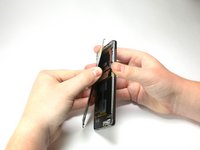
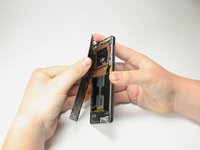
    • Pull the back of the phone case away from the device.

    • You will hear popping sounds of glue being ripped from the phone.

    • You will hear the sound of the back unlatching from the device.

    • You will need to apply adhesive or glue along the device to have maximum seal in reassembly.

    • RAF antenna may be attached to the back cover upon removal.

    Ask FixBot

    Add Comment

  5. Sony Xperia XA Front Camera Replacement: step 5, image 1 of 1
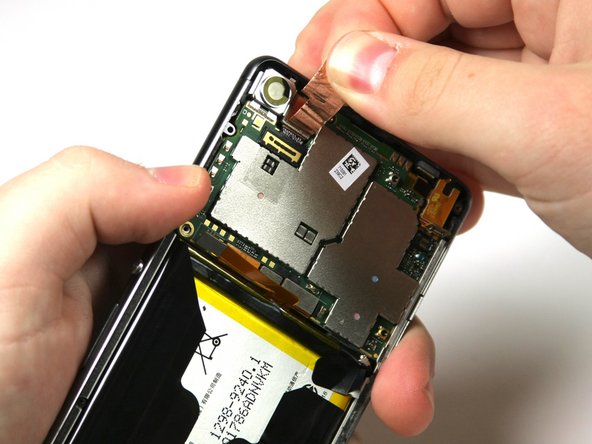
    • Apply heat to the copper RAF antenna.

    • This step and the following step only apply if the RAF antenna does not come off when taking the back cover off.

    Ask FixBot

    Add Comment

  6. Sony Xperia XA Front Camera Replacement: step 6, image 1 of 1
    • Peel back the RAF antenna.

    Ask FixBot

    Add Comment

  7. Sony Xperia XA Front Camera Replacement, Front Camera: step 7, image 1 of 2 Sony Xperia XA Front Camera Replacement, Front Camera: step 7, image 2 of 2
    • Remove the five black 4mm screws with a Phillips #00 screwdriver.

    Ask FixBot

    Add Comment

  8. Sony Xperia XA Front Camera Replacement: step 8, image 1 of 3 Sony Xperia XA Front Camera Replacement: step 8, image 2 of 3 Sony Xperia XA Front Camera Replacement: step 8, image 3 of 3
    • Pry up the black camera case with the plastic opening tool and then remove the case.

    Ask FixBot

    Add Comment

  9. Sony Xperia XA Front Camera Replacement: step 9, image 1 of 2 Sony Xperia XA Front Camera Replacement: step 9, image 2 of 2
    • Use the flat end of the spudger to peel up the copper tab to the right of the back camera.

    • Peel back the tab past the connector.

    • Tab is stuck with adhesive.

    Ask FixBot

    Add Comment

  10. Sony Xperia XA Front Camera Replacement: step 10, image 1 of 1
    • Pry up the camera's connector to the motherboard with the nylon spudger.

    Ask FixBot

    Add Comment

  11. Sony Xperia XA Front Camera Replacement: step 11, image 1 of 1
    • Use the flat end of the nylon spudger to lift the camera out of the phone.

    Ask FixBot

    Add Comment

  12. Sony Xperia XA Front Camera Replacement: step 12, image 1 of 1
    • Finish removing the front camera by lifting it gently with your fingers.

    Ask FixBot

    Add Comment

Conclusion

To reassemble your device, follow these instructions in reverse order.

Cancel: I did not complete this guide.

Theresa Wilcoski

Member since: 04/18/18

328 Reputation

2 Guides authored

Team

Cal Poly, Team S17-G2, Livingston Spring 2018 Member of Cal Poly, Team S17-G2, Livingston Spring 2018

CPSU-LIVINGSTON-S18S17G2

4 Members

8 Guides authored

0 Guide Comments

Add Comment

View Statistics:

Past 24 Hours: 1

Past 7 Days: 5

Past 30 Days: 25

All Time: 741