Free Shipping on Domestic Orders $75+

Sony Xperia L2 LTE Rear Camera Replacement

What you need

    1. Sony Xperia L2 LTE Rear Camera  Replacement, Battery: step 1, image 1 of 2 Sony Xperia L2 LTE Rear Camera  Replacement, Battery: step 1, image 2 of 2
      • Before disassembling the battery, power off your Sony Xperia L2 LTE.

      • Remove SIM card tray.

      Ask FixBot

      Add Comment

    2. Sony Xperia L2 LTE Rear Camera  Replacement: step 2, image 1 of 3 Sony Xperia L2 LTE Rear Camera  Replacement: step 2, image 2 of 3 Sony Xperia L2 LTE Rear Camera  Replacement: step 2, image 3 of 3
      • Use the plastic opening tool to pry the back case of the phone off.

      • The fingerprint sensor is connected to the motherboard.

      • Disconnect the fingerprint sensor.

      Ask FixBot

      Add Comment

    3. Sony Xperia L2 LTE Rear Camera  Replacement: step 3, image 1 of 1
      • Unscrew all 10 screws from the top and bottom portion of the phone using a T4 Torx screwdriver.

      • Use the plastic opening tool to remove the unscrewed top and bottom portion of the phone.

      Ask FixBot

      Add Comment

    4. Sony Xperia L2 LTE Rear Camera  Replacement: step 4, image 1 of 2 Sony Xperia L2 LTE Rear Camera  Replacement: step 4, image 2 of 2
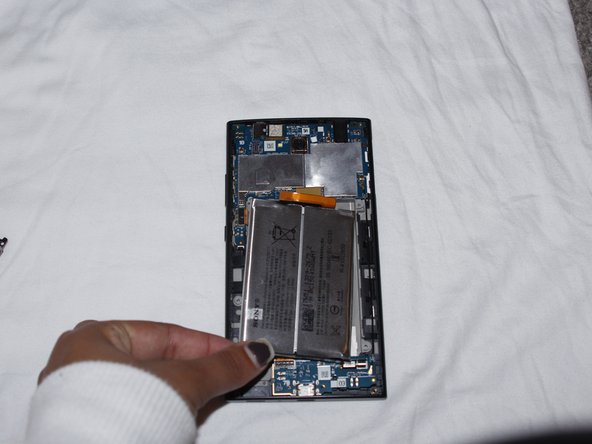
      • Disconnect the battery cable from the motherboard.

      • Pry up the battery and remove it from the device.

      • Battery may have adhesive that needs to be removed prior to removing the battery.

      • Be careful not to jab the battery with any sharp tools. A punctured battery may leak dangerous chemicals or catch fire.

      Ask FixBot

      Add Comment

    1. Sony Xperia L2 LTE Rear Camera  Replacement, Motherboard: step 5, image 1 of 1
      • Unclip circuit connectors from phone to motherboard.

      Ask FixBot

      Add Comment

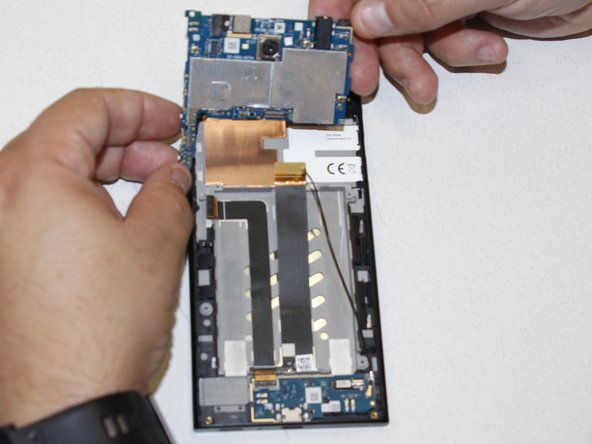
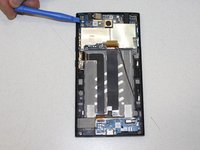
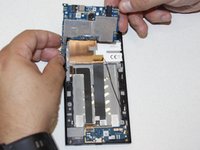
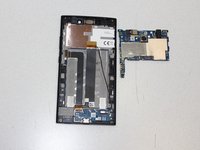
    2. Sony Xperia L2 LTE Rear Camera  Replacement: step 6, image 1 of 3 Sony Xperia L2 LTE Rear Camera  Replacement: step 6, image 2 of 3 Sony Xperia L2 LTE Rear Camera  Replacement: step 6, image 3 of 3
      • Use blue plastic opening tool to pry off the motherboard.

      Ask FixBot

      Add Comment

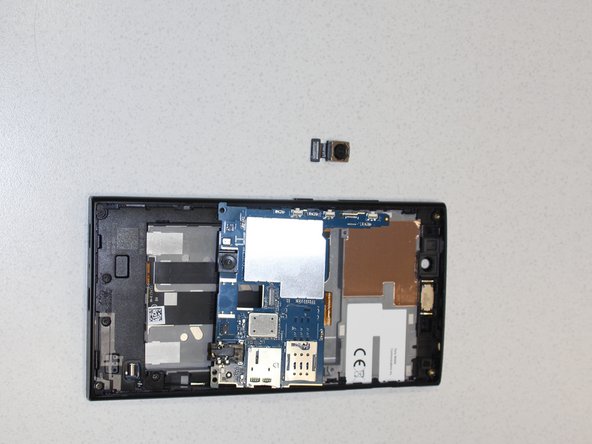
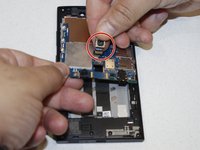
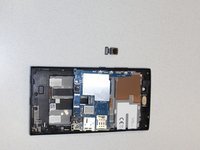
    1. Sony Xperia L2 LTE Rear Camera  Replacement, Rear Camera: step 7, image 1 of 2 Sony Xperia L2 LTE Rear Camera  Replacement, Rear Camera: step 7, image 2 of 2
      • Detach the rear camera from motherboard and remove it from the device.

      Ask FixBot

      Add Comment

Conclusion

To reassemble your device, follow these instructions in reverse order.

Cancel: I did not complete this guide.

0 Guide Comments

Add Comment

View Statistics:

Past 24 Hours: 0

Past 7 Days: 0

Past 30 Days: 16

All Time: 399