Introduction
If your Sony Walkman D-E356CK has issues within the device, then the motherboard will have to be removed from the inside of the back panel. Use this guide to remove the motherboard of the Sony Walkman D-E356CK. The only tools you will need for this guide are a prying tool and a Philips head screwdriver.
What you need
-
-
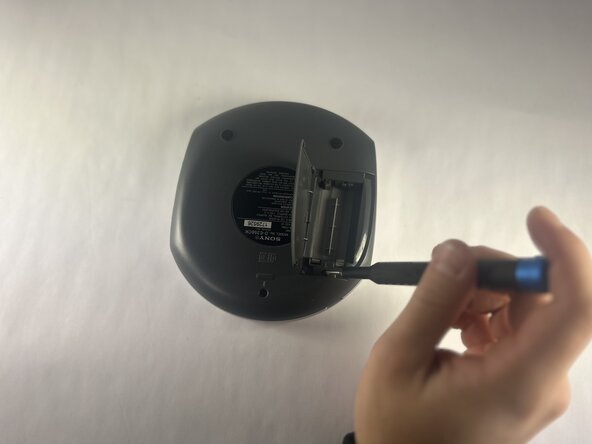
Open the battery compartment.
-
Remove the AA batteries from within the compartment.
 Ask FixBot
-
-
-
Press the button located in the bottom left corner of the device labeled "open."
-
Remove the three 11 mm-long Phillips screws.
-
-
-
-
Open the battery compartment.
-
Remove the two 11 mm-long Phillips screws on the back side of the Walkman.
-
-
-
Insert an opening tool into the seam between the back panel and chassis.
-
Pry around the perimeter until the back panel releases.
-
Remove the back panel.
-
-
-
Gently lift the motherboard to reveal the backside of the motherboard.
-
Disconnect the two JST connectors.
-




To reassemble your device, follow the above steps in reverse order.
Take your e-waste to an R2 or e-Stewards certified recycler.
Repair didn’t go as planned? Try some basic troubleshooting or ask our Answers community for help.

Team

UMass Dartmouth, Team 1-1, Botvin Fall 2025 Member of UMass Dartmouth, Team 1-1, Botvin Fall 2025
UMASSD-BOTVIN-F25S1G1
4 Members
5 Guides authored
