Introduction
If your Sony WM-FX123 is having issues playing tapes, then the belt is a common suspect. After 20-30 years they lose their elasticity and no longer function properly, resulting in either no tape playback or poor audio reproduction due to a perished belt. This guide will show you how to easily replace the belt on your Sony WM-FX123 for a minimal cost.
A new belt can be cheaply obtained from the likes of Ebay or Aliexpress by looking up the model number of your cassette player, followed by "belt", i.e "Sony WM-FX123 belt". Mine was $9NZD shipped to me from China.
Make sure to check that the belt is actually the problem before proceeding. Put some batteries in, plug in some headphones and switch it to radio mode to see if you can tune into and listen to an AM or FM radio station. If you can tune into a station, then switch back to cassette mode and press the play button and listen for the whir of a motor. If the motor has burned out or there is a board issue, a new belt will not fix this.
What you need
-
-
-
Remove the rear cover by following steps 1-3 in the disassembly guide.
 Ask FixBot
-
-
-
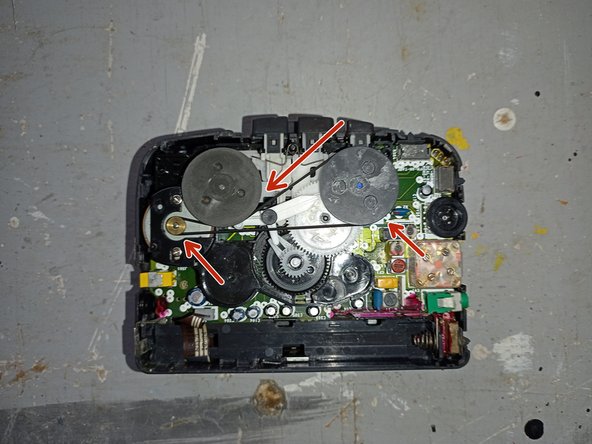
Carefully remove the belt from around the marked wheels. If it has turned to goo you may need to clean up the residue, which can be done with isopropyl alcohol, cotton buds and/or a toothpick.
-
-
-
-
Install the new belt around the wheels as pictured. Try to avoid twisting the belt as you install it or you may have issues later.
-
-
-
Reinstall the rear cover by following steps 3-1 of the disassembly guide.
-
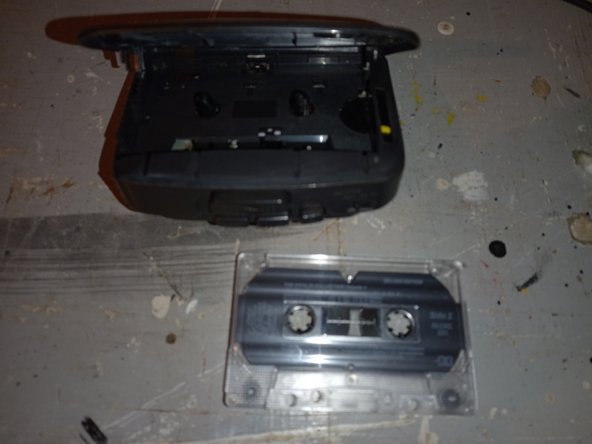
Once you have reassembled the unit, pop a cassette and some batteries in and give it a test!
-
-





To reassemble your device, follow steps 3-1 of the disassembly guide.

