
Sony WH-CH720N Battery Replacement

Charlie Gidcumb and 2 other contributors
Last updated on May 22, 2024
Views: 6.3K
View statistics:
- Past 24 Hours:
- 10
- Past 7 Days:
- 54
- Past 30 Days:
- 269
- All Time:
- 6,294
Comments: 2
1 comment on steps, 1 guide comment.
Go to guide commentsCompleted: 5 6
5 people have marked this guide "completed." Will you be next?
6 people have marked this guide "completed." Including you — great job!
Favorites: 0 1
No one has favorited (and subscribed to) this guide. Will you be the first?
1 person has favorited (and subscribed to) this guide — and that's you!
Introduction
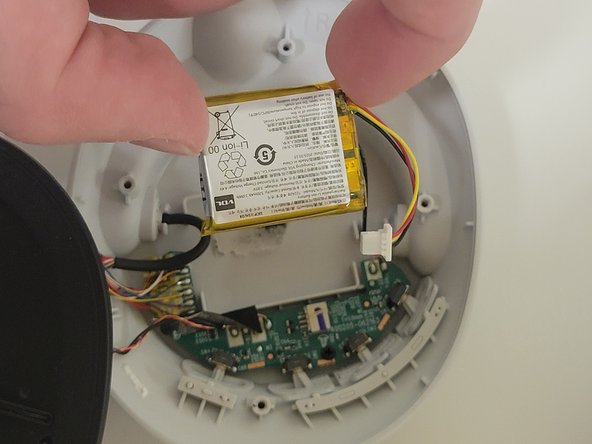
Go to step 1 ↓This repair guide will help you learn how to locate, remove, and replace the battery for the Sony WH-CH720N. The battery is in the right side of the headphones. This is necessary in the event the headphones stop accepting a charge or refuse to power on despite charging.
DO NOT puncture the battery, as it might explode. Dispose of the battery in the proper receptacle.
What you need
Tools
-
-
Spudger4.9


-
-
-
Remove the ear pad.
-
Check introductions to ensure you remove the correct side earmuff for each repair guide!
-
-
-
-
Remove the four 5 mm screws in the right using a Phillips #00 screwdriver.
-
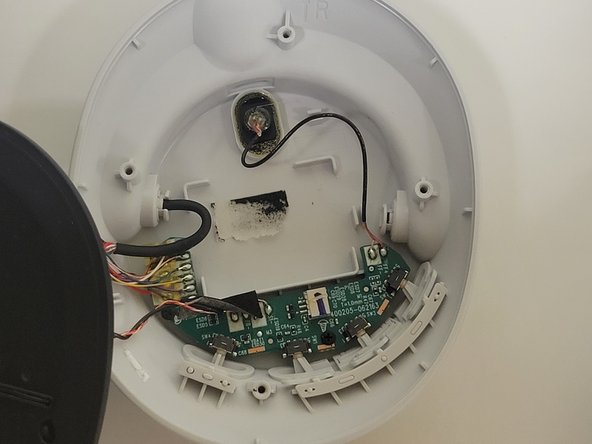
Remove the speaker panel to reveal the battery.
-
-
-

 Ask FixBot


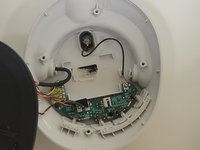
To reassemble your device, follow these instructions in reverse order.
Cancel: I did not complete this guide.
5 other people completed this guide.

Team

Western Carolina University, Team 1-2, Virtue Spring 2024 Member of Western Carolina University, Team 1-2, Virtue Spring 2024
WCU-VIRTUE-S24S1G2
4 Members
60 Guides authored
1 Guide Comment
Followed this, and all good, thank you. The wires attaching the speaker to the board are very thin and not very long, so super caution needed. Replacement battery was 15 Euro, and was advertised as for 1000MX4 charging case, but fitted and works perfectly. Insane that you have to take the thing apart just to replace the battery though...
