Introduction
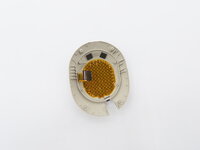
Follow this guide to replace the touch sensor for the Sony WH-1000XM5 wireless headphones. The touch sensor, located in the right ear cup, allows for control over music, volume, noise cancellation, and other features. Over time, or due to accidental damage, the touch sensor may become unresponsive or behave incorrectly. In some cases, a firmware update could resolve the issues. However if the touch controls continue to not work, it may be necessary to replace the touch sensor.
Prior to replacing the touch sensor make sure the headphones are powered off and disconnected from any external power source.
What you need
-
-
Tool used on this step:iFixit Opening Tool$1.99
-
Place the edge of an iFixit opening tool under the earpad cushion.
-
Slide it alongside the edge of the cushion until it detaches from the rest of the headphones.
 Ask FixBot
-
-
-
-
-
-
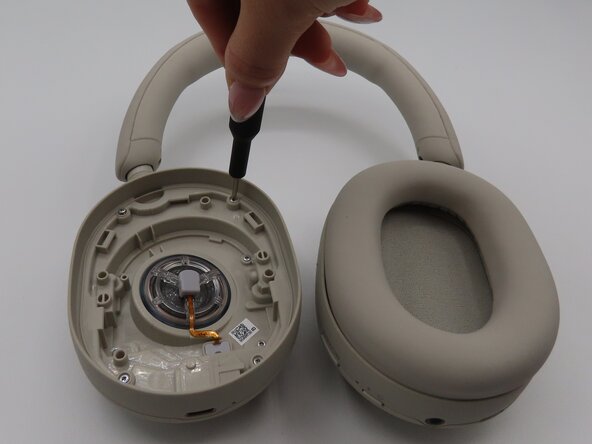
Remove the eight 2.4mm screws located inside the right ear cup using a Phillips #000 screwdriver.
-
-
-
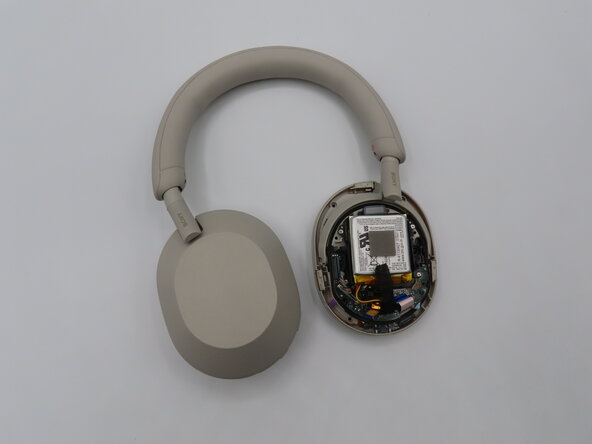
Flip the headphones over.
-
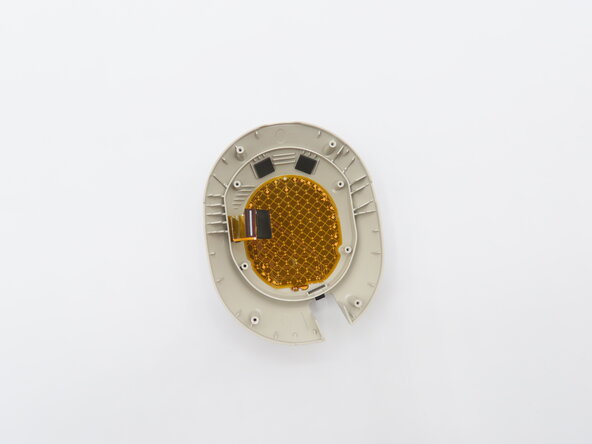
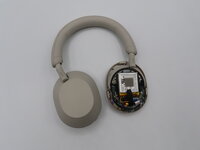
Carefully lift the plastic cover slightly, but do not remove it completely.
-
Gently grab the ribbon cable and pull away from the connector to disconnect it.
-
-




To reassemble your device, follow these instructions in reverse order.
Cancel: I did not complete this guide.
3 other people completed this guide.

Team

University of Kentucky, Team 1-3, Frey Spring 2025 Member of University of Kentucky, Team 1-3, Frey Spring 2025
UKY-FREY-S25S1G3
4 Members
48 Guides authored
