Introduction
This guide will show you how to replace the motherboard in the Sony WH-1000 XM5 headphones located in the left earcup. Accessing this board will allow you to replace the entire board or replace individual components on it.
Step 4 to removing the motherboard requires desoldering 2 wires. Please wear safety glasses and take caution when handling a hot soldering iron. For guidance on soldering refer to the How To Solder and Desolder Connections guide for more information.
Before beginning, make sure to power off your phone completely and disconnect from any external power source.
What you need
-
-
Tool used on this step:iFixit Opening Tool$1.99
-
Place the edge of an iFixit opening tool under the earpad cushion.
-
Slide it alongside the edge of the cushion until it detaches from the rest of the headphones.
 Ask FixBot
-
-
-
-
-
Use a Phillips #000 screwdriver to remove the eight 2.4 mm screws along the outer inside edge of the left earcup.
-
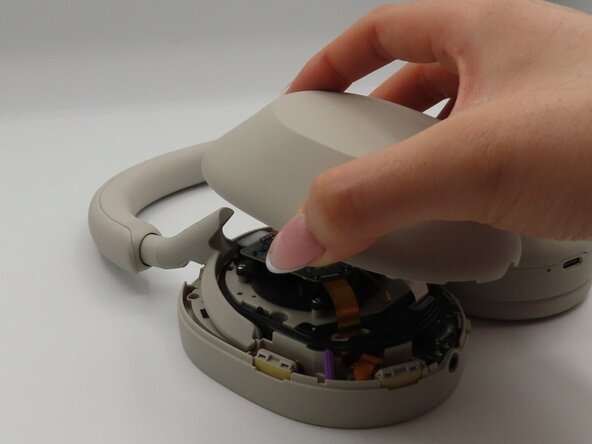
Flip over the headphones and remove the shell of the earcup.
-
-
-
-
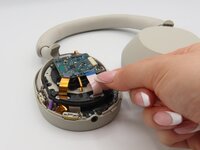
Using your index finger and thumb, gently pull out the five ribbons attached to the motherboard.
-
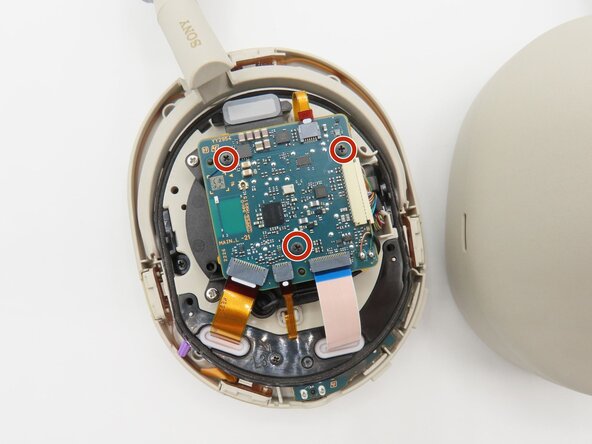
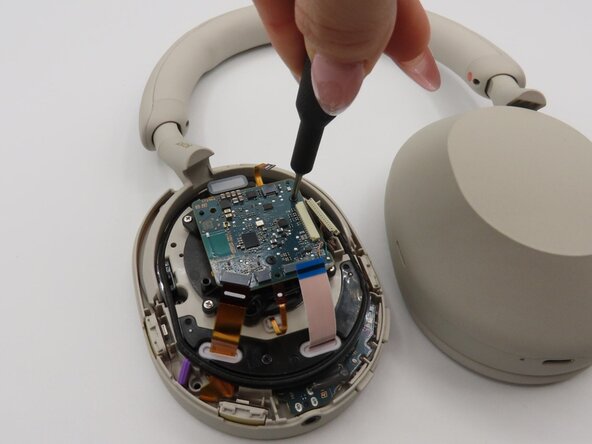
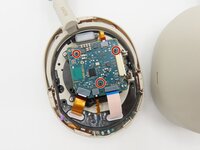
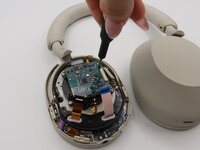
Use a Phillips #000 screwdriver to remove the three 1.4 mm screws from the motherboard.
-
-
-
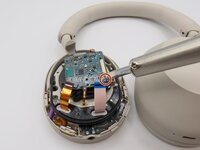
Using the souldering iron, carefully desolder the two wires that still remain on the motherboard.
-
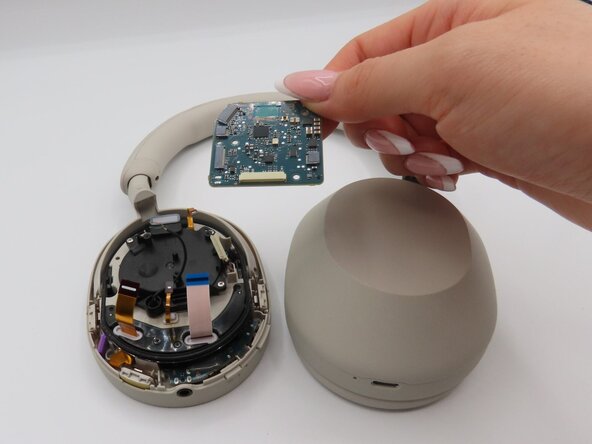
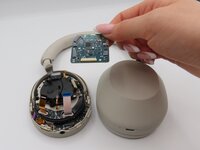
Remove the motherboard.
-
-





To reassemble your device, follow these instructions in reverse order.
Cancel: I did not complete this guide.
One other person completed this guide.

Team

University of Kentucky, Team 1-3, Frey Spring 2025 Member of University of Kentucky, Team 1-3, Frey Spring 2025
UKY-FREY-S25S1G3
4 Members
48 Guides authored
