
Sony Vaio Fit 13A Battery Replacement

Alex Prange and 5 other contributors
Last updated on Jun 16, 2015
Views: 8.6K
View statistics:
- Past 24 Hours:
- 1
- Past 7 Days:
- 26
- Past 30 Days:
- 95
- All Time:
- 8,611
Comments: 0
No one has left comments on this guide. Will you be first?
Go to guide commentsCompleted: 3 4
3 people have marked this guide "completed." Will you be next?
4 people have marked this guide "completed." Including you — great job!
Favorites: 1 2
1 person has favorited (and subscribed to) this guide. Will you be next?
2 people have favorited (and subscribed to) this guide — including you!
Introduction
Go to step 1 ↓Replacing the battery in your Sony Vaio Fit 13A laptop is one of the easiest repairs you can attempt. With minimal technical knowledge you will be able to fix any battery related issues you may be having.
What you need
Tools


-
-
-
Starting with the laptop top-down, locate and remove the twelve 1mm Phillips #0 screws securing the back cover to the main body of the computer.
 Ask FixBot
-
-
-
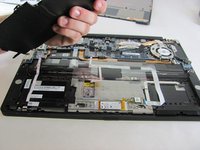
Use the Plastic Opening Tools or Metal Spudger to carefully loosen back cover from the body of the computer.
-
-
-
-
-
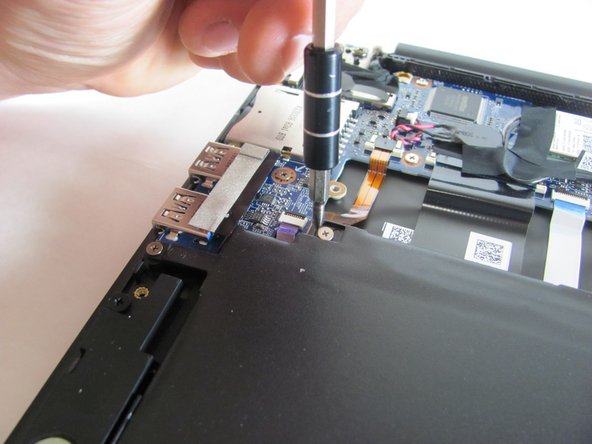
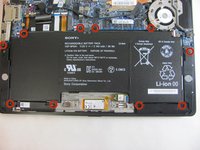
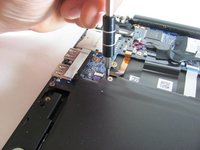
Locate and remove the ten 1mm Phillips #0 screws that are securing the battery in place.
-
-
-
-
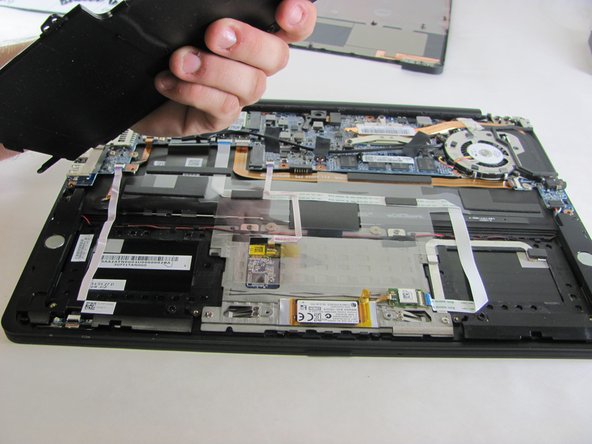
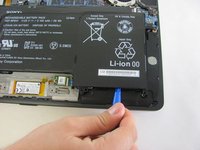
Remove the battery with the Plastic Opening Tool by placing the tool between the battery and the computer and cautiously prying it out.
-
-



To reassemble your device, follow these instructions in reverse order.
Cancel: I did not complete this guide.
3 other people completed this guide.

Team

Cal Poly, Team 21-19, Maness Winter 2015 Member of Cal Poly, Team 21-19, Maness Winter 2015
CPSU-MANESS-W15S21G19
4 Members
72 Guides authored
