
Sony VAIO VGN-FW 590 Keyboard Key Replacement

Jennifer Pache and one other contributor
Last updated on Jan 3, 2018
Views: 2.1K
View statistics:
- Past 24 Hours:
- 1
- Past 7 Days:
- 16
- Past 30 Days:
- 99
- All Time:
- 2,125
Comments: 0
No one has left comments on this guide. Will you be first?
Go to guide commentsCompleted: 0 1
No one has marked this guide "completed." Will you be the first?
1 person has marked this guide "completed." It's you — great job!
Favorites: 0 1
No one has favorited (and subscribed to) this guide. Will you be the first?
1 person has favorited (and subscribed to) this guide — and that's you!
Introduction
Go to step 1 ↓This guide will show Sony Vaio owners how to repair individual keys on their keyboard.
What you need
Tools
-
Spudger4.9

-
-
-
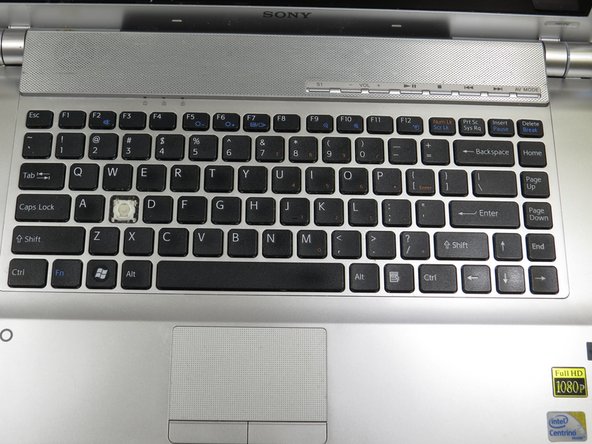
Insert the plastic spudger underneath the edge of the key.
-
Lift the key until it pops off on all four corners. There should be a white plastic base underneath the key.
-
-
-
Orient replacement key over the white plastic base, so it is aligned properly with the other keys.
-
Press the replacement key firmly in the center until it is completely depressed and attached to the key base.
-
-
-
-
Test the key by releasing the key. It should pop up and look like the rest of the keys on the keyboard.
-

 Ask FixBot




Congratulations! You have successfully replaced a key on your keyboard.

Team

University of North Texas, Team S1-G3, Boettger Fall 2017 Member of University of North Texas, Team S1-G3, Boettger Fall 2017
UNT-BOETTGER-F17S1G3
3 Members
60 Guides authored
