
Sony VAIO SVE14AJ16L RAM Replacement

Dustin Smith and 2 other contributors
Last updated on Jan 8, 2019
Views: 1.1K
View statistics:
- Past 24 Hours:
- 1
- Past 7 Days:
- 19
- Past 30 Days:
- 68
- All Time:
- 1,094
Comments: 0
No one has left comments on this guide. Will you be first?
Go to guide commentsCompleted: 0 1
No one has marked this guide "completed." Will you be the first?
1 person has marked this guide "completed." It's you — great job!
Favorites: 0 1
No one has favorited (and subscribed to) this guide. Will you be the first?
1 person has favorited (and subscribed to) this guide — and that's you!
Introduction
Go to step 1 ↓RAM replacement steps for a Sony VAIO SVE14AJ16L laptop.
What you need
Tools


-
-
-
Turn the laptop upside down onto the closed lid so that the bottom is facing you.
 Ask FixBot
-
-
-
Locate and remove the lone screw on the RAM cover with a Phillips #0 head screw driver.
-
Carefully pry the RAM cover up.
-
-
Tool used on this step:iFixit Opening Tool$1.99
-
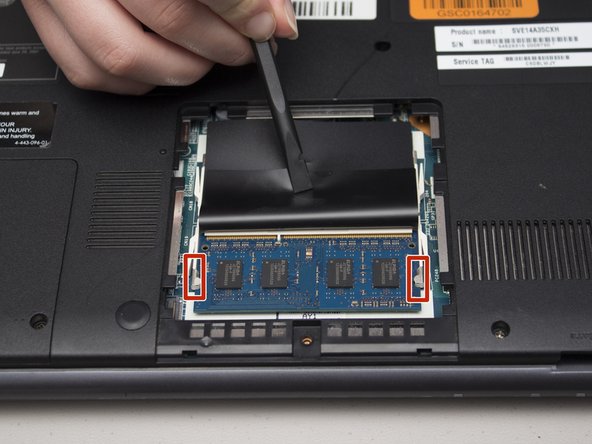
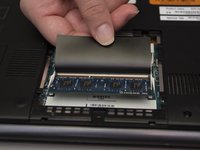
With the cover removed, peel back the black protective plastic to expose one of the two RAM sticks.
-
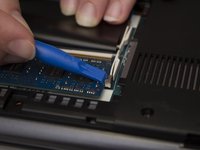
Gently, but firmly push back the two side anchors that hold in the RAM using either an iFixit Opening Tool or your fingernails.
-
-
-
-
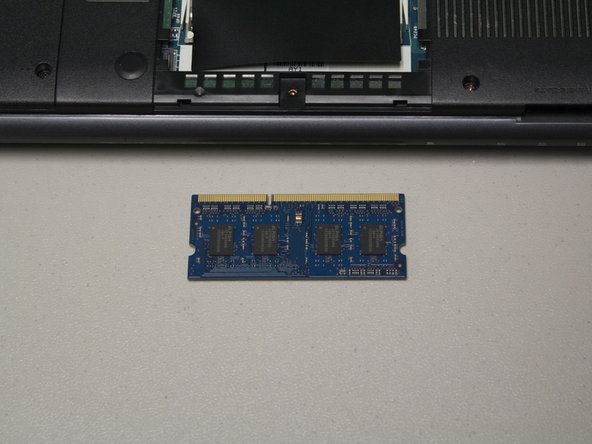
Finally, carefully pull the RAM stick away from the laptop at the same angle it is sitting at.
-
-




To reassemble your device, follow these instructions in reverse order.

Team

University of North Texas, Team S1-G6, Riccardelli Fall 2018 Member of University of North Texas, Team S1-G6, Riccardelli Fall 2018
UNT-RICCARDELLI-F18S1G6
4 Members
60 Guides authored
