
Sony TCM-919 Cassette-Corder Operating Buttons Replacement

Marygayle Martin and 3 other contributors
Last updated on Jan 11, 2015
Views: 1.3K
View statistics:
- Past 24 Hours:
- 2
- Past 7 Days:
- 20
- Past 30 Days:
- 79
- All Time:
- 1,338
Comments: 0
No one has left comments on this guide. Will you be first?
Go to guide commentsCompleted: 0 1
No one has marked this guide "completed." Will you be the first?
1 person has marked this guide "completed." It's you — great job!
Favorites: 0 1
No one has favorited (and subscribed to) this guide. Will you be the first?
1 person has favorited (and subscribed to) this guide — and that's you!
Introduction
Go to step 1 ↓The proper functioning of the operating buttons is critical for playing cassettes, pausing cassettes, recording sound, as well as fast forwarding and rewinding cassettes. All of these buttons can be replaced to restore functionality to the Sony TCM-919.
What you need

-
-
-
Turn the device around so that the back cover if facing upward. Use your thumbs to press firmly down and then push the battery door cover open.
-
Remove any batteries.
 Ask FixBot
-
-
-
Remove the 5 5.95mm screws as indicated in the picture with the Phillips Head screwdriver.
-
-
-
Look to the back of the top cover and locate the broken button(s).
-
-
-
-
Use a splunger tool to undo the two clips that belong to any broken buttons.
-
Turn the device over and using your finger, push out the loose button.
-
-


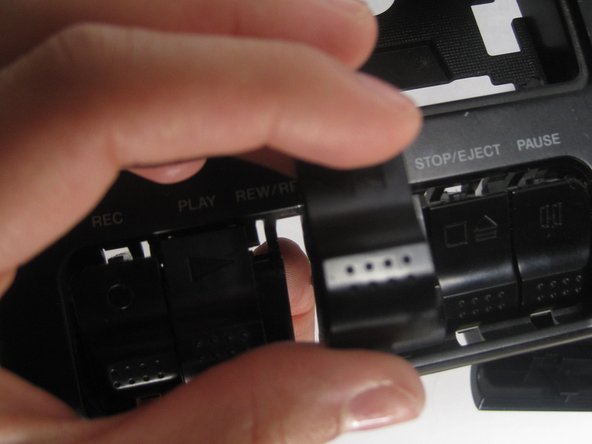
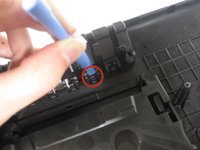
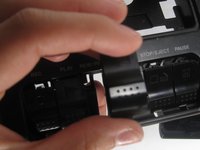
To reassemble your device, follow these instructions in reverse order.

Team

Baylor, Team 4-3, Williams Fall 2014 Member of Baylor, Team 4-3, Williams Fall 2014
BU-WILLIAMS-F14S4G3
3 Members
60 Guides authored
