
Sony TCM-450 Back Cabinet Replacement

Callie Ann Brigance and 3 other contributors
Last updated on Dec 30, 2024
Views: 561
View statistics:
- Past 24 Hours:
- 1
- Past 7 Days:
- 10
- Past 30 Days:
- 63
- All Time:
- 561
Comments: 0
No one has left comments on this guide. Will you be first?
Go to guide commentsCompleted: 0 1
No one has marked this guide "completed." Will you be the first?
1 person has marked this guide "completed." It's you — great job!
Favorites: 0 1
No one has favorited (and subscribed to) this guide. Will you be the first?
1 person has favorited (and subscribed to) this guide — and that's you!
Introduction
Go to step 1 ↓If your Sony TCM-450 back cabinet is broken or you need to get inside the device then use the guide to remove the back cabinet. The back cabinet is the main piece protecting the speaker and circuit board. To remove the back cabinet it is simple and easy.
What you need
Tools


-
-
-
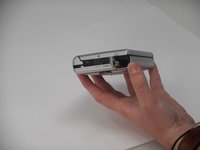
Remove the two 3.5 mm Phillips #00 screws from the bottom of the device.
 Ask FixBot
-
-
-
Open the lid, and carefully remove the two 9.7 mm Phillips #0 screws from the inside of the front cabinet.
-
-
-
-
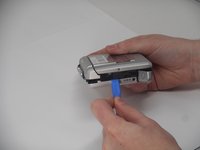
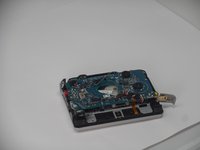
Open the battery cover, and gently remove the back cabinet with the iFixit Opening tool.
-
-


To reassemble your device, follow the above steps in reverse order.
Repair didn’t go as planned? Try some basic troubleshooting or ask our Answers community for help.

Team

University of Memphis, Team 1-3, Sneed Fall 2024 Member of University of Memphis, Team 1-3, Sneed Fall 2024
UM-SNEED-F24S1G3
4 Members
96 Guides authored
