Free Shipping on Domestic Orders $75+

Sony SRS-XG300 Fabric Cover Replacement

What you need

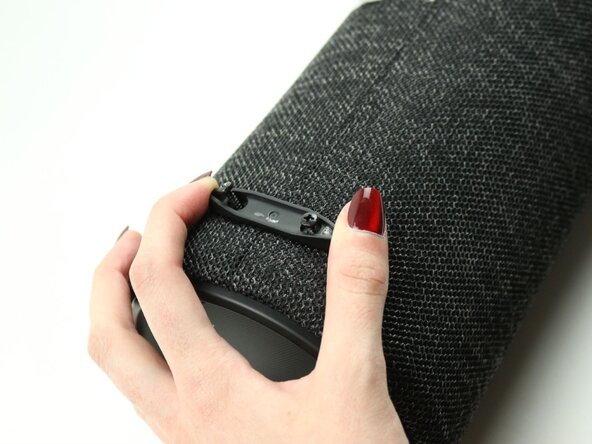
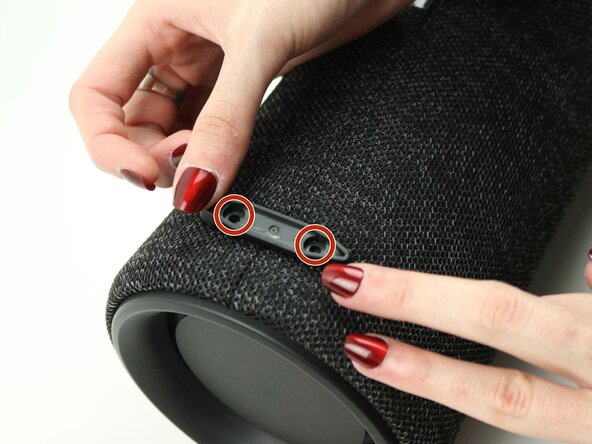
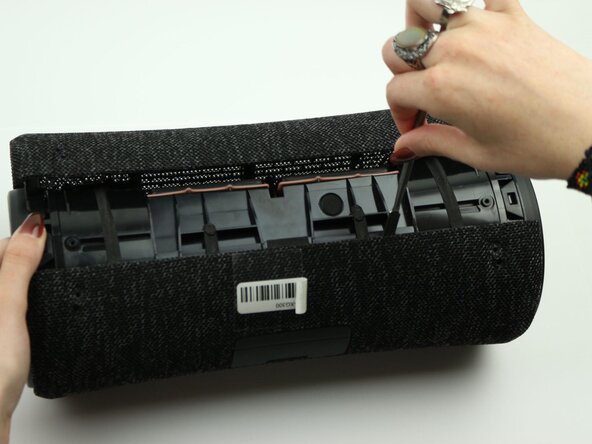
  1. Sony SRS-XG300 Fabric Cover Replacement, Fabric Cover: step 1, image 1 of 3 Sony SRS-XG300 Fabric Cover Replacement, Fabric Cover: step 1, image 2 of 3 Sony SRS-XG300 Fabric Cover Replacement, Fabric Cover: step 1, image 3 of 3
    • Before beginning, make sure to unplug and power off your speaker.

    • With the Sony label on the left, roll the speaker horizontally to the bottom of the speaker with the rubber stands.

    • Remove four 12 mm screws with a Phillips #1 screwdriver.

    • Remove the loose rubber feet.

    Ask FixBot
  2. Sony SRS-XG300 Fabric Cover Replacement: step 2, image 1 of 2 Sony SRS-XG300 Fabric Cover Replacement: step 2, image 2 of 2
    • Insert the metal spudger tool at 90-degree angle into the right part of seam.

    • Pry off the top part of the fabric cover using the metal spudger.

    • Follow the seam to completely detach the top part of the fabric cover.

    • Repeat to remove the bottom part of the fabric cover.

    Ask FixBot
Conclusion

To reassemble your device, follow these instructions in reverse order.

Kristen Gismondi

Member since: 11/12/14

106,443 Reputation

270 Guides authored

0 Guide Comments

Add Comment

View Statistics:

Past 24 Hours: 5

Past 7 Days: 10

Past 30 Days: 41

All Time: 330