
Sony SRS-X7 Bluetooth Chip Replacement

Tyler Lamar and 2 other contributors
Last updated on Oct 10, 2017
Views: 2.1K
View statistics:
- Past 24 Hours:
- 2
- Past 7 Days:
- 15
- Past 30 Days:
- 88
- All Time:
- 2,113
Comments: 1
1 comment on steps.
Completed: 0 1
No one has marked this guide "completed." Will you be the first?
1 person has marked this guide "completed." It's you — great job!
Favorites: 0 1
No one has favorited (and subscribed to) this guide. Will you be the first?
1 person has favorited (and subscribed to) this guide — and that's you!
Introduction
Go to step 1 ↓Follow this guide in order to uninstall the bluetooth chip in your device, the follow it in reverse order to install the new one.
The bluetooth chip is necessary for you to be able to access to bluetooth capability of your device. Bluetooth allows you to connect to other devices wirelessly and without it, these devices cannot connect.
What you need

-
-
-
On the bottom of the device, you'll see 4 rubber pieces at the corners. Peel off these rubber pieces.
-
Unscrew the 4 10mm Philips J1 screws beneath them.
 Ask FixBot
-
-
-
Poke through said stickers and unscrew the 2 10mm Philips J1 screws beneath those.
-
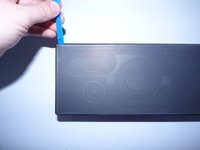
Insert the blue plastic tool into the corner of the bottom faceplate and slide along the edge.
-
-
-
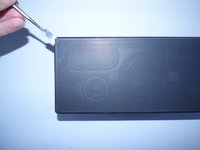
Using a metal spudger, insert it into one of the corners or sides of the units faceplate and lightly pry open.
-
While pried, insert a plastic opening tool and slide along the edges of the unit.
-
Repeat the last step on each side of the unit's faceplate, until the faceplate is off.
-
-
-
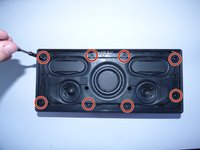
With the faceplate now off, the speakers should be revealed. There should be 8 visible screws around the border of the speakers. Remove the 8 10mm Philips J1 screws.
-
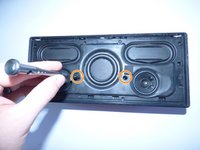
Take the 2 20mm Philips J1 screws out of the middle of the speaker as shown.
-
-
-
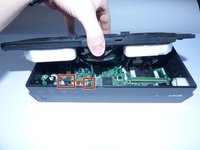
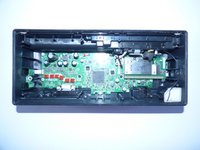
Take the whole speaker out, and disconnect the connectors from the motherboard by lightly pulling on them.
-
-
-
-
-
-
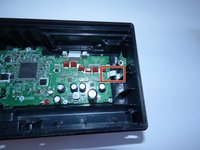
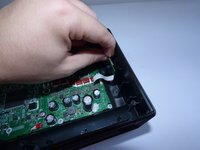
Using your fingers, lightly pull on the white connector shown in the photo.
-
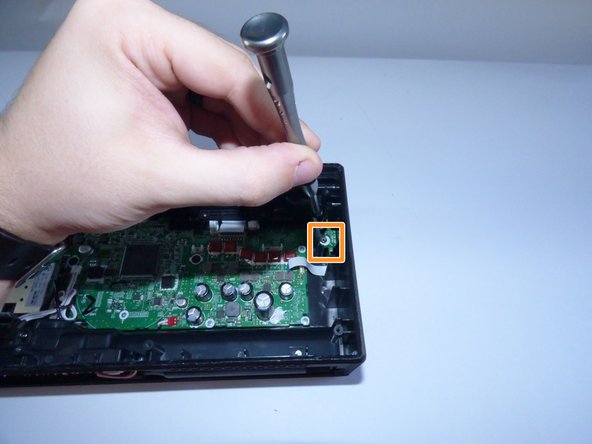
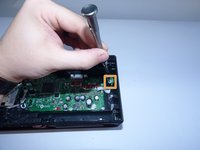
Unscrew the 10mm Philips J1 Screw from the guard above the bluetooth chip.
-
-
-
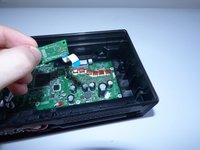
Remove the bluetooth chip from the inside of the device.
-
Plug the new bluetooth chip into the motherboard and reassemble the device,
-
-










Team

UMass Dartmouth, Team 7-6, Catania Spring 2016 Member of UMass Dartmouth, Team 7-6, Catania Spring 2016
UMASSD-CATANIA-S16S7G6
3 Members
60 Guides authored
