
Sony Pulse Elite Edition Speaker Replacement

Armon Davani and 2 other contributors
Last updated on Jun 29, 2015
Views: 3.9K
View statistics:
- Past 24 Hours:
- 4
- Past 7 Days:
- 27
- Past 30 Days:
- 117
- All Time:
- 3,932
Comments: 2
2 comments on steps.
Completed: 4 5
4 people have marked this guide "completed." Will you be next?
5 people have marked this guide "completed." Including you — great job!
Favorites: 1 2
1 person has favorited (and subscribed to) this guide. Will you be next?
2 people have favorited (and subscribed to) this guide — including you!
Introduction
Go to step 1 ↓This guide demonstrates how to open up your headset and locate the speaker for replacement if it stops working.
What you need
Tools
-
-
Spudger4.9


-
-
-
Locate the left side designation on the headband-earpiece junction.
-
The battery is in the right earpiece.
-
The motherboard is in the left earpiece.
 Ask FixBot
-
-
-
Gently pull around the perimeter of the left ear cushion until it comes off.
-
-
-
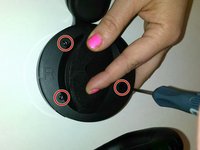
Use the PH00 Screwdriver to remove the three Phillips 6mm screws around the perimeter of the ear cup.
-
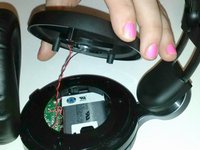
Gently pull the outer ear rim off of the headset assembly.
-
-
Tool used on this step:Tweezers$4.99
-
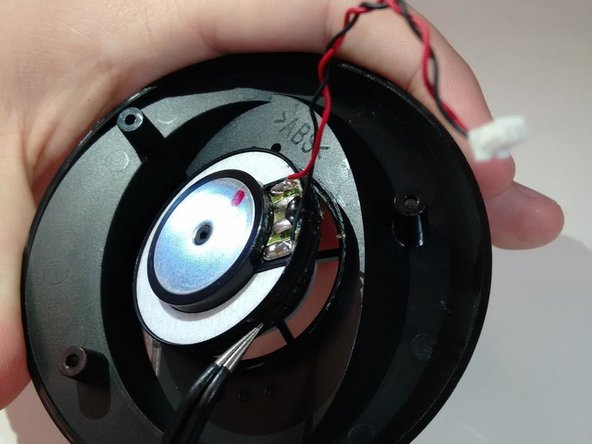
Using tweezers, gently pry the red and black speaker wires from the attached socket.
-
-
-
-
-
-
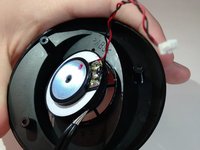
Locate the junction of the electrical speaker and the plastic speaker housing.
-
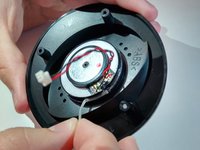
Use the spudger to sever the glue at this junction.
-
Remove the electrical speaker from the speaker housing.
-
-





To reassemble your device, follow these instructions in reverse order.
Cancel: I did not complete this guide.
4 other people completed this guide.

