Free Shipping on Domestic Orders $75+

Sony NEX-5T SD Card Replacement

What you need

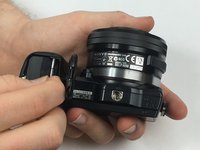
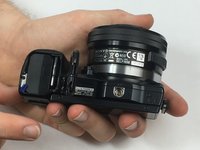
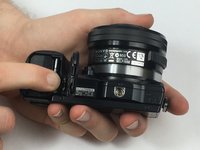
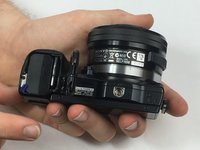
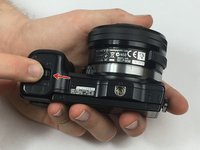
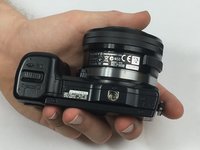
  1. Sony NEX-5T SD Card Replacement, SD Card: step 1, image 1 of 3 Sony NEX-5T SD Card Replacement, SD Card: step 1, image 2 of 3 Sony NEX-5T SD Card Replacement, SD Card: step 1, image 3 of 3
    • Make sure to turn the cameras power switch to off before beginning this step.

    • Begin by holding the camera upside down with the bottom facing you. Identify the housing for the SD card, and battery.

    • You will use your other hand to slide the lock switch to this housing to the right. This will release the cap, allow it to come upwards.

    Ask FixBot

    Add Comment

  2. Sony NEX-5T SD Card Replacement: step 2, image 1 of 3 Sony NEX-5T SD Card Replacement: step 2, image 2 of 3 Sony NEX-5T SD Card Replacement: step 2, image 3 of 3
    • Now that the cap to the battery and SD card housing is open, the SD card is visible.

    • You will need to press down on the SD card until you hear a click. Release the SD card and it will now be available to remove.

    • Grip the SD card and pull it out of the SD card slot.

    Ask FixBot

    Add Comment

  3. Sony NEX-5T SD Card Replacement: step 3, image 1 of 3 Sony NEX-5T SD Card Replacement: step 3, image 2 of 3 Sony NEX-5T SD Card Replacement: step 3, image 3 of 3
    • To reinsert the SD card place it in its housing.

    • You will then need to push down on the SD card until you hear a click.

    • To ensure the SD card is in place you can visually inspect it. The SD card should be flush with the housing.

    Ask FixBot

    Add Comment

  4. Sony NEX-5T SD Card Replacement: step 4, image 1 of 3 Sony NEX-5T SD Card Replacement: step 4, image 2 of 3 Sony NEX-5T SD Card Replacement: step 4, image 3 of 3
    • You may now close the housing for the SD card and battery.

    • Close the cap and while holding it down slide the locking tab to the left. This step should lock the cap in place.

    • Your SD card is now safely in place and you may turn your device on.

    Ask FixBot

    Add Comment

Finish Line

Cancel: I did not complete this guide.

Robert Phillips

Member since: 03/02/17

321 Reputation

2 Guides authored

Team

USF Tampa, Team S13-G2, Cagle Spring 2017 Member of USF Tampa, Team S13-G2, Cagle Spring 2017

USFT-CAGLE-S17S13G2

3 Members

12 Guides authored

0 Guide Comments

Add Comment

View Statistics:

Past 24 Hours: 2

Past 7 Days: 6

Past 30 Days: 37

All Time: 1,539