
Sony ICF-CS15iP Disassembly

Adrian Lopez and one other contributor
Last updated on Jan 12, 2023
Views: 1.6K
View statistics:
- Past 24 Hours:
- 1
- Past 7 Days:
- 24
- Past 30 Days:
- 131
- All Time:
- 1,585
Comments: 2
2 guide comments.
Go to guide commentsCompleted: 1 2
1 person has marked this guide "completed." Will you be next?
2 people have marked this guide "completed." Including you — great job!
Favorites: 0 1
No one has favorited (and subscribed to) this guide. Will you be the first?
1 person has favorited (and subscribed to) this guide — and that's you!
Incorrect Tools
Help make this guide better by using the correct tools in images and/or text.
Markup Mishap
This guide needs better markups. Help out by correcting or making some markup annotations.
Community-Contributed Guide
An awesome member of our community made this guide. It was not created by iFixit staff.
Introduction
Go to step 1 ↓This is a complete tear down of the Sony ICF-CS15iP

-
-
-
All of these damned screws are approx. a PH1 size.
 Ask FixBot
-
-
-
Pull on the back to ease it off, and there will be some wires that will need to be disconnected. (Green circled wire not necessary to remove but recommended)
-
-
-
Remove the following screws and be careful with the dock connector, as it has springs that can fly to oblivion.
-
-
-
I chose to eat pretzels, you can have a 10 course meal prepared by Gordon Ramsay
-
-
-
-
My specific board has some damage from the previous owner, and I only made it worse lol.
-
-
-
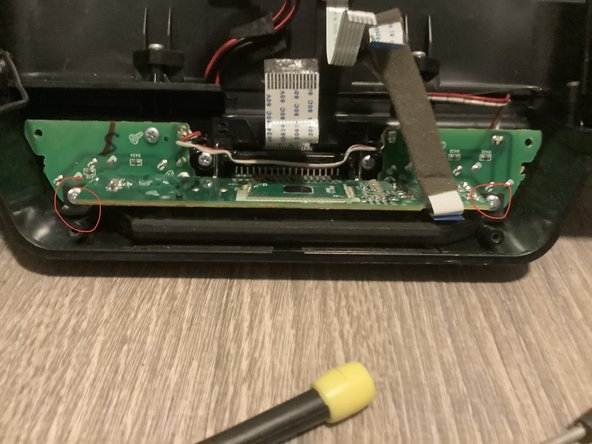
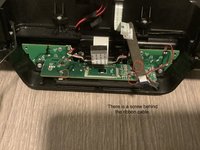
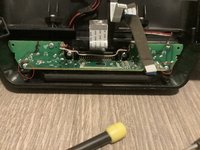
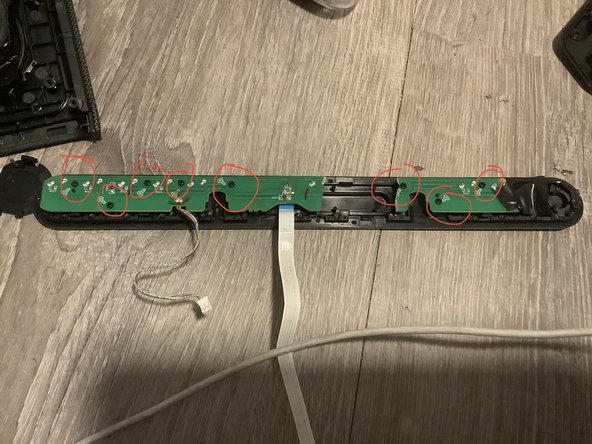
This is definitely all the screws that need to be unfastened.
-
-





To reassemble your device, follow these instructions in reverse order.
Cancel: I did not complete this guide.
One other person completed this guide.
Attached Documents

2 Guide Comments
Buen día y muchas gracias por tomarse el tiempo de documentar el proceso de desarmar un CS15iPN. Tengo una pregunta por favor: ¿Cómo pudo desconectar los ribbons (que se observan en la foto del paso 4) de sus conectores en la tarjeta? Yo desarmé mi equipo y no me atreví a desconectar los ribbons porque me parecía que estaban "soldados" permanentemente en los conectores.
I disconnected them by just pulling the cables out gently by the blue tab. Take your time and be careful.
Los desconecté simplemente tirando de los cables con cuidado por la pestaña azul. Tómate tu tiempo y ten cuidado.
