Introduction
This guide will teach how to replace the LCD Screen on the CX260V.
What you need
-
-
Remove the 3 mm screw and two 5 mm screws using a Phillips #00 screwdriver from the battery assembly area.
 Ask FixBot
-
-
-
Remove the top and bottom 5 mm screws from the joint connecting the LCD screen to the camera.
-
Remove the middle 3 mm screw.
-
-
-
Use a plastic opening tool or other piece of thin angled plastic to remove the button’s cover.
-
-
-
Remove the five 5mm screws located on the bottom panel.
-
Remove the panel to expose the internal motherboard.
-
-
-
Remove the two 5mm screws adjacent to the lens on the opposite side from the LCD screen attachment joint.
-
Remove the nearby leather strap.
-
-
-
-
Remove the panel from the side where the leather strap was located.
-
Rotate the camera back to the other side and remove the 5mm screw to the left of the record button.
-
-
-
Locate the LCD joint cover on the right side of the lens and remove with a spudger or other wide flat-headed object.
-
-
-
Orient the camera to the side opposite of the recording buttons where the leather strap was. Locate the orange motherboard and remove the three nearby 5mm black screws and 4mm silver screw.
-
-
-
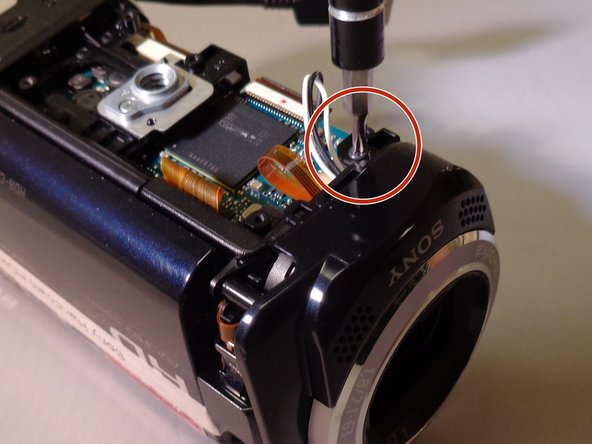
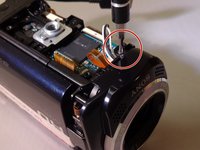
Locate the 5mm screw that is next to both the LCD attachment joint and the camera lens before removing it.
-
-
Tool used on this step:Tweezers$4.99
-
Using tweezers, carefully detach the black and white wire connected to the bottom of the motherboard near the lens panel.
-
Remove the lens panel.
-
-
-
Locate the three 5mm screws holding the lens in place and remove them.
-
Carefully remove the lens by hand or with a spudger.
-
-
-
Remove a 5mm screw at the back of the camera next to the zoom and picture capturing control buttons.
-
Unplug or carefully set aside the two flat blue wires keeping the buttons connected to the camera.
-
-
-
Remove the silver 5mm screw connected to the tripod mount to expose the mount assembly.
-
-
-
Unplug the wire attached to the orange motherboard.
-
Remove the 5mm silver screw underneath the wire.
-
-
-
Locate the clip that the other end of the wire that attaches the main internal system from the main frame.
-
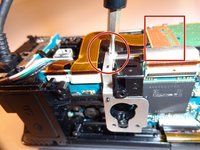
Release the clip with tweezers and unplug the cords running through the side panel’s frame, which will allow the rest of the camera to be freely taken apart.
-
-
-
Point the motherboard upwards at a slight angle and remove the LCD screen by unplugging the remaining orange wire.
-




To reassemble your device, follow these instructions in reverse order.
Cancel: I did not complete this guide.
4 other people completed this guide.

Team

Eastern Washington University, Team 1-5, Plummer Spring 2015 Member of Eastern Washington University, Team 1-5, Plummer Spring 2015
EWU-PLUMMER-S15S1G5
4 Members
12 Guides authored
