Free Shipping on Domestic Orders $75+

Sony Ericsson s710a Keypad Replacement

What you need

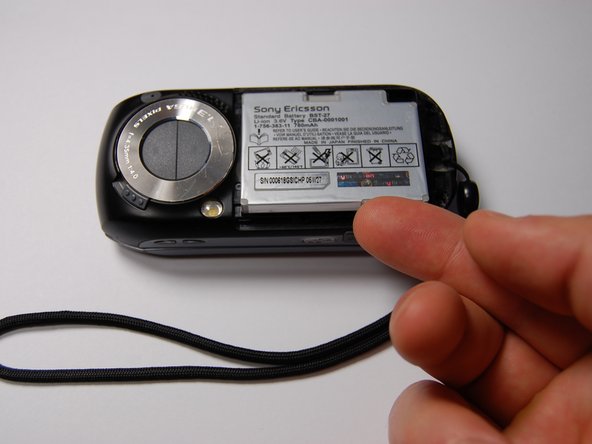
  1. Sony Ericsson s710a Keypad Replacement, Battery: step 1, image 1 of 1
    • Remove the back cover by sliding it off.

    Ask FixBot

    Add Comment

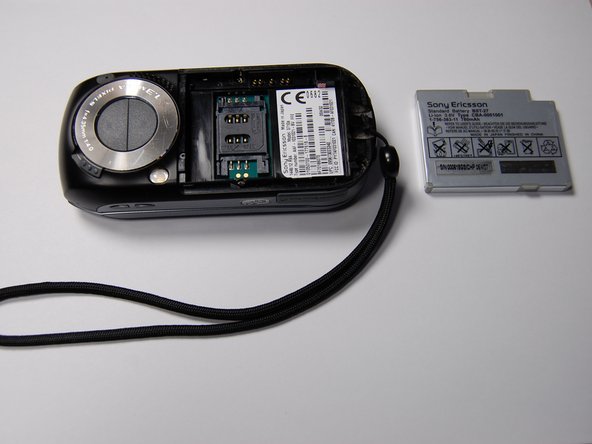
  2. Sony Ericsson s710a Keypad Replacement: step 2, image 1 of 1
    • Pull the battery out using your finger.

    Ask FixBot

    Add Comment

  3. Sony Ericsson s710a Keypad Replacement: step 3, image 1 of 1
    • The battery can now be replaced.

    • The battery is a 780 mAh rechargeable Lithium Ion battery.

    Ask FixBot

    Add Comment

  4. Sony Ericsson s710a Keypad Replacement, Keypad: step 4, image 1 of 1
    • Remove the four screws using a Phillips #00 screwdriver.

    Ask FixBot

    Add Comment

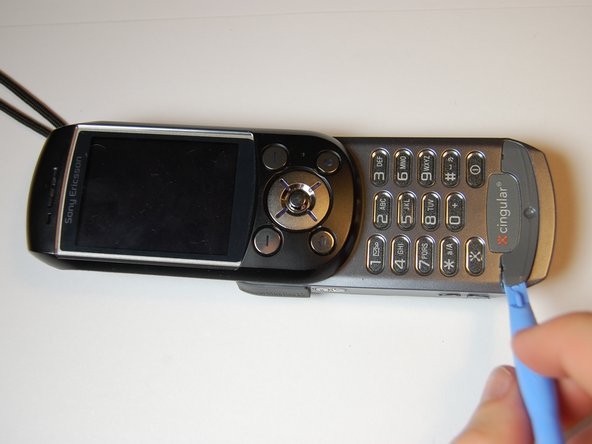
  5. Sony Ericsson s710a Keypad Replacement: step 5, image 1 of 1
    • Remove the plastic cover with the iFixit opening tool.

    • It is easiest to begin at the SD card slot and alternate prying the cover on opposite sides.

    • The cover will not come off completely, because there are additional screws that need to be removed, but will pry loose up to the camera.

    Ask FixBot

    Add Comment

  6. Sony Ericsson s710a Keypad Replacement: step 6, image 1 of 1
    • Using the iFixit opening tool, pry off the plastic piece at the bottom of the keypad.

    • This piece is fixed with an adhesive, so you must break the bond to reach the screws underneath. It may be necessary to use additional adhesive during reassembly.

    Ask FixBot

    Add Comment

  7. Sony Ericsson s710a Keypad Replacement: step 7, image 1 of 1
    • Remove two 6 mm screws from beneath the previously removed plastic cover using a Phillips #00 screwdriver.

    • Completely remove the back plastic cover.

    Ask FixBot

    Add Comment

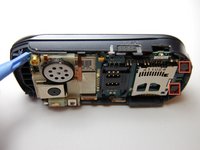
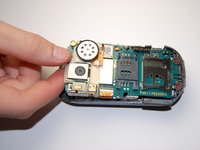
  8. Sony Ericsson s710a Keypad Replacement: step 8, image 1 of 2 Sony Ericsson s710a Keypad Replacement: step 8, image 2 of 2
    • Pry the board from the plastic case using the iFixit opening tool.

    • This part is tricky. The black plastic pieces at the base of the phone hold the board in.

    Ask FixBot

    Add Comment

  9. Sony Ericsson s710a Keypad Replacement: step 9, image 1 of 1
    • After removing the board, you will see the plastic keyboard beneath. This can be removed by hand and is very flexible.

    • You have successfully removed the keypad. You can clean, decorate, or replace the keyboard without worrying about damaging the phone.

    Ask FixBot

    Add Comment

Conclusion

To reassemble your device, follow these instructions in reverse order.

Cancel: I did not complete this guide.

One other person completed this guide.

Alexander

Member since: 10/29/11

75 Reputation

4 Guides authored

0 Guide Comments

Add Comment

View Statistics:

Past 24 Hours: 1

Past 7 Days: 7

Past 30 Days: 41

All Time: 1,708