Free Shipping on Domestic Orders $75+

Sony Ericsson W350a Keypad Replacement

What you need

  1. Sony Ericsson W350a Keypad Replacement, Flip Cover: step 1, image 1 of 1
    • Place the plastic opening tool in the bottom corner of the phone in the crevice between the flap to remove the cover.

    Ask FixBot

    Add Comment

  2. Sony Ericsson W350a Keypad Replacement: step 2, image 1 of 1
    • Remove the cover with a slight twisting motion.

    Ask FixBot

    Add Comment

  3. Sony Ericsson W350a Keypad Replacement, Battery: step 3, image 1 of 2 Sony Ericsson W350a Keypad Replacement, Battery: step 3, image 2 of 2
    • Place the phone face down on a flat smooth surface so that the camera, logos, and speaker face up.

    • Using the provided notch on the bottom of the back cover, insert a plastic opening tool and lift upwards to remove the back cover of the phone.

    Ask FixBot

    Add Comment

  4. Sony Ericsson W350a Keypad Replacement: step 4, image 1 of 3 Sony Ericsson W350a Keypad Replacement: step 4, image 2 of 3 Sony Ericsson W350a Keypad Replacement: step 4, image 3 of 3
    • Set the cover to the side upon removal.

    • Insert the plastic opening tool into the crevice between the camera and the battery of the phone. Using a gentle prying motion, lift the end of the battery and remove.

    • After removal, recycle the defective battery appropriately.

    Ask FixBot

    Add Comment

  5. Sony Ericsson W350a Keypad Replacement, Speaker: step 5, image 1 of 2 Sony Ericsson W350a Keypad Replacement, Speaker: step 5, image 2 of 2
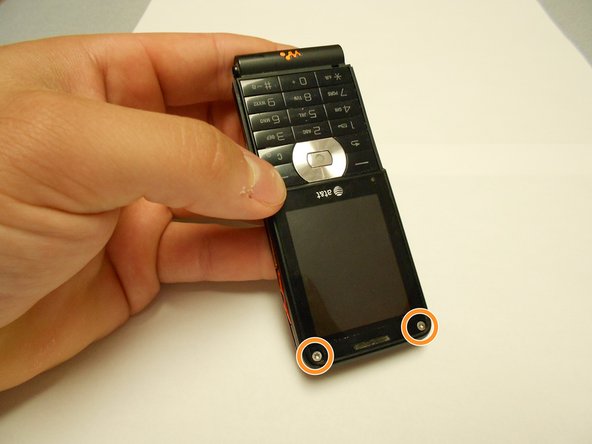
    • Flip the phone over and remove the Sony Ericsson sticker that is over the phone's ear speaker.

    • Using a T5 screwdriver, loosen and remove the two screws under the Sony Ericsson sticker by turning them counterclockwise.

    Ask FixBot

    Add Comment

  6. Sony Ericsson W350a Keypad Replacement: step 6, image 1 of 1
    • Using a mini Phillips screwdriver, remove two screws by turning them counterclockwise.

    Ask FixBot

    Add Comment

  7. Sony Ericsson W350a Keypad Replacement: step 7, image 1 of 1
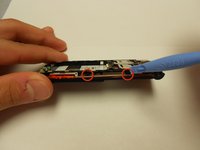
    • Insert an opening tool in the bottom crack between the front and back plates and use a gentle upward pull to separate the back case from the front case.

    • Side buttons/controls may fall from their place in between the back and front casings.

    Ask FixBot

    Add Comment

  8. Sony Ericsson W350a Keypad Replacement: step 8, image 1 of 1
    • Using a T5 screwdriver, remove the two screws by turning them counterclockwise.

    Ask FixBot

    Add Comment

  9. Sony Ericsson W350a Keypad Replacement: step 9, image 1 of 2 Sony Ericsson W350a Keypad Replacement: step 9, image 2 of 2
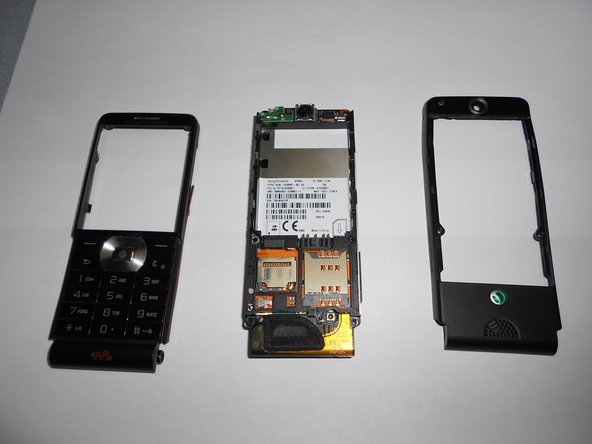
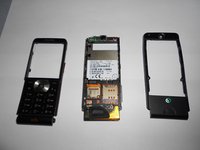
    • Using an opening tool and a gentle outward motion, separate the front plate from the inner phone workings.

    Ask FixBot

    Add Comment

  10. Sony Ericsson W350a Keypad Replacement: step 10, image 1 of 2 Sony Ericsson W350a Keypad Replacement: step 10, image 2 of 2
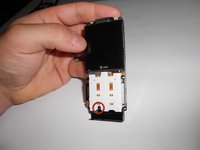
    • Using a Phillips head screwdriver, remove the screw from the front number pad by turning it counterclockwise.

    • Remove the speaker from the phone.

    Ask FixBot

    Add Comment

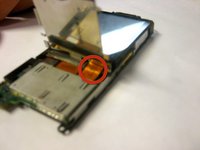
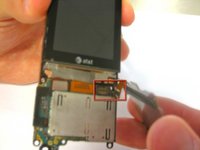
  11. Sony Ericsson W350a Keypad Replacement, Keypad: step 11, image 1 of 3 Sony Ericsson W350a Keypad Replacement, Keypad: step 11, image 2 of 3 Sony Ericsson W350a Keypad Replacement, Keypad: step 11, image 3 of 3
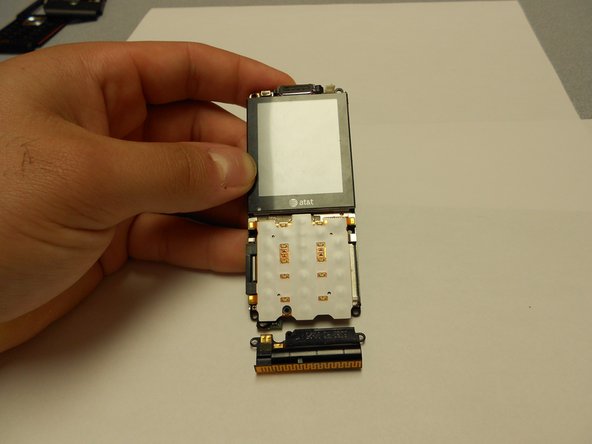
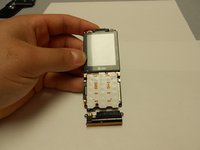
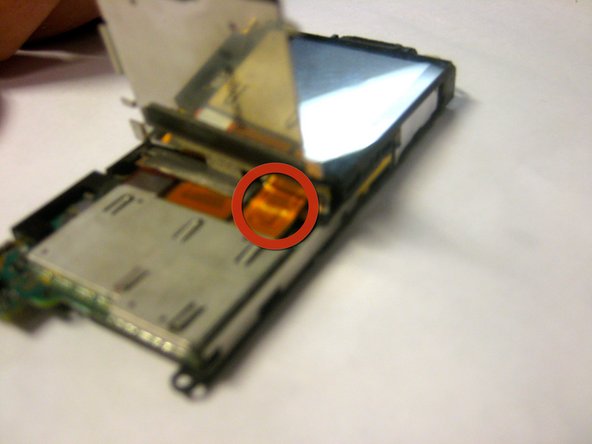
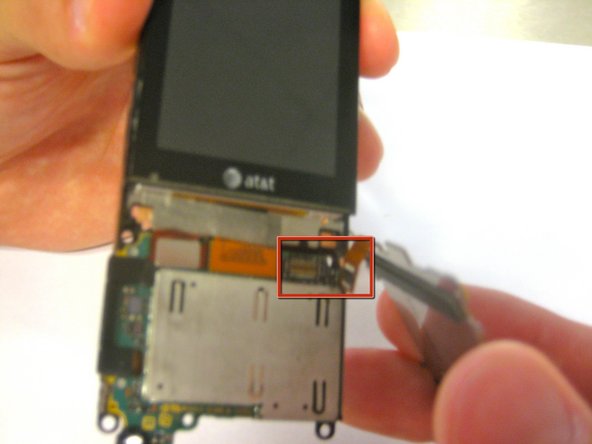
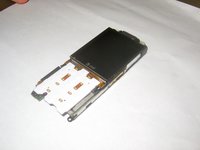
    • Disconnect the ribbon cable from its connection until the keypad "pops" off.

    • Remove the keypad from the phone.

    Ask FixBot

    Add Comment

Conclusion

To reassemble your device, follow these instructions in reverse order.

Cancel: I did not complete this guide.

One other person completed this guide.

Ldellos

Member since: 03/12/12

112 Reputation

3 Guides authored

Team

Clemson, Team 1-4, Benson Spring 2012 Member of Clemson, Team 1-4, Benson Spring 2012

CLEM-BENSON-S12S1G4

4 Members

21 Guides authored

0 Guide Comments

Add Comment

View Statistics:

Past 24 Hours: 0

Past 7 Days: 0

Past 30 Days: 25

All Time: 1,645