Free Shipping on Domestic Orders $75+

Sony Ericsson S500i Battery Replacement

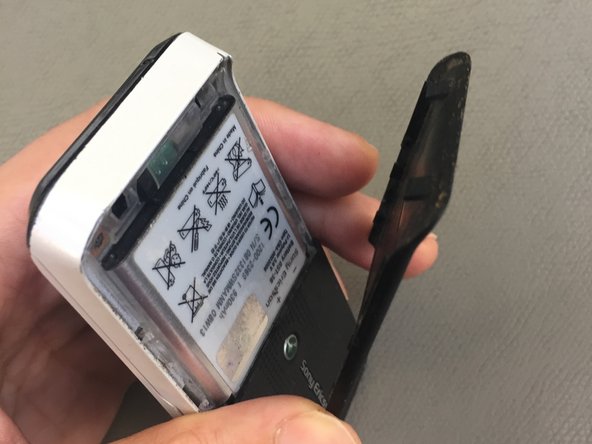
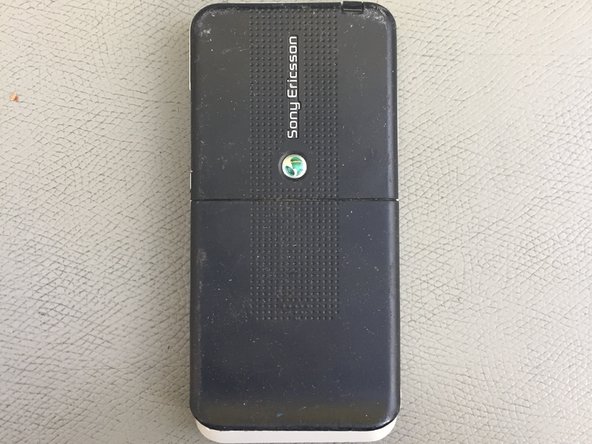
  1. Sony Ericsson S500i Battery Replacement, Remove the back plate: step 1, image 1 of 3 Sony Ericsson S500i Battery Replacement, Remove the back plate: step 1, image 2 of 3 Sony Ericsson S500i Battery Replacement, Remove the back plate: step 1, image 3 of 3
    • Insert your nail into the designated slot and remove the backplate. You’ll hear a click sound, then simply slide it out.

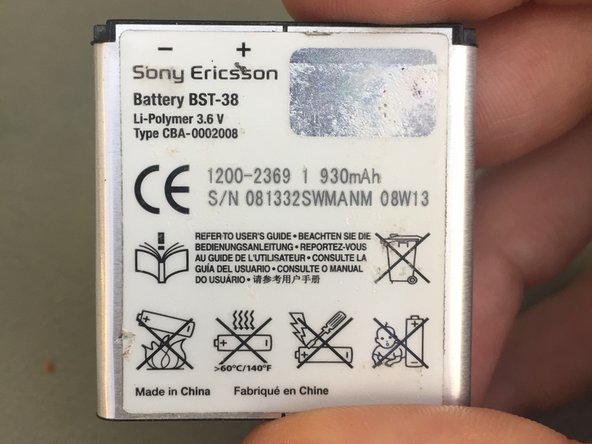
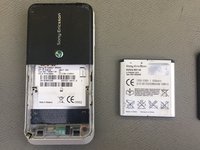
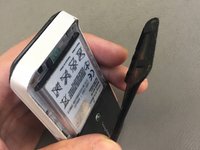
  2. Sony Ericsson S500i Battery Replacement, Remove the battery: step 2, image 1 of 3 Sony Ericsson S500i Battery Replacement, Remove the battery: step 2, image 2 of 3 Sony Ericsson S500i Battery Replacement, Remove the battery: step 2, image 3 of 3
    • With the backplate removed, insert a plastic tool into the slot and carefully remove the battery.

  3. Sony Ericsson S500i Battery Replacement, Replacing Battery: step 3, image 1 of 2 Sony Ericsson S500i Battery Replacement, Replacing Battery: step 3, image 2 of 2
    • Replace the battery

  4. Sony Ericsson S500i Battery Replacement, Reassembly: step 4, image 1 of 3 Sony Ericsson S500i Battery Replacement, Reassembly: step 4, image 2 of 3 Sony Ericsson S500i Battery Replacement, Reassembly: step 4, image 3 of 3
    • Follow steps backwards and finish the repair.

Conclusion

To reassemble your device, follow these instructions in reverse order.

Kosmar

Member since: 06/23/21

492 Reputation

4 Guides authored

Team

KSMRepair Member of KSMRepair

Business

1 Member

4 Guides authored

0 Guide Comments

Add Comment

View Statistics:

Past 24 Hours: 0

Past 7 Days: 3

Past 30 Days: 19

All Time: 368