
Sony DSC-RX100MA Back Cover Replacement

KC Egger and 6 other contributors
Last updated on Nov 8, 2020
Views: 4.5K
View statistics:
- Past 24 Hours:
- 4
- Past 7 Days:
- 20
- Past 30 Days:
- 143
- All Time:
- 4,490
Comments: 4
3 comments on steps, 1 guide comment.
Go to guide commentsCompleted: 2 3
2 people have marked this guide "completed." Will you be next?
3 people have marked this guide "completed." Including you — great job!
Favorites: 2 3
2 people have favorited (and subscribed to) this guide. Will you be next?
3 people have favorited (and subscribed to) this guide — including you!
Introduction
Go to step 1 ↓Need to clean the inside of the camera? Start by taking off the back cover.
What you need
Tools


-
-
-
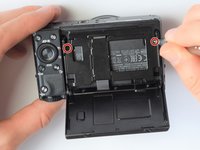
Using the screwdriver, remove all screws (black 2.5mm) from outermost layer of the assembly.
-
-
-
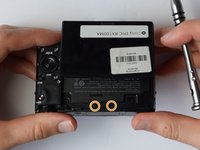
Also using the screwdriver, remove screws (black 1mm) underneath articulated LCD screen.
-
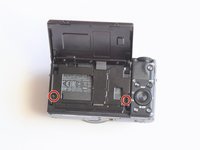
Remove the marked 2.5 mm screws with the screwdriver
-
-
-
-
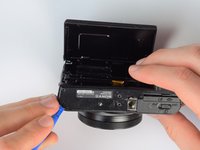
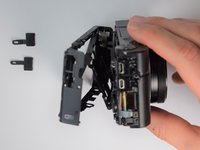
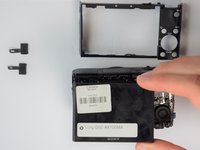
Using the same plastic opening tools, separate the screen and back assembly from the front portion of the camera
-
Once the back assembly is slightly detached, pull the media covers for the HDMI and Multimedia ports
-


 Ask FixBot




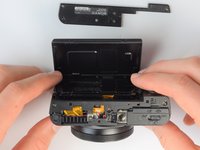


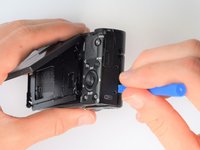
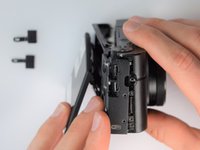
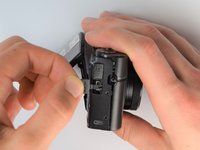


To reassemble your device, follow these instructions in reverse order.
Cancel: I did not complete this guide.
2 other people completed this guide.

Team

Cal Poly, Team 21-1, Maness Winter 2017 Member of Cal Poly, Team 21-1, Maness Winter 2017
CPSU-MANESS-W17S21G1
5 Members
60 Guides authored
1 Guide Comment
Hi! Two of the 1mm screws fell out of my camera from behind the display, where can I find new ones? I keep checking amazon and its kits of 750pcs+ and they don't seem like the right 1mm screws. Do you know where I can get some?
