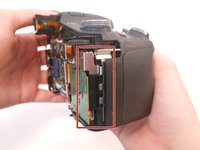
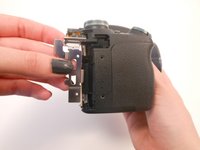
Free Shipping on Domestic Orders $75+

Sony Cybershot DSC-HX100V Control Button Sensory Panel Replacement

What you need

    1. Sony Cybershot DSC-HX100V Control Button Sensory Panel  Replacement, Control Button Sensory Panel: step 1, image 1 of 1
      • Make sure the camera is turned off.

      • Press the ON/OFF button to turn off the camera.

      • WARNING: Data may be lost if the camera remains on.

      Ask FixBot

      Add Comment

    2. Sony Cybershot DSC-HX100V Control Button Sensory Panel  Replacement: step 2, image 1 of 3 Sony Cybershot DSC-HX100V Control Button Sensory Panel  Replacement: step 2, image 2 of 3 Sony Cybershot DSC-HX100V Control Button Sensory Panel  Replacement: step 2, image 3 of 3
      • Use the Phillips screwdriver size #00 to remove the 1.9mm #00 screws.

      • Remove 2 screws on the side of the camera.

      • Remove 4 screws on the bottom of the camera.

      • Remove 1 screw next to the eyepiece.

      Ask FixBot

      Add Comment

    3. Sony Cybershot DSC-HX100V Control Button Sensory Panel  Replacement: step 3, image 1 of 1
      • Tilt the screen forward.

      • Remove the two 1.9mm #00 screws on the left with the Phillips #00 screwdriver.

      Ask FixBot

      Add Comment

    4. Sony Cybershot DSC-HX100V Control Button Sensory Panel  Replacement: step 4, image 1 of 1
      • Pull the back part of the camera upward.

      • Use the spudger to help pry open the back panel.

      Ask FixBot

      Add Comment

    5. Sony Cybershot DSC-HX100V Control Button Sensory Panel  Replacement: step 5, image 1 of 1
      • Open the back panel to view the inside of the camera.

      • Gently pull the orange ribbon cable to separate the two parts of the camera.

      • Set the back part of the camera aside.

      Ask FixBot

      Add Comment

    6. Sony Cybershot DSC-HX100V Control Button Sensory Panel  Replacement: step 6, image 1 of 2 Sony Cybershot DSC-HX100V Control Button Sensory Panel  Replacement: step 6, image 2 of 2
      • Turn the front part of the camera clockwise, so the lens is facing the right.

      • Gently remove the silver piece from the side of the camera. It should come out easily using your fingers.

      Ask FixBot

      Add Comment

    7. Sony Cybershot DSC-HX100V Control Button Sensory Panel  Replacement: step 7, image 1 of 1
      • Remove two 3.38mm #00 screws from the sensory panel with a Phillips screwdriver size #00.

      • The first screw is located on the left side of the panel and the second screw is located near the top of the panel.

      Ask FixBot

      Add Comment

    8. Sony Cybershot DSC-HX100V Control Button Sensory Panel  Replacement: step 8, image 1 of 1
      • Gently lift the orange ribbon cable with your finger to disconnect it.

      • Remove the sensory panel and replace it.

      Ask FixBot

      Add Comment

Conclusion

To reassemble your device, follow these instructions in reverse order.

Cancel: I did not complete this guide.

5 other people completed this guide.

Sydney Counts

Member since: 03/17/15

319 Reputation

1 Guide authored

5 Guide Comments

Where can you purchase this panel/

board?

Dana - Reply Share

yes please. i need to fix my camera. thanks.

ploter64 - Reply Share

I have issues when I turn the wheel to change the settings on manual mode. Would this be the same part?

Also, where can I find it? I tried to have it professionally repair and was told it needed the whole board and that it was not available any more. Thanks!

Ariel Donayo - Reply Share

The exact same thing has happened with mine. This happened before but the camera was in warranty so Sony repaired it. It is longer in warranty now but has happened again.

Sam - Reply Share

Sam, where did you find parts?

Ariel Donayo - Reply Share

Add Comment

View Statistics:

Past 24 Hours: 0

Past 7 Days: 6

Past 30 Days: 36

All Time: 2,418