
Sony Cyber-shot DSC-T1 Flash Module Replacement

iDeleted and 13 other contributors
Last updated on Jan 28, 2019
Views: 3.1K
View statistics:
- Past 24 Hours:
- 2
- Past 7 Days:
- 19
- Past 30 Days:
- 108
- All Time:
- 3,092
Comments: 0
No one has left comments on this guide. Will you be first?
Go to guide commentsCompleted: 0 1
No one has marked this guide "completed." Will you be the first?
1 person has marked this guide "completed." It's you — great job!
Favorites: 0 1
No one has favorited (and subscribed to) this guide. Will you be the first?
1 person has favorited (and subscribed to) this guide — and that's you!
Community-Contributed Guide
An awesome member of our community made this guide. It was not created by iFixit staff.
Introduction
Go to step 1 ↓Having problems with the camera flash? Replacing the Flash Module is easy!
What you need
Tools
-
Spudger4.9


-
-
-
Locate the battery door at the bottom of the camera.
-
Press down on the door and slide it back. The door will pop open.
 Ask FixBot
-
-
-
-
-
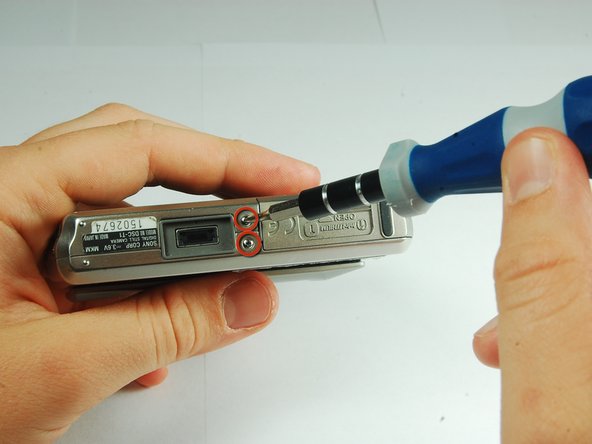
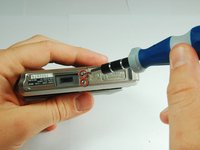
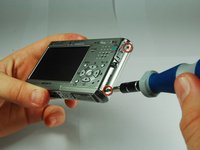
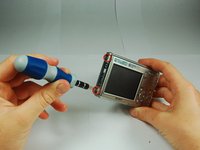
Use a PH00 screwdriver and remove the six 2.9mm screws.
-
-
-
-
-
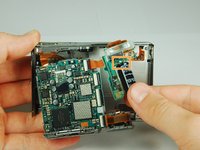
Use the tip of a spudger to flip up the tab on the ZIF connector securing the motherboard ribbon cable.
-
The second picture shows what these tabs look like in their open positions.
-
-
-
-
-
-
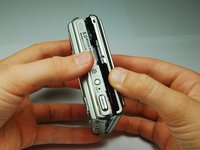
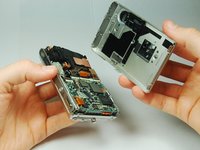
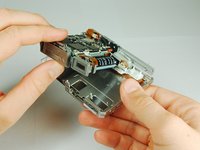
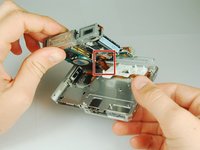
Carefully disengage the internal components from the casing by lifting at the bottom end and giving a gentle tug.
-
The components are still connected to the casing via cables, but they are much more maneuverable.
-
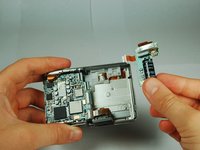
The flash module is shown on the right hand side.
-
-
-
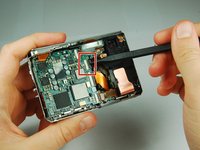
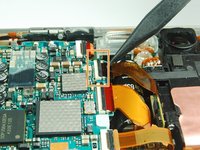
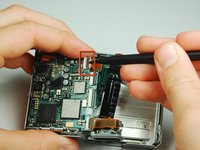
Use the tip of a spudger to flip up the tab on the ZIF connecter securing the motherboard ribbon cable.
-
Grasp the flash module by the bottom and remove it.
-
-












To reassemble your device, follow these instructions in reverse order.

