
Sony Cyber-shot DSC-HX1 Button Assembly Replacement

Brianna Greenlaw and one other contributor
Last updated on Jun 22, 2015
Views: 1.5K
View statistics:
- Past 24 Hours:
- 4
- Past 7 Days:
- 19
- Past 30 Days:
- 103
- All Time:
- 1,508
Comments: 5
5 comments on steps.
Completed: 2 3
2 people have marked this guide "completed." Will you be next?
3 people have marked this guide "completed." Including you — great job!
Favorites: 1 2
1 person has favorited (and subscribed to) this guide. Will you be next?
2 people have favorited (and subscribed to) this guide — including you!
Introduction
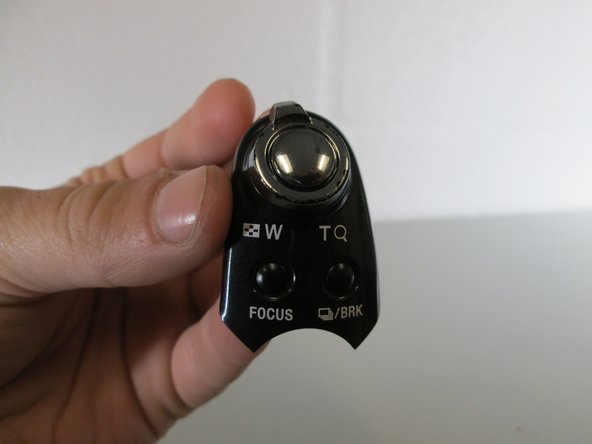
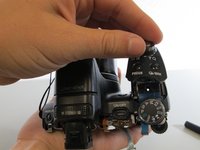
Go to step 1 ↓Removal and replacement of these buttons requires some previous disassembly and removal of the motherboard.
What you need
Tools

-
-
-
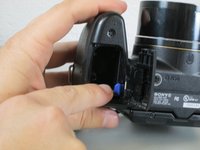
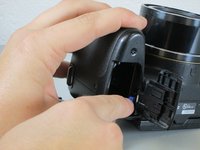
Push down and away from the camera to the left on the indicated indentation in the battery cover. The compartment should slide open as shown.
-
-
-
-
Push the blue tab towards the camera body to the right, while simultaneously pulling out the battery.
-
-
-
-
On the top of the inside the battery compartment, remove the #00 6.0 mm Phillips screw.
-
-

 Ask FixBot




To reassemble your device, follow these instructions in reverse order.
Cancel: I did not complete this guide.
2 other people completed this guide.

Team

Cal Poly, Team 17-3, Forte Spring 2015 Member of Cal Poly, Team 17-3, Forte Spring 2015
CPSU-FORTE-S15S17G3
4 Members
60 Guides authored
