Free Shipping on Domestic Orders $75+

Sony Cyber-Shot DSC-TX9 Card Reader Replacement

What you need

    1. Sony Cyber-Shot DSC-TX9 Card Reader Replacement, Prerequisites Only: step 1, image 1 of 3 Sony Cyber-Shot DSC-TX9 Card Reader Replacement, Prerequisites Only: step 1, image 2 of 3 Sony Cyber-Shot DSC-TX9 Card Reader Replacement, Prerequisites Only: step 1, image 3 of 3
      • Use a Phillips #0 screwdriver to unscrew the six 2mm screws on the outer case of the camera.

      • If there is a battery or SD card inside remove before beginning the process.

      Ask FixBot

      Add Comment

    2. Sony Cyber-Shot DSC-TX9 Card Reader Replacement: step 2, image 1 of 2 Sony Cyber-Shot DSC-TX9 Card Reader Replacement: step 2, image 2 of 2
      • Use your hands or a Spudger to Pull off the front cover of the camera.

      • If the casing is not coming apart easily, do not force it.

      Ask FixBot

      Add Comment

    3. Sony Cyber-Shot DSC-TX9 Card Reader Replacement: step 3, image 1 of 1
      Tool used on this step:
      Tweezers
      $4.99
      Buy
      • Remove the protective black cover layer with your hands and set it aside.

      • The use of tweezers may be necessary if the cover is difficult to remove.

      Ask FixBot

      Add Comment

    4. Sony Cyber-Shot DSC-TX9 Card Reader Replacement: step 4, image 1 of 2 Sony Cyber-Shot DSC-TX9 Card Reader Replacement: step 4, image 2 of 2
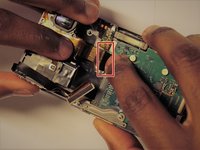
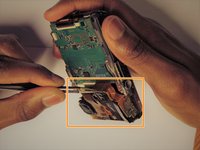
      • The ZIF connector can be removed by flipping the small black holder into the upright position and then sliding the ribbon cable out carefully.

      • Once this has been done, use tweezers to unplug the flat topped connector for the lens’ circuit board from the motherboard.

      • DO NOT force the ribbon cables or they will rip.

      • Refer to the (Recognizing & Disconnecting Cable Connectors) page for assistance.

      Ask FixBot

      Add Comment

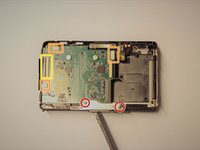
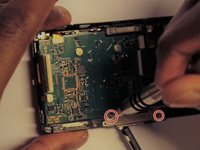
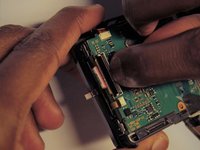
    1. Sony Cyber-Shot DSC-TX9 Card Reader Replacement, Card Reader: step 5, image 1 of 3 Sony Cyber-Shot DSC-TX9 Card Reader Replacement, Card Reader: step 5, image 2 of 3 Sony Cyber-Shot DSC-TX9 Card Reader Replacement, Card Reader: step 5, image 3 of 3
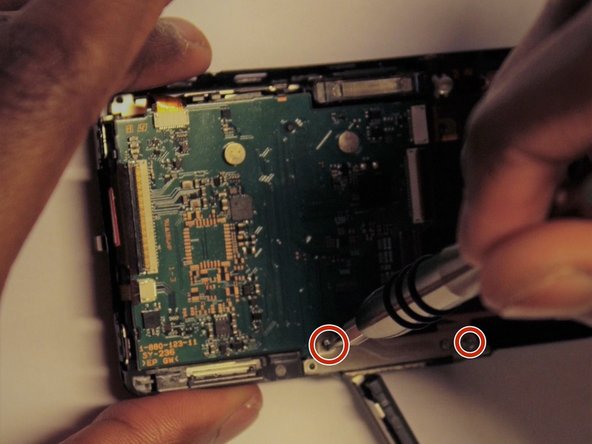
      • Using a Phillips head screw driver, remove the two screws for the metal plate on the bottom.

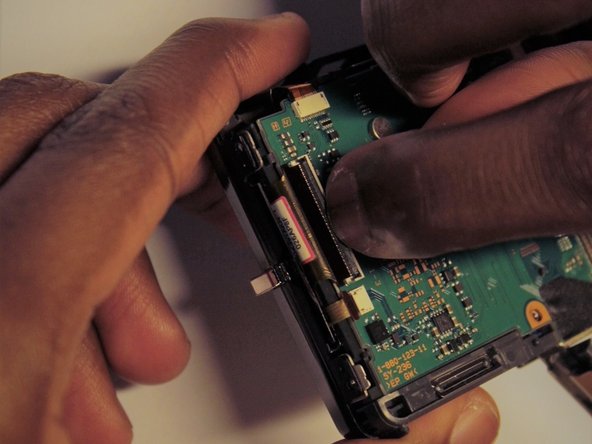
      • Detach the smaller ribbon cables by sliding them out.

      • Detach the large ribbon cable by flipping the small black holder in an upright position and then sliding the cable out carefully.

      • Detach the ribbon cables slowly and carefully or they will rip.

      Ask FixBot

      Add Comment

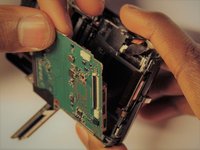
    2. Sony Cyber-Shot DSC-TX9 Card Reader Replacement: step 6, image 1 of 2 Sony Cyber-Shot DSC-TX9 Card Reader Replacement: step 6, image 2 of 2
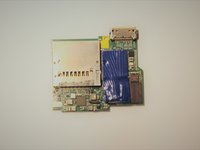
      • Carefully remove the Memory card circuit board.

      • The circuit board should come out with little force. If it does not, make sure all connections are disconnected.

      Ask FixBot

      Add Comment

Conclusion

To reassemble your device, follow these instructions in reverse order.

Cancel: I did not complete this guide.

Yegor Shea

Member since: 03/26/17

319 Reputation

3 Guides authored

Team

0 Guide Comments

Add Comment

View Statistics:

Past 24 Hours: 1

Past 7 Days: 8

Past 30 Days: 35

All Time: 772