
Sony Cyber-Shot DSC-TX30 Outer Shell Replacement

Kellen Fulkerson and 3 other contributors
Last updated on Aug 2, 2017
Views: 1.7K
View statistics:
- Past 24 Hours:
- 3
- Past 7 Days:
- 26
- Past 30 Days:
- 112
- All Time:
- 1,709
Comments: 1
1 guide comment.
Go to guide commentsCompleted: 0 1
No one has marked this guide "completed." Will you be the first?
1 person has marked this guide "completed." It's you — great job!
Favorites: 0 1
No one has favorited (and subscribed to) this guide. Will you be the first?
1 person has favorited (and subscribed to) this guide — and that's you!
Introduction
Go to step 1 ↓In order for the device to work underwater without risk of damage, it must be properly sealed. If the outer shell is damaged or won't properly seal, then its ability to perform underwater without receiving potentially permanent damage is severely reduced. This guide will show you how to replace the outer shell of the device.
What you need
Tools


-
-
-
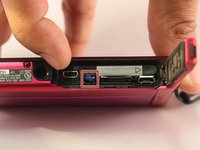
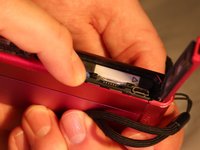
Using your finger, slide the release catch to unlock the battery/memory card cover.
 Ask FixBot
-
-
-
-
-
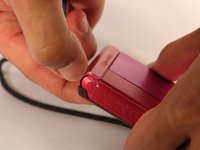
Using a Phillips #00 screwdriver, remove one black 2 2/5mm screw that is located next to the wrist band loop.
-
-
-
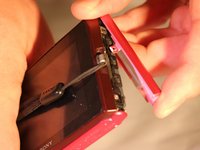
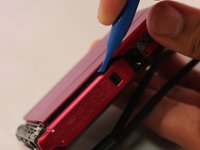
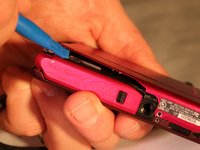
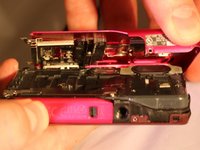
Using the plastic opening tool, separate the edge-casing from the rest of the camera.
-
-
-
Using a Phillips #00 screwdriver, remove one silver 3mm screw located on the front side of the camera.
-
Using a Phillips #00 screwdriver, remove one silver 5 2/5mm screw located on the front side of the camera
-
Using a Phillips #00 screwdriver, remove one black 2 1/2mm screw located on the front side of the camera.
-
-
-
Using a Phillips #00 screwdriver, remove one 2 1/2mm screw located near the wrist strap.
-
-
-
-
Using a Phillips #00 screwdriver remove one black 2 2/5mm screw near the tripod slot on the bottom of the casing.
-
-
-
Using a Phillips #00 screwdriver remove the two 2 2/5mm black screws from the side of the camera opposite of the wrist strap
-
-








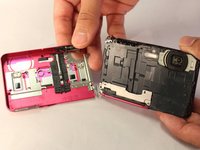
To reassemble your device, follow these instructions in reverse order.

Team

Eastern Washington University, Team S1-G6, Crane Spring 2017 Member of Eastern Washington University, Team S1-G6, Crane Spring 2017
EWU-CRANE-S17S1G6
4 Members
72 Guides authored
1 Guide Comment
hello sir do you have sony tx30 case ? because my battery lock hole loose … please thanks
