Free Shipping on Domestic Orders $75+

Sony BDP-BX520 Port Board Replacement

What you need

  1. Sony BDP-BX520 Port Board Replacement, Disc Tray Cover: step 1, image 1 of 1
    • Plug in the Blu-Ray player, then press the power button, making sure the Blu-Ray player is powered on.

    • Press the eject button on either the top of the Blu-Ray player or on the remote to open the disc tray.

    Ask FixBot

    Add Comment

  2. Sony BDP-BX520 Port Board Replacement: step 2, image 1 of 1
    • Grab the sides of the disc tray cover and carefully pull each side upwards, starting with the left side. This will unhook the cover from the tray.

    Ask FixBot

    Add Comment

  3. Sony BDP-BX520 Port Board Replacement: step 3, image 1 of 1
    • Close the disc tray, then power off and unplug the Blu-Ray player.

    Ask FixBot

    Add Comment

  4. Sony BDP-BX520 Port Board Replacement, Front Panel: step 4, image 1 of 1
    • Insert the nylon or metal spudger under the clip on the side near the front of the device. Lift the clip so it is free from the device.

    • Lifting these clips may require you to hold one clip open while you move on to the next clip.

    Ask FixBot

    Add Comment

  5. Sony BDP-BX520 Port Board Replacement: step 5, image 1 of 1
    • Flip device over so the bottom faces you.

    • Insert the nylon or metal spudger and lift the two clips on the bottom of the device.

    Ask FixBot

    Add Comment

  6. Sony BDP-BX520 Port Board Replacement: step 6, image 1 of 1
    • Lift the clip on the opposite side of the device with the nylon or metal spudger.

    Ask FixBot

    Add Comment

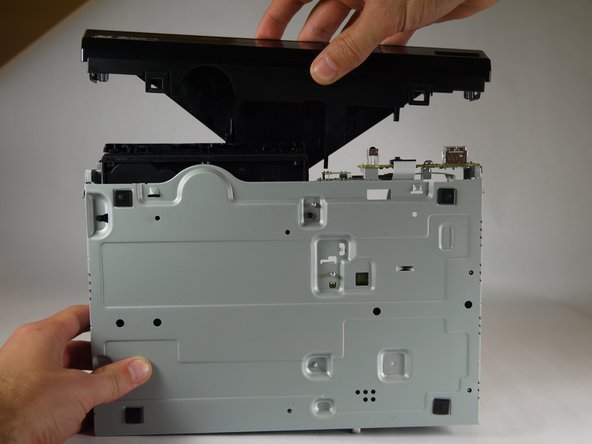
  7. Sony BDP-BX520 Port Board Replacement: step 7, image 1 of 2 Sony BDP-BX520 Port Board Replacement: step 7, image 2 of 2
    • Grasp the front case firmly and lift from the rest of the device.

    • Lifting may require some force.

    Ask FixBot

    Add Comment

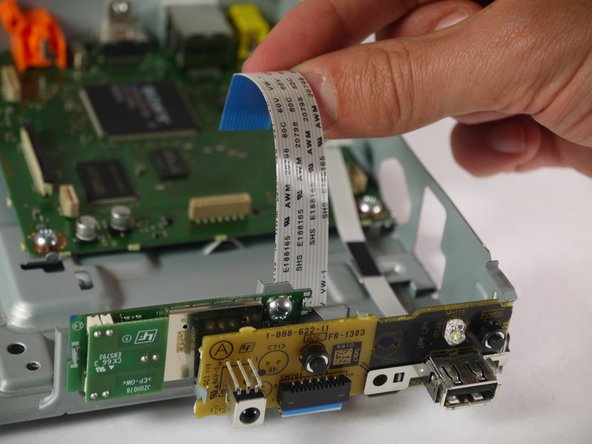
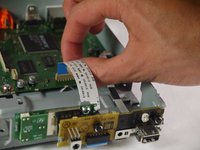
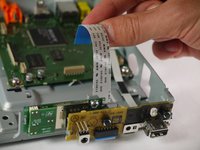
  8. Sony BDP-BX520 Port Board Replacement, Port Board: step 8, image 1 of 2 Sony BDP-BX520 Port Board Replacement, Port Board: step 8, image 2 of 2
    • When handling circuit boards like the motherboard and port board, make sure to only touch them on the sides.

    • Locate the large ribbon cable connecting the port board to the motherboard.

    • Detach the cable from the motherboard by carefully pulling upward on the cable.

    Ask FixBot

    Add Comment

  9. Sony BDP-BX520 Port Board Replacement: step 9, image 1 of 1
    • Using the Phillips #2 screwdriver, unscrew the silver, 8mm screw holding the board in place.

    Ask FixBot

    Add Comment

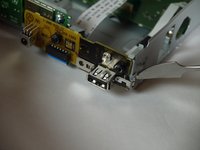
  10. Sony BDP-BX520 Port Board Replacement: step 10, image 1 of 2 Sony BDP-BX520 Port Board Replacement: step 10, image 2 of 2
    • Using the nylon or metal spudger, carefully unclip the port board from the side of the player.

    Ask FixBot

    Add Comment

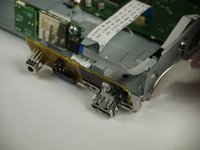
  11. Sony BDP-BX520 Port Board Replacement: step 11, image 1 of 1
    • Carefully pull the port board free from the Blu-Ray player.

    Ask FixBot

    Add Comment

Conclusion

To reassemble your device, follow these instructions in reverse order.

Cancel: I did not complete this guide.

One other person completed this guide.

Collier

Member since: 01/31/15

352 Reputation

3 Guides authored

Team

Cal Poly, Team 8-41, Amido Winter 2015 Member of Cal Poly, Team 8-41, Amido Winter 2015

CPSU-AMIDO-W15S8G41

4 Members

8 Guides authored

0 Guide Comments

Add Comment

View Statistics:

Past 24 Hours: 1

Past 7 Days: 6

Past 30 Days: 35

All Time: 636