
Sony BDP BX350 Device Control Board Replacement

Cameron Peterson and 4 other contributors
Last updated on May 7, 2024
Views: 911
View statistics:
- Past 24 Hours:
- 2
- Past 7 Days:
- 21
- Past 30 Days:
- 98
- All Time:
- 911
Comments: 0
No one has left comments on this guide. Will you be first?
Go to guide commentsCompleted: 0 1
No one has marked this guide "completed." Will you be the first?
1 person has marked this guide "completed." It's you — great job!
Favorites: 0 1
No one has favorited (and subscribed to) this guide. Will you be the first?
1 person has favorited (and subscribed to) this guide — and that's you!
Introduction
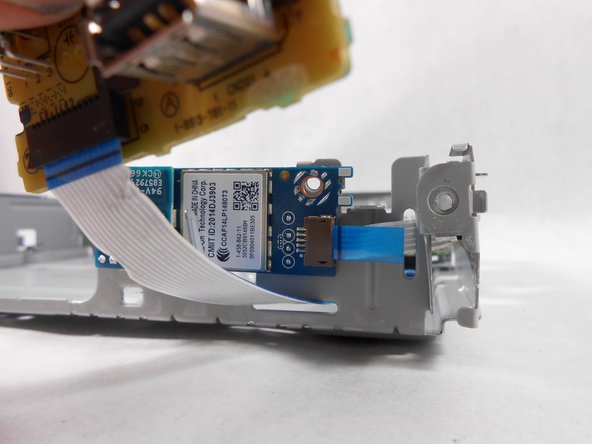
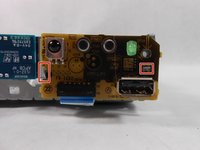
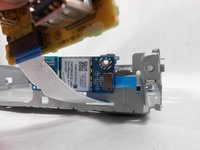
Go to step 1 ↓This is a step-by-step guide on how to replace your Sony BDP BX350 Device Control Board. This guide is needed if the device control board or USB drive are faulty. Make sure the device is unplugged before starting this guide.
What you need
Tools


-
-
-
Remove the three 10mm Philips head screws on the back of the player.
 Ask FixBot
-
-
-
Using an opening tool lift up the tabs located on the bottom of the plastic front cover.
-
-
-
Lift the tabs located on each side of the device to free the front cover. Begin separating the two covers from metal casing.
-
-
Tool used on this step:Tweezers$4.99
-
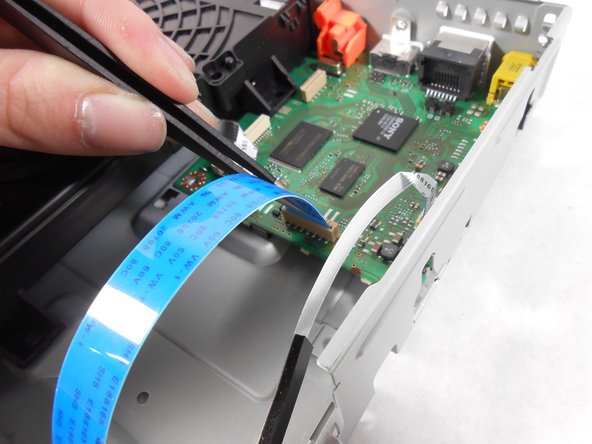
Using the plastic tweezers, carefully remove the ribbon cable from the motherboard.
-
-
-




To reassemble your device, follow these instructions in reverse order.

Team

UMass Dartmouth, Team S8-G5, Catania Spring 2017 Member of UMass Dartmouth, Team S8-G5, Catania Spring 2017
UMASSD-CATANIA-S17S8G5
3 Members
60 Guides authored
