Introduction
The E-mount, the interface between a camera body and a lens, can be easily replaced when it's time to change a dented or non-functioning E-mount. E-mount is also referred to as a lens mount when the camera it is attached to has an interchangeable lens.
What you need
-
-
-
Unscrew the 4 silver 1.2 mm Phillips #000 screws along the front outer lens mount.
-
Detach the outer lens mount ring.
 Ask FixBot
-
-
-
-
Using your fingers, pull out the first black spacer ring.
-
Repeat the previous step for the second silver spacer ring.
-
-
-
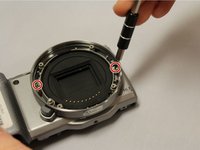
Unscrew the 2 silver 1.2 mm Phillips #000 screws on opposing sides in the lens ring area.
-
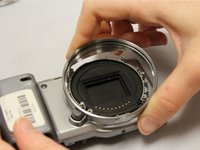
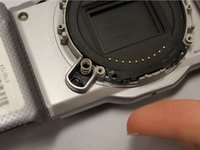
Using your fingers, easily pull off lens housing. This will complete the removal of the E-mount.
-
-


To reassemble your device, follow these instructions in reverse order.

Team

Eastern Washington University, Team 1-4, Matresse Fall 2015 Member of Eastern Washington University, Team 1-4, Matresse Fall 2015
EWU-MATRESSE-F15S1G4
4 Members
72 Guides authored
