Free Shipping on Domestic Orders $75+

Sony Alpha NEX-3N Lens Release Button Replacement

Views: 487

View statistics:

Past 24 Hours:
3
Past 7 Days:
14
Past 30 Days:
77
All Time:
487
Comments: 4

2 comments on steps, 2 guide comments.

Go to guide comments
Completed: 0

No one has marked this guide "completed." Will you be the first?

Favorites: 0

No one has favorited (and subscribed to) this guide. Will you be the first?

Time Required: 3 hours
Difficulty: Very difficult
Grammar Police

Embrace your inner English teacher and help improve this guide's grammar!

Bullets!

Better coordination with markups and the color/type of bullets will help make this guide more clear!

Community-Contributed Guide

An awesome member of our community made this guide. It was not created by iFixit staff.

Sony Alpha NEX-3N Lens Release Button Replacement
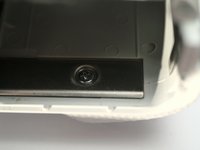
    1. Sony Alpha NEX-3N Lens Release Button Replacement, Getting Started: step 1, image 1 of 2 Sony Alpha NEX-3N Lens Release Button Replacement, Getting Started: step 1, image 2 of 2
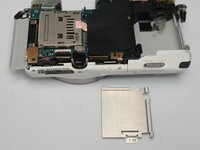
      • Remove the battery and SD card from the bottom of the camera before starting any disassembly. This is not only to keep your image files safe, but to also prevent getting shocked by electronic components inside the camera.

      Ask FixBot

      Add Comment

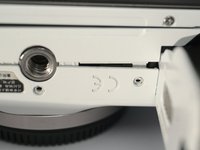
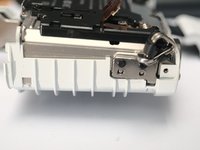
    2. Sony Alpha NEX-3N Lens Release Button Replacement, Back Case 1: step 2, image 1 of 3 Sony Alpha NEX-3N Lens Release Button Replacement, Back Case 1: step 2, image 2 of 3 Sony Alpha NEX-3N Lens Release Button Replacement, Back Case 1: step 2, image 3 of 3
      • On the right side, remove 1 M1.4x3.7 screw marked with a yellow box.

      • On the left, remove 3 M1.4x3.7 screws also marked by the yellow boxes.

      • On the bottom side, remove 5 M1.4x3.7 screws, including 2 in the battery bay. 2 of them are in this photo; you can find them.

      • Do NOT touch the screws on the bottom of the LCD assembly.

      Ask FixBot

      Add Comment

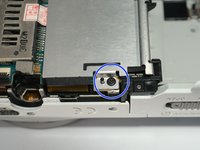
    3. Sony Alpha NEX-3N Lens Release Button Replacement, Back Case 2: step 3, image 1 of 1
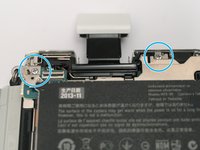
      • Pop open the flash.

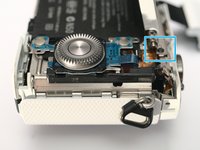
      • In flash area, remove 1 (one) M1.4x3.8 black screw, marked by the blue box.

      Ask FixBot

      Add Comment

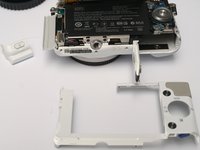
    4. Sony Alpha NEX-3N Lens Release Button Replacement, Back Case 3: step 4, image 1 of 3 Sony Alpha NEX-3N Lens Release Button Replacement, Back Case 3: step 4, image 2 of 3 Sony Alpha NEX-3N Lens Release Button Replacement, Back Case 3: step 4, image 3 of 3
      • Remove the LCD hinge cover, by sliding it to the left.

      • Remove the back cover, which is actually just a plastic frame.

      Ask FixBot

      Add Comment

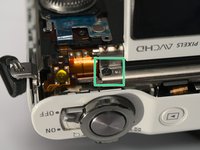
    5. Sony Alpha NEX-3N Lens Release Button Replacement, LCD assembly: step 5, image 1 of 2 Sony Alpha NEX-3N Lens Release Button Replacement, LCD assembly: step 5, image 2 of 2
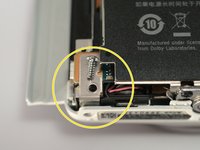
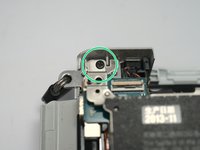
      • Remove 1 M1.4x2 screw marked by the blue box.

      • Remove another M1.4x2 screw. (sorry for the angle of the photo!)

      Ask FixBot

      Add Comment

    6. Sony Alpha NEX-3N Lens Release Button Replacement, LCD Assembly: step 6, image 1 of 3 Sony Alpha NEX-3N Lens Release Button Replacement, LCD Assembly: step 6, image 2 of 3 Sony Alpha NEX-3N Lens Release Button Replacement, LCD Assembly: step 6, image 3 of 3
      • CAUTION. Sony makes world's MOST BRITTLE FPC! Use extra care when taking the LCD off to try not to break the FPC.

      • Loosen the LCD assembly with caution!

      • Release the FPC cable, as the connector is a flip type.

      Ask FixBot

      Add Comment

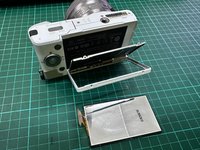
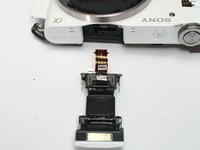
    7. Sony Alpha NEX-3N Lens Release Button Replacement, The LCD assembly: step 7, image 1 of 1
      • The LCD assembly when taken out of the camera.

      Ask FixBot

      Add Comment

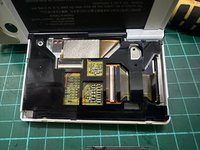
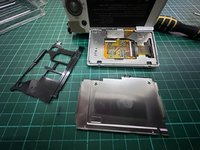
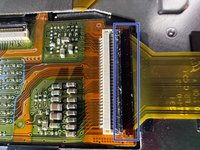
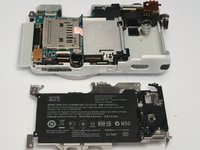
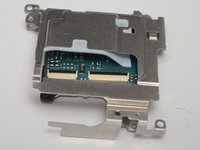
    8. Sony Alpha NEX-3N Lens Release Button Replacement, Dismantle the LCD Part: step 8, image 1 of 3 Sony Alpha NEX-3N Lens Release Button Replacement, Dismantle the LCD Part: step 8, image 2 of 3 Sony Alpha NEX-3N Lens Release Button Replacement, Dismantle the LCD Part: step 8, image 3 of 3
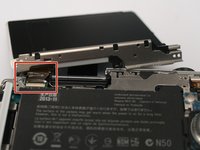
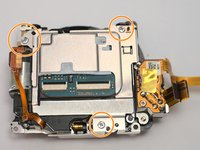
      • After unscrew 4pcs screw, you will remove the steel black plate, then slowly pull the black frame there to see the ribbon stripe.

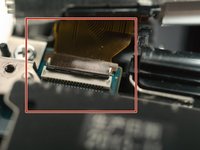
      • Slowly pull the very fragile ribbon lock, which I marked with the blue boxes. Around just 1mm to unlock the ribbon. Unfortunately, I broke mine.

      Ask FixBot

      Add Comment

    9. Sony Alpha NEX-3N Lens Release Button Replacement, Dismantle the LCD Part: step 9, image 1 of 3 Sony Alpha NEX-3N Lens Release Button Replacement, Dismantle the LCD Part: step 9, image 2 of 3 Sony Alpha NEX-3N Lens Release Button Replacement, Dismantle the LCD Part: step 9, image 3 of 3
      • You can see the ribbon has already pulled out. But be careful with the other 2 ribbons when you try to pull out this one.

      • The the circle marker that shows others ribbons you need to be careful. Goodluck!

      Ask FixBot

      Add Comment

    1. Sony Alpha NEX-3N Lens Release Button Replacement, Keypad: step 10, image 1 of 3 Sony Alpha NEX-3N Lens Release Button Replacement, Keypad: step 10, image 2 of 3 Sony Alpha NEX-3N Lens Release Button Replacement, Keypad: step 10, image 3 of 3
      • Remove 1 M1.4x2 screw

      • Lift the keypad.

      • Detach FPC

      Ask FixBot

      Add Comment

    1. Sony Alpha NEX-3N Lens Release Button Replacement, Screws: step 11, image 1 of 1
      • Remove 3 M1.4x3.6 black screws, 2 of them out of focus

      Ask FixBot

      Add Comment

    2. Sony Alpha NEX-3N Lens Release Button Replacement: step 12, image 1 of 2 Sony Alpha NEX-3N Lens Release Button Replacement: step 12, image 2 of 2
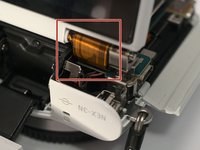
      • Slide the flash assembly backwards with caution.

      • Detach flash FPC by pulling it out of the socket.

      • High Voltage! Do NOT touch metal on FPC.

      • Then remove the flash assembly.

      Ask FixBot

      Add Comment

    3. Sony Alpha NEX-3N Lens Release Button Replacement: step 13, image 1 of 1
      • Remove that part whatever called, by sliding it backwards.

      Ask FixBot

      Add Comment

    1. Sony Alpha NEX-3N Lens Release Button Replacement, Screws: step 14, image 1 of 3 Sony Alpha NEX-3N Lens Release Button Replacement, Screws: step 14, image 2 of 3 Sony Alpha NEX-3N Lens Release Button Replacement, Screws: step 14, image 3 of 3
      • 1 ST1.7x5

      • 2 ST1.7x5

      • 1 M1.4x3.6 black

      Ask FixBot

      Add Comment

    2. Sony Alpha NEX-3N Lens Release Button Replacement, The Grip: step 15, image 1 of 2 Sony Alpha NEX-3N Lens Release Button Replacement, The Grip: step 15, image 2 of 2
      • Remove 2 ST1.7x5 screws from inside the battery bay. (one of them not shown, deeper inside) insert screw driver through a hole in the shielding cover.

      • Pop the grip off. From back, push to the right, then it flies forward.

      Ask FixBot

      Add Comment

    3. Sony Alpha NEX-3N Lens Release Button Replacement, More Screws: step 16, image 1 of 1
      • Remove 2 M1.4x2 black screws

      Ask FixBot

      Add Comment

    4. Sony Alpha NEX-3N Lens Release Button Replacement, Pop the Shielding Cover: step 17, image 1 of 2 Sony Alpha NEX-3N Lens Release Button Replacement, Pop the Shielding Cover: step 17, image 2 of 2
      • with caution and patient.

      Ask FixBot

      Add Comment

    5. Sony Alpha NEX-3N Lens Release Button Replacement, One More Shield: step 18, image 1 of 3 Sony Alpha NEX-3N Lens Release Button Replacement, One More Shield: step 18, image 2 of 3 Sony Alpha NEX-3N Lens Release Button Replacement, One More Shield: step 18, image 3 of 3
      • 1 M1.4x3.6

      Ask FixBot

      Add Comment

    6. Sony Alpha NEX-3N Lens Release Button Replacement, Detach 7000 FPCs: step 19, image 1 of 1
      • Sensor power, flip

      • Sensor signal, flip

      • Shutter, pull

      • Lens contacts, pull. Did I mention that Sony makes world's most brittle FPC?

      • Whatever, pull

      • Whatever, pull

      • Shutter charger motor FPC, (backside, pull out)

      Ask FixBot

      Add Comment

    7. Sony Alpha NEX-3N Lens Release Button Replacement: step 20, image 1 of 1
      • Flip the Mainboard up

      • Pull out one more FPC

      • Discharge then desolder 4 wires.

      • CAUTION! Possible high DC voltage >300V

      Ask FixBot

      Add Comment

    8. Sony Alpha NEX-3N Lens Release Button Replacement: step 21, image 1 of 1
      • Lift main board and plastic frame with flash capacitor.

      Ask FixBot

      Add Comment

    1. Sony Alpha NEX-3N Lens Release Button Replacement, FPC cables: step 22, image 1 of 1
      • Detach sensor Power (L)and Signal(R) FPC

      Ask FixBot

      Add Comment

    2. Sony Alpha NEX-3N Lens Release Button Replacement, Screws: step 23, image 1 of 1
      • Remove 3-4 ST1.7x5 screws

      • Remove 1 M1.4x5 screw

      Ask FixBot

      Add Comment

    3. Sony Alpha NEX-3N Lens Release Button Replacement: step 24, image 1 of 2 Sony Alpha NEX-3N Lens Release Button Replacement: step 24, image 2 of 2
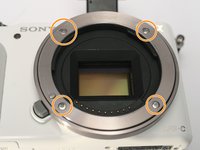
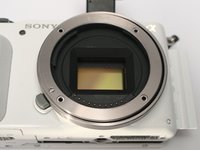
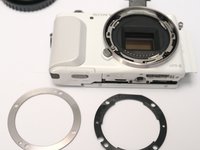
      • Remove 4 ST1.7x5 screws for the E-Mount

      • Remove mount metal ring

      Ask FixBot

      Add Comment

    4. Sony Alpha NEX-3N Lens Release Button Replacement, E-Mount: step 25, image 1 of 3 Sony Alpha NEX-3N Lens Release Button Replacement, E-Mount: step 25, image 2 of 3 Sony Alpha NEX-3N Lens Release Button Replacement, E-Mount: step 25, image 3 of 3
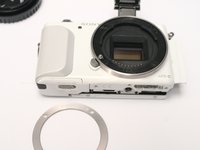
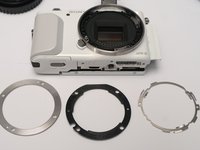
      • Remove mount metal ring

      • Remove mount plastic ring

      • remove mount spring ring

      Ask FixBot

      Add Comment

    5. Sony Alpha NEX-3N Lens Release Button Replacement, Sensor + Shutter: step 26, image 1 of 1
      • Sensor + Shutter assembly comes off

      Ask FixBot

      Add Comment

    6. Sony Alpha NEX-3N Lens Release Button Replacement, Sensor Frame: step 27, image 1 of 1
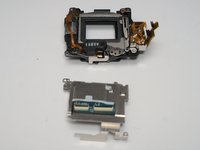
      • Separate sensor + shutter from another frame

      Ask FixBot

      Add Comment

    7. Sony Alpha NEX-3N Lens Release Button Replacement, The Sensor: step 28, image 1 of 3 Sony Alpha NEX-3N Lens Release Button Replacement, The Sensor: step 28, image 2 of 3 Sony Alpha NEX-3N Lens Release Button Replacement, The Sensor: step 28, image 3 of 3
      • Remove 3 ST1.7x5 screws

      • Remove sensor shield / heat sink. Sensor PCBA might sticks to the shield, just separate them.

      Ask FixBot

      Add Comment

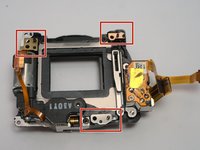
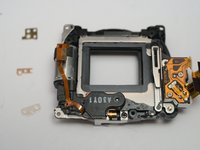
    1. Sony Alpha NEX-3N Lens Release Button Replacement, Shutter: step 29, image 1 of 2 Sony Alpha NEX-3N Lens Release Button Replacement, Shutter: step 29, image 2 of 2
      • Remove sensor. the shutter assembly comes off.

      • Careful with 3 tiny spacers. Do NOT lose them.

      Ask FixBot

      Add Comment

    2. Sony Alpha NEX-3N Lens Release Button Replacement: step 30, image 1 of 1
      • Separate Shutter assembly form the mount body.

      Ask FixBot

      Add Comment

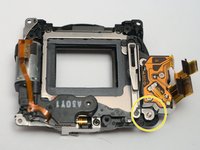
    3. Sony Alpha NEX-3N Lens Release Button Replacement: step 31, image 1 of 3 Sony Alpha NEX-3N Lens Release Button Replacement: step 31, image 2 of 3 Sony Alpha NEX-3N Lens Release Button Replacement: step 31, image 3 of 3
      • Remove 1 screw (from the "Front" side)

      • Separate shutter curtain (Photo 3) from charging motor (not shown).

      Ask FixBot

      Add Comment

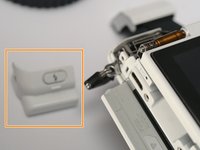
    1. Sony Alpha NEX-3N Lens Release Button Replacement, Lens Release Button: step 32, image 1 of 1
      • Yes, replacing this little innocent part needs 3+ hours!

      Ask FixBot

      Add Comment

    2. Sony Alpha NEX-3N Lens Release Button Replacement: step 33, image 1 of 1
      • After removing the mount+shutter+sensor, it appears.

      Ask FixBot

      Add Comment

Conclusion

To reassemble your device, follow these instructions in reverse order.

Cancel: I did not complete this guide.

Terrance

Member since: 11/17/09

7,099 Reputation

19 Guides authored

2 Guide Comments

My NEX-3N is not recognizing the lens. Is it possible to replace just the camera lens connector cable?

Moreno Pinheiro - Reply Share
I guiess it's possible. I broke my lens cable and lost a bunch of contacts. Can't find a replace part. planning to copy that FPC and order some on jlcpcb, but way too lazy, and years passed now.

Terrance - Reply Share
Add Comment

View Statistics:

Past 24 Hours: 3

Past 7 Days: 14

Past 30 Days: 77

All Time: 487