Introduction
Is no sound coming from your Sony Action Cam HDR-AS15? Is the sound fuzzy or hard to distinguish? This guide will help you replace the speaker in the Sony Action Cam HDR-AS15. You need to be ready to handle small parts and screws. You will also need to know how to solder.
What you need
-
-
To access the battery, gently pry open the rear cover of the action cam.
 Ask FixBot
-
-
Tool used on this step:Tweezers$4.99
-
Using a pair of tweezers, firmly grip the protrusion where the PULL signifies and remove the tray and battery.
-
-
-
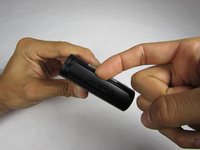
Open the bottom tab with your finger or a plastic opening tool.
-
Pull the tab out, not up, to remove it completely.
-
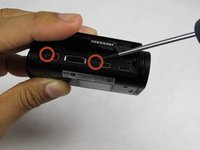
Remove the two screws from the device.
-
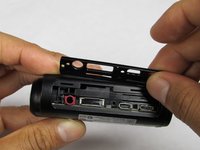
Use your fingers to remove the plastic plate.
-
-
-
-
Separate the outer casing from the electronics by pushing on one of the ports toward the back end of the case. The electronics should slide right out.
-
-
-
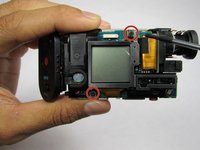
Remove the two 6.4 mm screws on the LCD side of the device using a Phillips #00 screwdriver.
-
Flip the LCD display downward to reveal the circuit board.
-
-
-
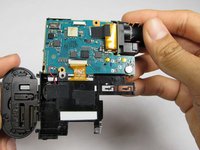
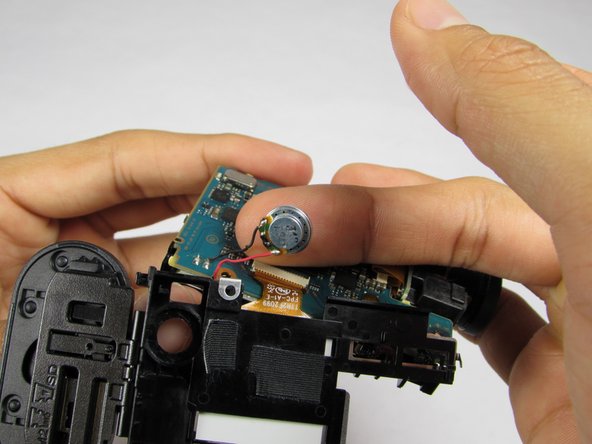
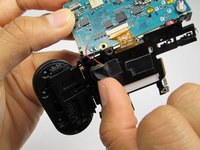
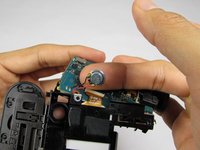
Desolder the speaker wires from the circuit board
-
To desolder, turn the soldering iron on and let it heat up
-
Touch the tip of the soldering iron to one of the solder joints until it melts. This will happen very quickly.
-
Pull the wire out of the solder and remove the soldering iron.
-
Repeat the last 3 steps for the second wire
-






To reassemble your device, follow these instructions in reverse order.
Cancel: I did not complete this guide.
One other person completed this guide.

Team

USF Tampa, Team 1-2, Sullivan Winter 2015 Member of USF Tampa, Team 1-2, Sullivan Winter 2015
USFT-SULLIVAN-W15S1G2
4 Members
12 Guides authored
