Introduction
If your camera isn’t powering on, the culprit may be a faulty battery. The battery must also be removed as a prerequisite in some replacement guides. This guide will provide step-by-step instructions on how to remove and replace the battery. This replacement guide requires no tools.
What you need
-
-
-
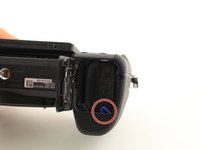
Flip the camera upside down.
-
Slide the battery compartment lock to OPEN to unlock it.
-
-

 Ask FixBot


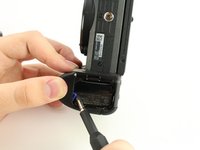

To reinsert the battery, follow these instructions in reverse order.
Cancel: I did not complete this guide.
One other person completed this guide.

Team

University of South Florida St. Petersburg, Team S1-G1, Stowe Fall 2018 Member of University of South Florida St. Petersburg, Team S1-G1, Stowe Fall 2018
USFSP-STOWE-F18S1G1
4 Members
12 Guides authored
