
Sony α6000 Lens Assembly Replacement

Patrick Thompson and 2 other contributors
Last updated on Feb 3, 2020
Views: 1.5K
View statistics:
- Past 24 Hours:
- 2
- Past 7 Days:
- 11
- Past 30 Days:
- 78
- All Time:
- 1,468
Comments: 1
1 comment on steps.
Completed: 2 3
2 people have marked this guide "completed." Will you be next?
3 people have marked this guide "completed." Including you — great job!
Favorites: 0 1
No one has favorited (and subscribed to) this guide. Will you be the first?
1 person has favorited (and subscribed to) this guide — and that's you!
Introduction
Go to step 1 ↓This guide will walk you through the process of replacing a damaged or broken lens for a Sony α6000 camera (identified with model number ILCE-6000).
A lens can break if the camera is dropped, exposed to moisture, or from lack of careful cleaning. The damaged lens can produce photos covered with spots (indicating dust or dirt) or poor focus across an image. Signs of a damaged lens are scratches, abnormal mechanical noises, or shutter delays.
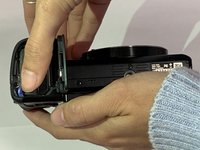
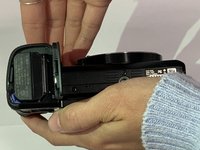
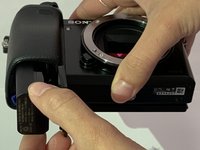
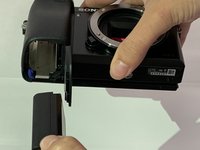
Before beginning, be sure to wear plastic gloves while removing the lens. This will prevent dirt and oil from harming the lens further. Be careful of glass shards if the lens is cracked. You must also ensure that the camera is turned off and the battery is removed before replacing the lens.
Reassembly instructions are not noted in this guide. You will reassemble your device by performing the instructions in reverse order.
To prevent future damage, reference ++Sony’s cleaning guide here++ or have it professionally cleaned. If problems persist, consult the ++troubleshooting guide++ to determine the issue.
What you need
Tools

-
-
-
-
Place the camera with the lens facing upwards.
-
Remove the four 1.75 mm Phillips #00 screws from the front face of the camera.
-
-
-


 Ask FixBot






To reassemble your device, follow these instructions in reverse order.
Cancel: I did not complete this guide.
2 other people completed this guide.

Team

The Citadel Military College of South Carolina, Team S2-G3, Eggleston Fall 2019 Member of The Citadel Military College of South Carolina, Team S2-G3, Eggleston Fall 2019
CMCSC-EGGLESTON-F19S2G3
3 Members
36 Guides authored
