
Sonos Connect WIFI Card Replacement

Clark Snyder and 4 other contributors
Last updated on Mar 19, 2020
Views: 8.1K
View statistics:
- Past 24 Hours:
- 5
- Past 7 Days:
- 22
- Past 30 Days:
- 117
- All Time:
- 8,127
Comments: 6
2 comments on steps, 4 guide comments.
Go to guide commentsCompleted: 0 1
No one has marked this guide "completed." Will you be the first?
1 person has marked this guide "completed." It's you — great job!
Favorites: 1 2
1 person has favorited (and subscribed to) this guide. Will you be next?
2 people have favorited (and subscribed to) this guide — including you!
Incorrect Tools
Help make this guide better by using the correct tools in images and/or text.
Better Introduction
Improve this guide by completing or revising its introduction.
Introduction
Go to step 1 ↓If the troubleshooting guide for the WIFI problems hasn't fixed your issue, this guide is for replacing the WIFI card in your Sonos Connect.
What you need
Tools
-
-
Spudger4.9


-
-
-
Start by using a spudger or plastic opening tool to remove the bottom cover.
-
Once enough of the glue is removed, peel the cover off by hand,
 Ask FixBot
-
-
-
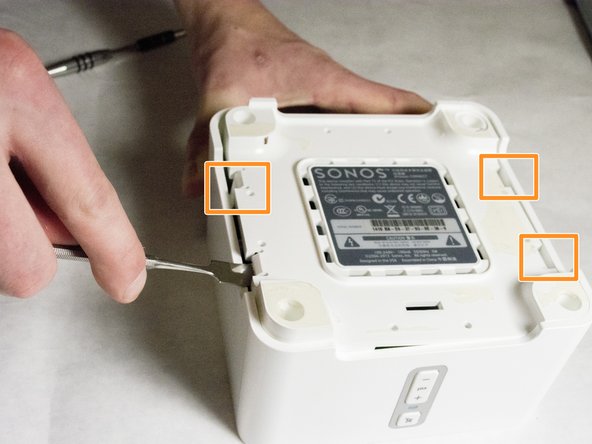
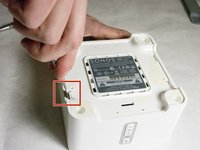
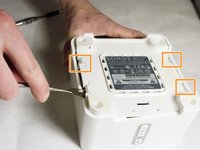
Use a nylon spudger to unsnap the bottom from the sides.
-
Pry until the remaining three points are unsnapped.
-
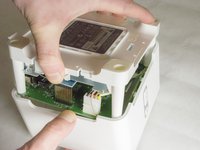
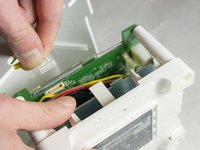
Once unsnapped, lift the cover.
-
-
-
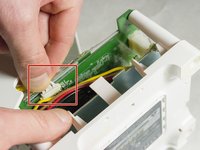
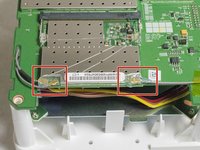
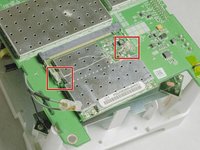
Use a plastic opening tool or spudger to remove the adhesive covering the the WIFI connectors.
-
Gently pull the wires at the connection point to disconnect them from the motherboard.
-
-
-
-
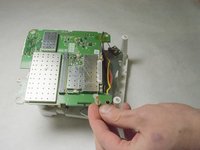
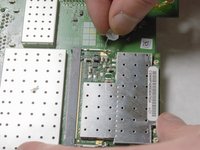
Scrape the glued pad underneath the WIFI card to seperate the card from the board.
-
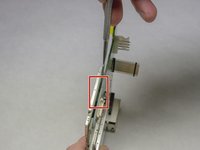
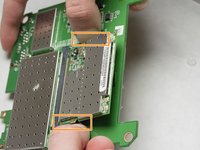
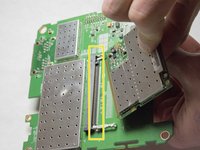
Push apart the two clips holding the WIFI card in the connection.
-
Pull the WIFI card out of the connection.
-
-











To reassemble your device, follow these instructions in reverse order.

Team

IUPUI, Team 3-2, Baechle Spring 2016 Member of IUPUI, Team 3-2, Baechle Spring 2016
IUPUI-BAECHLE-S16S3G2
4 Members
48 Guides authored
4 Guide Comments
great piece of advice. After some searching I found this on ebay.
https://www.ebay.co.uk/itm/Atheros-AR500...
or type in search bar Atheros AR5008 AR5416 Mini PCI N 802.11N 300M WIFI Wireless Card Dell ASUS SONY.
It cost me around £10.00 and seems to be working fine now after installation
Do you know the wireless card for the sonos connect s15?
I successfully replaced the faulty WiFi card in my SONOS Connect Model S15 with an
Apple AirPort Extreme Atheros AR5BXB112 / AR9380 / 250-01927-050 / 607-7212-A card.
Bought used on eBay for under €10.
The original card caused a red flashing light on boot most of the time.
With the card removed, the unit booted stably over Ethernet, but factory reset failed when the original card was installed.
Running Sonos OS S2, version 17.2.5 (Build 86.7-77050).
Factory reset and update both worked normally after replacement.
