
SodaStream Source Battery Replacement

Alexandra I Curtis and 4 other contributors
Last updated on Mar 5, 2020
Views: 119K
View statistics:
- Past 24 Hours:
- 19
- Past 7 Days:
- 207
- Past 30 Days:
- 812
- All Time:
- 118,843
Comments: 54
32 comments on steps, 22 guide comments.
Go to guide commentsCompleted: 30 31
30 people have marked this guide "completed." Will you be next?
31 people have marked this guide "completed." Including you — great job!
Favorites: 4 5
4 people have favorited (and subscribed to) this guide. Will you be next?
5 people have favorited (and subscribed to) this guide — including you!
Introduction
Go to step 1 ↓The SodaStream Source is operated by a 3V lithium battery. If you are experiencing trouble with your device not turning on, or your LED lights are not coming on it could be that your battery needs to be replaced. This guide will instruct you on how to remove the carbonation block and replace the internal battery.
What you need
Parts
Tools

-
-
-
Remove the soda bottle and the CO₂ canister from the machine.
 Ask FixBot
-
-
Tool used on this step:Phillips #1 Screwdriver$8.99
-
Remove the four 17.8 mm screws from the bottom metal base using a Phillips #1 screwdriver.
-
-
Tool used on this step:Phillips #1 Screwdriver$8.99
-
Remove the two 18.2 mm screws from the bottom of the front cover using a Phillips #1 screwdriver.
-
-
-
-


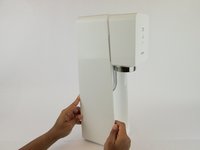
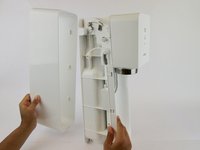


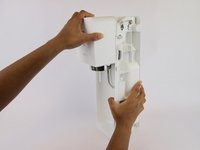
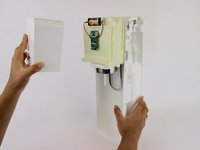

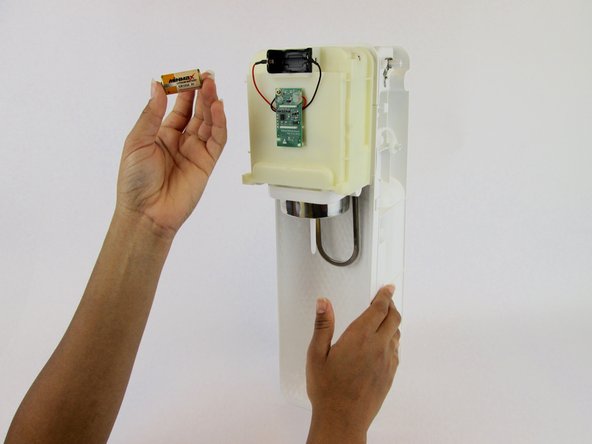
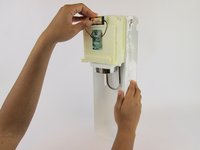
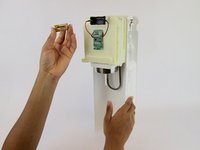
To reassemble your device, follow these instructions in reverse order.
Cancel: I did not complete this guide.
30 other people completed this guide.

Team

USF Tampa, Team S1-G4, Leahy Spring 2017 Member of USF Tampa, Team S1-G4, Leahy Spring 2017
USFT-LEAHY-S17S1G4
3 Members
84 Guides authored
22 Guide Comments
Heel de achterkant hoeft er hiervoor niet af hoor juist de voorkant 2 vijsjes en je kan het voorste deksel er af klikken ;)
Perfectly explained! I was afraid to pull the front cover because it does indeed take a lot of force to pull off!!
its important to note it’s a C123A 3v battery, not the C2 3v as I found out after opening
Where is the best place to find these batteries? Canadian tire?
Staples has the 123A 3v battery
