
Smartab STJR700 Home Button Replacement

Moriah Wiggins and 5 other contributors
Last updated on May 7, 2024
Views: 690
View statistics:
- Past 24 Hours:
- 3
- Past 7 Days:
- 19
- Past 30 Days:
- 93
- All Time:
- 690
Comments: 0
No one has left comments on this guide. Will you be first?
Go to guide commentsCompleted: 0 1
No one has marked this guide "completed." Will you be the first?
1 person has marked this guide "completed." It's you — great job!
Favorites: 0 1
No one has favorited (and subscribed to) this guide. Will you be the first?
1 person has favorited (and subscribed to) this guide — and that's you!
Slice and Dice
The steps in this guide should be split up and made into a series of prerequisite guides.
Introduction
Go to step 1 ↓This repair guide should only be used if all other options have been exhausted and the tablet's home button is still unresponsive. Before attempting to replace the home button, make sure the unresponsive home button is not experiencing a software issue.
What you need
Parts
Tools


-
-
-
Power off device. Place it face down. Unscrew the four perimeter screws using a PH000.
 Ask FixBot
-
-
-
Using a plastic opening tool or metal spudger, begin to gently pry the rear case down and away from the display. Slowly wiggle the tool up and down to pry open the tablet. Once the rear case is fully removed, place it to the side.
-
-
Tool used on this step:Tweezers$4.99
-
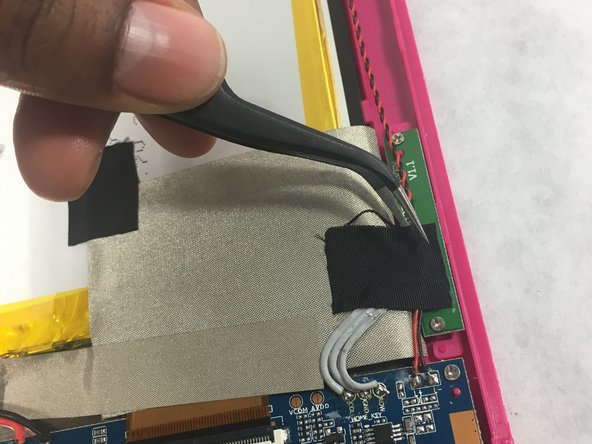
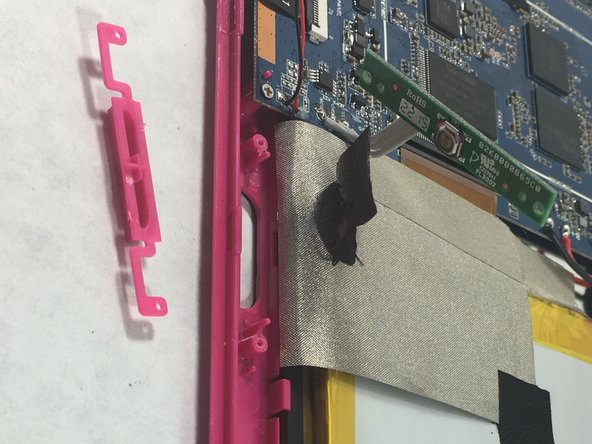
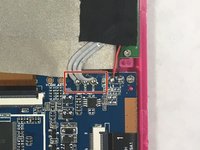
Using tweezers, carefully remove the tape that is holding the black and red intertwined cables to the motherboard. Place tape to the side as it will be needed for reassembly.
-
-
-
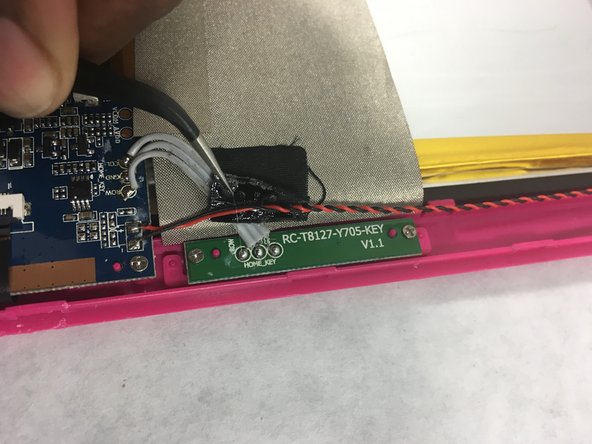
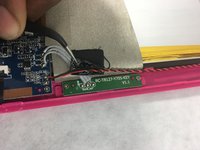
Remove the two Phillips #000 screws holding the home button board to the front panel.
-
-
-
-
Using tweezers, slowly and carefully remove the end of the cable that connects the home button to the main motherboard.
-
-




To ensure a successful replacement make sure to follow all steps carefully .

Team

UMass Dartmouth, Team S3-G4, Botvin Spring 2017 Member of UMass Dartmouth, Team S3-G4, Botvin Spring 2017
UMASSD-BOTVIN-S17S3G4
4 Members
60 Guides authored
