
SleepTracker Elite Battery Replacement

Last updated on Sep 9, 2014
Views: 1.7K
View statistics:
- Past 24 Hours:
- 2
- Past 7 Days:
- 19
- Past 30 Days:
- 92
- All Time:
- 1,678
Comments: 0
No one has left comments on this guide. Will you be first?
Go to guide commentsCompleted: 1 2
1 person has marked this guide "completed." Will you be next?
2 people have marked this guide "completed." Including you — great job!
Favorites: 0 1
No one has favorited (and subscribed to) this guide. Will you be the first?
1 person has favorited (and subscribed to) this guide — and that's you!
Community-Contributed Guide
An awesome member of our community made this guide. It was not created by iFixit staff.
What you need


-
-
-
You will need:
-
CR 2032 Battery
-
Philips #0 screwdriver
-
Something to pop the battery out, like a thin spudger, or a #2 slot screwdriver.
 Ask FixBot
-
-
-
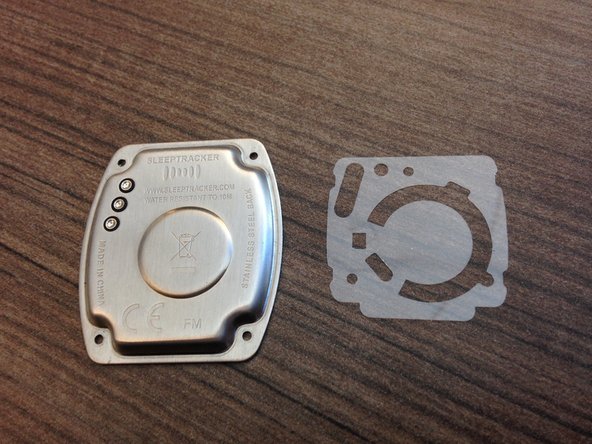
Lift off the case back.
-
Underneath, you'll see a sheet of plastic film. It should be possible to remove the battery without removing the film, if you're careful, but I didn't want to risk bending or tearing the plastic.
-
If you do take the plastic off, beware of maneuvering it over the three springs in the upper left, and the small prong that sticks out over the battery. You'll need to be sure to arrange the plastic carefully over these obstructions when re-assembling.
-
-
-
-
Insert spudger or flat screwdriver in the notch indicated by the arrow, and lever out the battery.
-
The new battery should insert the same way the old one came out, and snap into place.
-
-




To reassemble your device, follow these instructions in reverse order.
Cancel: I did not complete this guide.
One other person completed this guide.

