
Skullcandy Crusher Wireless Battery Replacement

Last updated on May 13, 2022
Views: 16K
View statistics:
- Past 24 Hours:
- 8
- Past 7 Days:
- 52
- Past 30 Days:
- 230
- All Time:
- 16,284
Comments: 11
6 comments on steps, 5 guide comments.
Go to guide commentsCompleted: 6 7
6 people have marked this guide "completed." Will you be next?
7 people have marked this guide "completed." Including you — great job!
Favorites: 1 2
1 person has favorited (and subscribed to) this guide. Will you be next?
2 people have favorited (and subscribed to) this guide — including you!
Introduction
Go to step 1 ↓Use this guide to replace the battery in a Skullcandy Crusher Wireless headphones. A replacement battery can be bought online.
Follow this replacement guide if you've identified the battery as a source of the problem (or maybe you just want to see the internal components of your Skullcandy Crusher Wireless). To be sure, check out the Troubleshooting page.
Make sure you are not working with a swollen battery.
Also, for more information about soldering and desoldering, please use this guide.
What you need
Parts
-
Skullcandy Crusher Wireless Replacement Ear CushionAffiliate linkAvailable for sale on Amazon
https://www.skullcandy.com/crusher-wireless-replacement-ear-cushion
Tools


-
-
-
Take your headphones and hold them upside down for better control with your hands.
 Ask FixBot
-
-
-
Grab the ear cushion firmly between your thumb and forefinger with a tight grip.
-
Pull the ear cushion away from the plastic, covering the speaker, by sliding the ear cushion down to release it.
-
-
-
Continue pulling it away from the edges of the plastic covering until the cushion is fully removed.
-
-
-
-
-
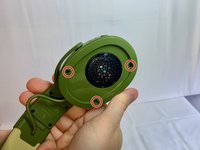
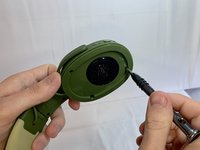
Remove three 12 mm Phillips #1 screws located underneath the left ear cushion of the headphones.
-
-
-
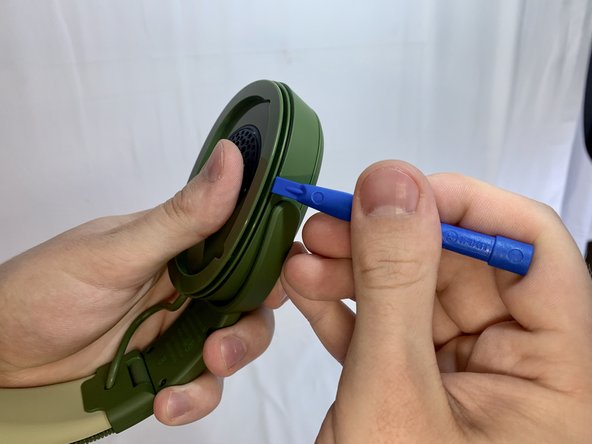
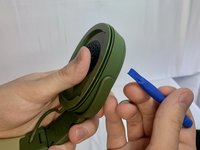
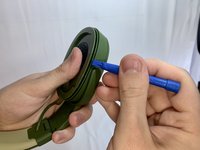
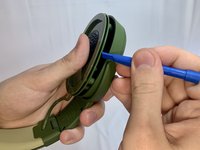
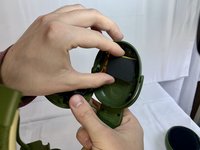
Slide a plastic opening tool between the plastic frame and speaker assembly of the headphones.
-
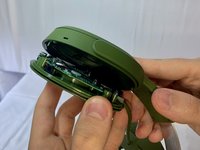
Gently pry the speaker part away from the frame of the headphones.
-
-
-
-
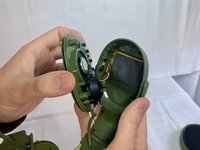
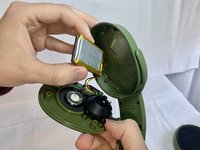
Remove the battery from the headphone housing.
-
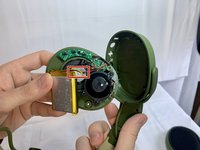
Use a soldering iron to desolder the black, red, and yellow cables from the board and disconnect the battery.
-
-








To reassemble your device, follow these instructions in reverse order.
Cancel: I did not complete this guide.
6 other people completed this guide.

Team

UMass Dartmouth, Team 1-33, Gurgel Spring 2022 Member of UMass Dartmouth, Team 1-33, Gurgel Spring 2022
UMASSD-GURGEL-S22S1G33
1 Member
72 Guides authored
5 Guide Comments
Hi, Can you specify this replacement batterys name and model number?
1050mAh, 3,7V 3,885Wh
Which battery should i buy for my skull candy hes evo??
donde puedo conseguir la bateria de los skullcandy crusher?
y cual bateria lleva?
Am I able to send my headphones to you to be fixed?
If I can, what would the cost be?
I have two headphone sets
