Free Shipping on Domestic Orders $75+

Sirius Stiletto 2 Front Cover Replacement

What you need

    1. Sirius Stiletto 2 Front Cover Replacement, Battery: step 1, image 1 of 1
      • From the back of the device, slide the back panel downwards to unlock the panel.

      • Lift the panel up, exposing the battery.

      Ask FixBot

      Add Comment

    2. Sirius Stiletto 2 Front Cover Replacement: step 2, image 1 of 2 Sirius Stiletto 2 Front Cover Replacement: step 2, image 2 of 2
      • Pinch the battery from both sides and lift the battery to remove it.

      Ask FixBot

      Add Comment

    1. Sirius Stiletto 2 Front Cover Replacement, Front Cover: step 3, image 1 of 1
      • Unscrew the four 6.68mm (1.43mm diameter) Philips #00 screws.

      • If needed, remove the sticker to see the screws

      Ask FixBot

      Add Comment

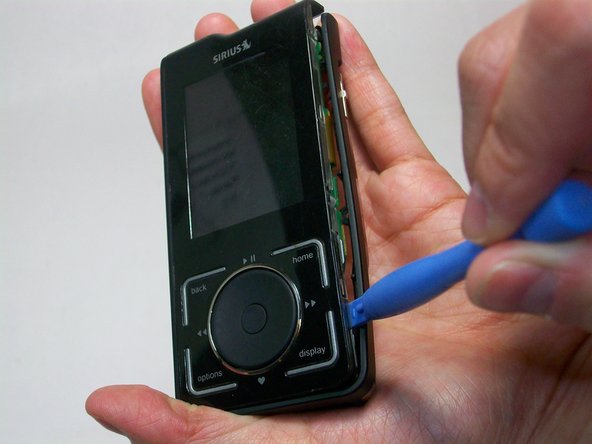
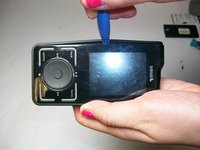
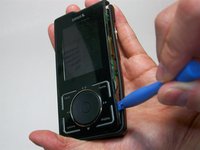
    2. Sirius Stiletto 2 Front Cover Replacement: step 4, image 1 of 2 Sirius Stiletto 2 Front Cover Replacement: step 4, image 2 of 2
      • Start by using a plastic opening tool to loosen the front cover from the sides.

      • Work your way to the bottom of the cover then the top.

      • Carefully pry the front cover off.

      Ask FixBot

      Add Comment

Conclusion

To reassemble your device, follow these instructions in reverse order.

Cancel: I did not complete this guide.

Benjamin Her

Member since: 01/21/15

567 Reputation

5 Guides authored

Team

USF Tampa, Team 6-6, Brown Winter 2015 Member of USF Tampa, Team 6-6, Brown Winter 2015

USFT-BROWN-W15S6G6

4 Members

60 Guides authored

0 Guide Comments

Add Comment

View Statistics:

Past 24 Hours: 2

Past 7 Days: 6

Past 30 Days: 26

All Time: 575