Introduction
If your phone is not turning on or charging, you may need a new battery.
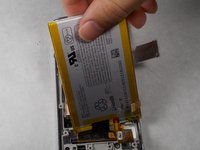
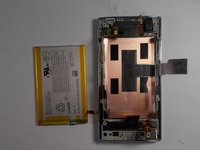
This guide will show you how to open your device and remove the inside motherboard to replace your battery.
What you need
-
-
-
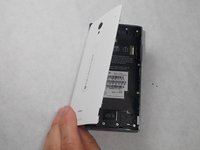
Peel back the back cover of the phone from the access point to remove it. It should come off easily using your hands.
 Ask FixBot
-
-
-
-
-
Remove seven 3mm Star #5 screws shown in the picture with a screwdriver.
-
Remove two 3.5mm Star #5 screws shown in the picture with a screwdriver.
-
Remove two 5mm Star #5 screws shown in the picture with a screwdriver.
-
-
-
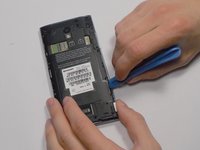
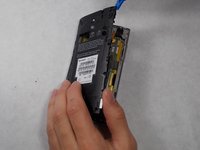
Pry open the back panel using a plastic opening tool. Do this around the edges until you are able to lift it off.
-
-
-
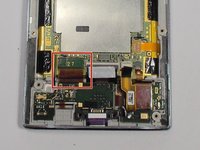
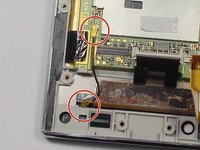
To disconnect the cable, use the tip of a spudger or your fingernail to flip up the small retaining flap. Then, you can safely pull the ribbon cable out.
-
-
-
-
After removing the wires, carefully snap out the usb port with your hands. It is held down by some plastic clips, so some force may be needed.
-
-
-
-
Tool used on this step:Tweezers$4.99
-
Use the tip of a spudger or your fingernail to flip up the small retaining flap. Then pull the cable out using tweezers.
-
-
-
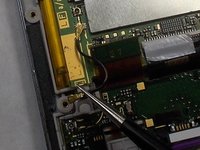
Remove the wire from the two marked connections using tweezers to pull the wire apart from the device.
-
-






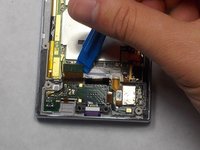


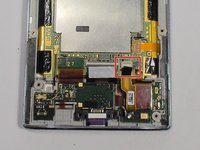
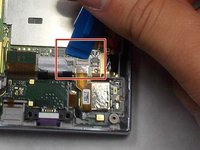
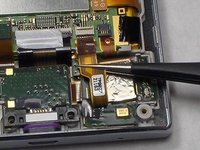




To reassemble your device, follow these instructions in reverse order.
Cancel: I did not complete this guide.
9 other people completed this guide.

Team

UMass Dartmouth, Team 7-4, Catania Spring 2016 Member of UMass Dartmouth, Team 7-4, Catania Spring 2016
UMASSD-CATANIA-S16S7G4
3 Members
96 Guides authored
3 Guide Comments
very helpful. I already replace my sharp 305sh battery
and then I find my power button is out of order.
so i just can keep it still on. use shake to lock screen and touch to unlock.
restart by unplug sim card.
but these day I made it out of power.so it turn off. however I use anyway to make it alive but I can’t.
luck me. I HARDLY PRESS camera left side near down the power button side and press on button .
It turns on.
the power board need to touch on some device on anther side.
!Mucho Gracias!
hello, where can I buy this battery ? thanks, Ari
battery connector located on motherbaoard has been broken when i was changing my aquos R2 battery.....kind guide me what to do now.....should we use jumper wires direct to the battery ??? if yes then guide me
