Introduction
The drive motor/wheel assemblies are a vital component to the R75.
the assembly includes:
- a drive motor
- a small gear system
- a drive wheel
- a motor controller
- the R75’s suspension system
Each of these components can be replaced individually, however, you will rarely find a single component being sold as a replacement, whereas the complete assembly can be ordered.
You may want to remove the drive assembly in order to replace a failed drive motor or to clean out hair or debris from the drive wheel. If a drive motor has failed, you should notice your robot’s ability to move become severely impaired, if not fail entirely.
It is important to occasionally inspect the wheels for any sort of wear and debris build up.
What you need
-
-
-
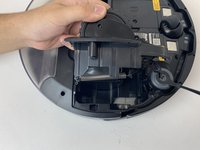
Flip the R75 over so that the underside is facing up.
-
Using a Phillips #1 screwdriver, remove the 4mm screw in the battery cover.
-
Remove the battery cover.
 Ask FixBot
-
-
-
Tool used on this step:Tweezers$4.99
-
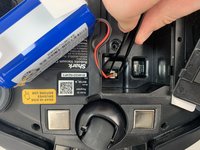
Push down on the tab of the battery connector using a set of tweezers and pull the connector away from the robot to free the wire.
-
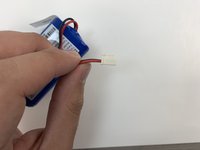
Remove the battery from the device.
-
-
-
-
-
Flip the R75 to its underside.
-
Make sure the R75 is shut off.
-
-
-
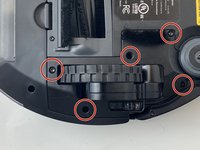
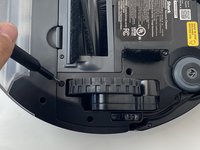
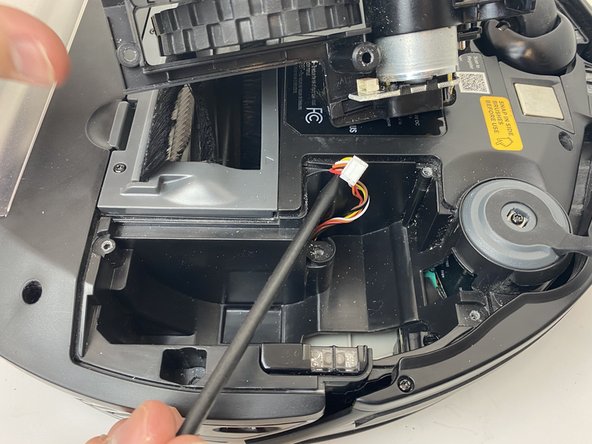
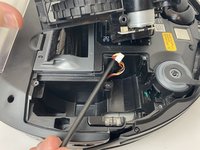
Using a Torx T15 screwdriver, remove the five screws from the drive wheel assembly.
-
Carefully lift the drive wheel assembly from the wheel well by gently pulling up on the wheel.
-
-
-
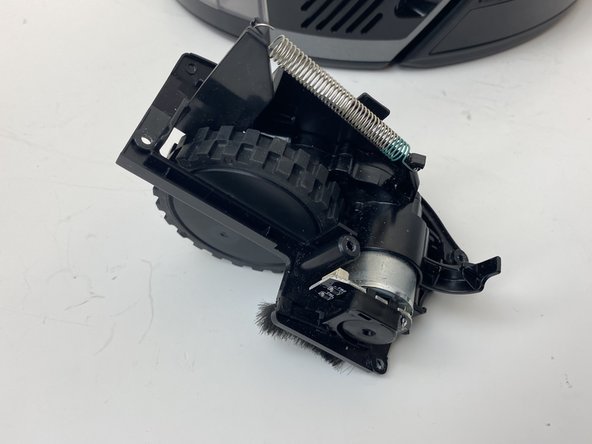
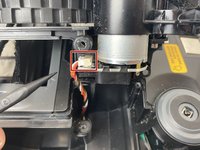
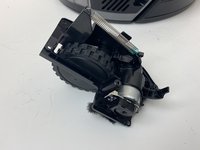
Flip the wheel assembly over and disconnect the cable connector on its underside.
-
Remove the drive wheel assembly.
-
-





To reassemble your device, follow these instructions in reverse order.
Cancel: I did not complete this guide.
3 other people completed this guide.

Team

Embry-Riddle Aeronautical University, Team S3-G6, Watkins Spring 2020 Member of Embry-Riddle Aeronautical University, Team S3-G6, Watkins Spring 2020
ERAU-WATKINS-S20S3G6
4 Members
96 Guides authored
6 Guide Comments
I appreciate the step-by-step instructions with pictures... this was very helpful. However, my rv750 doesn't have the screws by the wheel assembly.
I've removed the screws, but it appears that I will need to separate the bottom from the top to access the wheel assemblies. Do you have a step=by step for the rv750 that has the wheel assembly enclosed?
The right wheel ass has a small gear striped inside, can you buy the small gears to repair the wheel drive?
I'm going to try these from Walmart
