Introduction
If you're experiencing inconsistent sound with your Sennheiser Accentum Wireless headphones, this guide will walk you through how to remove the speaker compartment for replacement. Please note this repair requires soldering.
Before opening up the device, we recommend trying to restart the device and pairing the devices again. Sometime weak or inconstant sound can be caused by poor device connection, which restarting and reconnecting should solve. We provide further instructions in our troubleshooting guide.
What you need
-
-
-
-
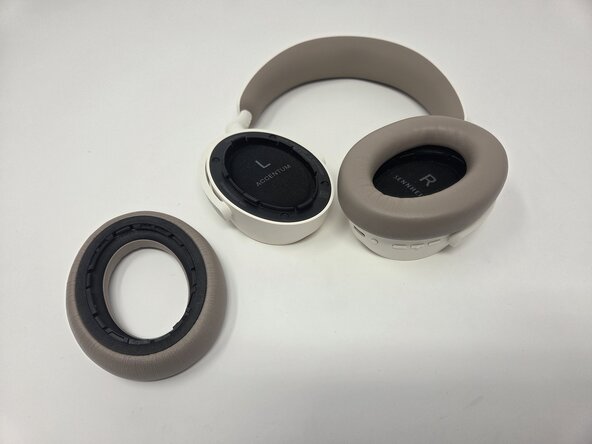
Remove the four black foam screw covers.
-
-
-
-
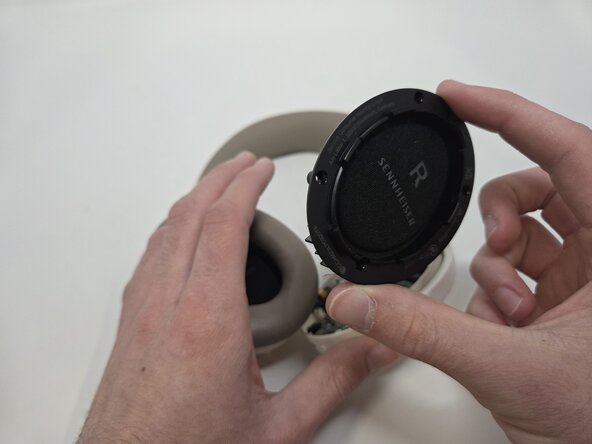
Use a Phillips #0 screwdriver to unscrew the screws on each earpiece. Each earpiece holds four, 6 mm screws.
-
-
-
-
-
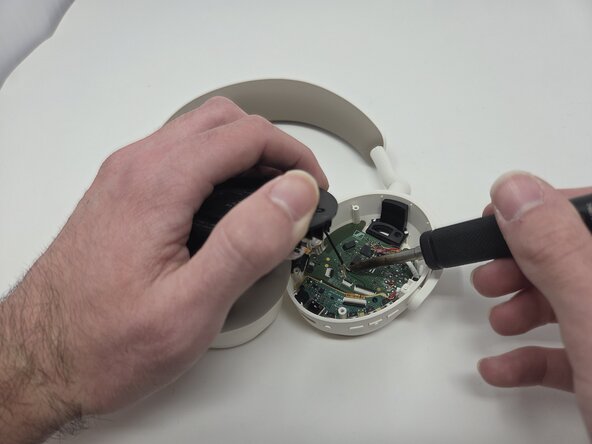
De-solder the wire connecting the driver assembly to the motherboard. If it's easier cut the wire and de-solder later then cut the wire. Click here for de-soldering tips.
-
Remove the driver assembly.
-
-



 Ask FixBot




To reassemble your device, follow the above steps in reverse order.
Take your e-waste to an R2 or e-Stewards certified recycler.
Repair didn’t go as planned? Try some basic troubleshooting or ask our Answers community for help.
Cancel: I did not complete this guide.
One other person completed this guide.

Team

Utah Tech University, Team 1-3, McMurrin Spring 2026 Member of Utah Tech University, Team 1-3, McMurrin Spring 2026
UTAHTECH-MCMURRIN-S26S1G3
3 Members
84 Guides authored
