Introduction
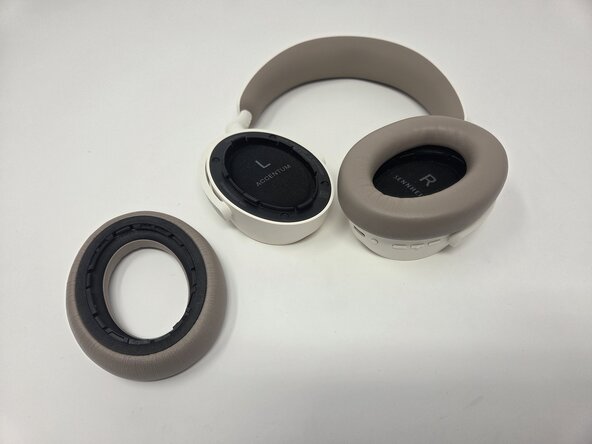
If you're having inconsistencies related to your Sennheiser Accentum Wireless headphones' battery life, this guide demonstrates how to remove the battery for replacement.
Before opening the device, first check the charging port for any debris that may be impacting charging connection. For small amounts of debris, you can use an ESD-safe brush or small dust blower. You can also try testing different charging cables and testing different outlets. Checkout our troubleshooting guide for more tips.
This guide requires the use of heat and a decent amount of force to remove the battery because it is held in place by a foam adhesive.
When interacting with electronic components it's important to minimize ESD. This means avoiding the use of metal tools with electrical components. The steps of this guide should ideally be followed in an area of between 40% and 60% to reduce the chances of ESD.
What you need
-
-
-
-
Remove the four black foam screw covers.
-
-
-
-
Use a Phillips #0 screwdriver to unscrew the screws on each earpiece. Each earpiece holds four, 6 mm screws.
-
-
-
-
-
Use a hair dryer to heat the rear of the left headphone to help loosen the foam adhesive holding the battery in place.
-
Carefully pry the battery out.
-



 Ask FixBot


To reassemble your device, follow the above steps in reverse order.
For optimal performance, after completing this guide, calibrate your newly installed battery.
Take your e-waste to an R2 or e-Stewards certified recycler.
Repair didn’t go as planned? Try some basic troubleshooting or ask our Answers community for help.
Cancel: I did not complete this guide.
One other person completed this guide.

Team

Utah Tech University, Team 1-3, McMurrin Spring 2026 Member of Utah Tech University, Team 1-3, McMurrin Spring 2026
UTAHTECH-MCMURRIN-S26S1G3
3 Members
84 Guides authored
