
Sanitaire SC684 front wheel replacement

Caycie Pascual and 6 other contributors
Last updated on Sep 15, 2020
Views: 1.8K
View statistics:
- Past 24 Hours:
- 1
- Past 7 Days:
- 18
- Past 30 Days:
- 66
- All Time:
- 1,755
Comments: 0
No one has left comments on this guide. Will you be first?
Go to guide commentsCompleted: 0 1
No one has marked this guide "completed." Will you be the first?
1 person has marked this guide "completed." It's you — great job!
Favorites: 0 1
No one has favorited (and subscribed to) this guide. Will you be the first?
1 person has favorited (and subscribed to) this guide — and that's you!
Action Shots
Be an action hero! This guide needs images that better demonstrate how to perform specific actions.
Introduction
Go to step 1 ↓There are many small things we interact with that make our lives easier that we often don’t think about, such as the wheels of a vacuum, which can deteriorate over time and need replacing. This guide is for Sanitaire SC684 owners who have found their vacuums front wheels in need of replacing.
What you need
Tools


-
-
-
Lay the vacuum on its side.
-
Using a Phillips #1 screwdriver, unscrew the screws located behind the front wheels on the underside of the vacuum.
 Ask FixBot
-
-
-
Stand the vacuum upright, unscrew the single screw located on the center dial using a Torx T20 screwdriver and remove the dial form the vacuum body.
-
-
-
Identify the two gray metal plates at the front of the vacuum.
-
Using the T20 Torx screwdriver, remove the four screws on the smaller gray plate holding the larger gray metal plates.
-
-
-
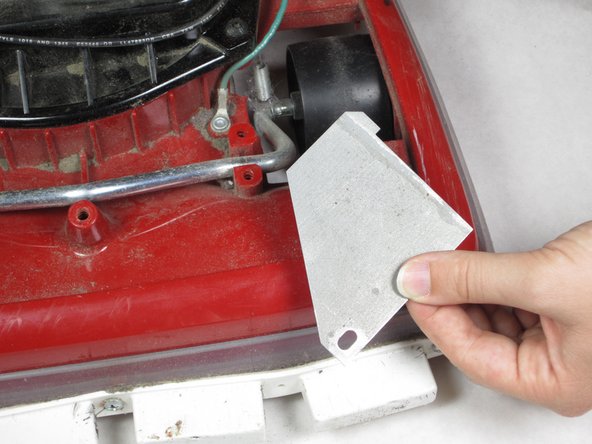
Remove the small metal plate with the black bolt in the center and the larger gray plate from both sides.
-
-
-
-
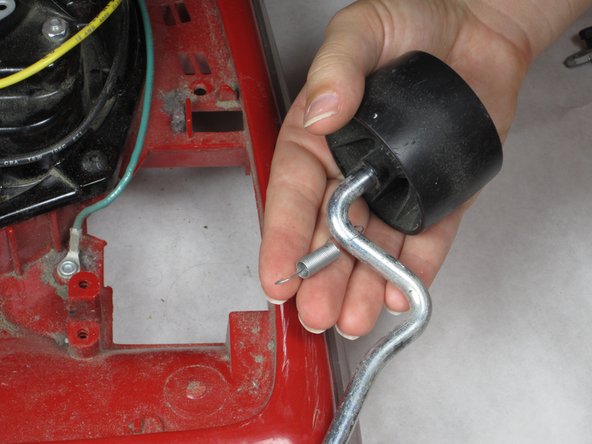
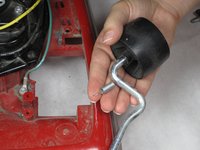
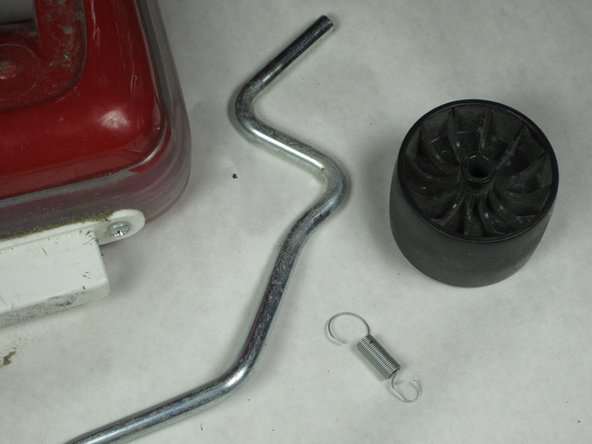
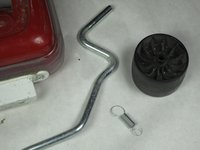
Pull out the silver bar that holds the two wheels to the vacuum body and detach the small spring from the vacuum body.
-
-
-
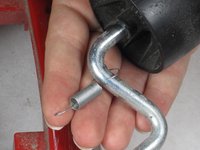
Remove the wheel from the side with the spring by pulling it off the axel and slide off the spring, as it will be needed for the replacement front wheels.
-
-





To reassemble your device, follow these instructions in reverse order.

Team

Cal Poly, Team 16-58, Forte Fall 2012 Member of Cal Poly, Team 16-58, Forte Fall 2012
CPSU-FORTE-F12S16G58
5 Members
48 Guides authored
