Free Shipping on Domestic Orders $75+

SanDisk Sansa C250 Battery Replacement

What you need

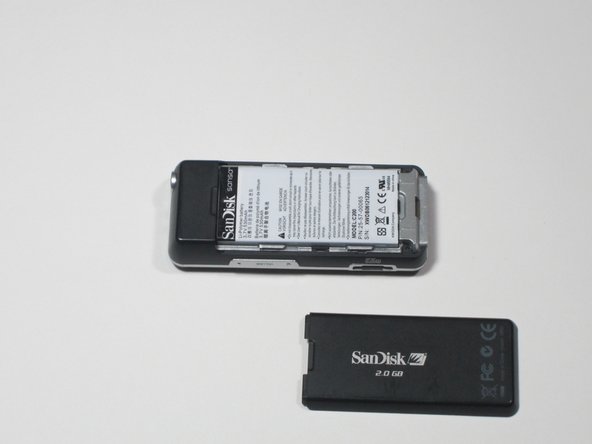
  1. SanDisk Sansa C250 Battery Replacement, Battery Cover: step 1, image 1 of 2 SanDisk Sansa C250 Battery Replacement, Battery Cover: step 1, image 2 of 2
    • To remove the back cover, slide the back cover toward the top of the device with your thumb.

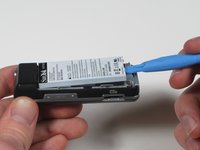
  2. SanDisk Sansa C250 Battery Replacement, Battery: step 2, image 1 of 1
    • Wedge the plastic pry tool under the edge of the battery.

    • An iFixIt opening tool can be used in place of a plastic pry tool in this step and the following steps.

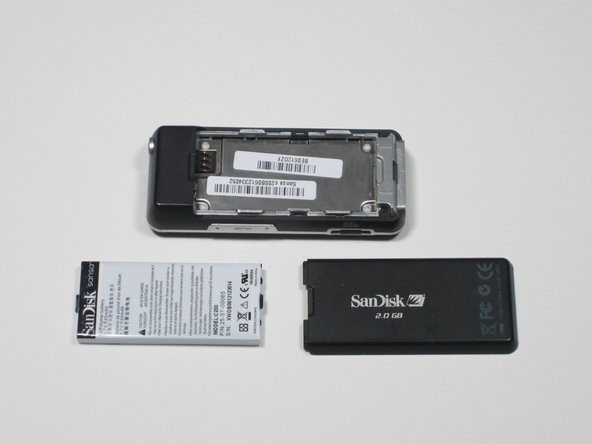
  3. SanDisk Sansa C250 Battery Replacement: step 3, image 1 of 2 SanDisk Sansa C250 Battery Replacement: step 3, image 2 of 2
    • With the plastic pry tool, gently lift up. The battery should lift up and out.

Conclusion

To reassemble your device, follow these instructions in reverse order.

Nicolas Coffey

Member since: 01/27/12

58 Reputation

4 Guides authored

Team

Cal Poly, Team 3-30, Amido Winter 2012 Member of Cal Poly, Team 3-30, Amido Winter 2012

CPSU-AMIDO-W12S3G30

3 Members

6 Guides authored

0 Guide Comments

Add Comment

View Statistics:

Past 24 Hours: 3

Past 7 Days: 18

Past 30 Days: 75

All Time: 3,035